2026 创业公司建站工具对比:We0 AI、Framer、Webflow 和 Carrd 到底怎么选?
很多创业团队选建站工具时,会先问一个问题:
2026 创业公司建站工具对比:We0 AI、Framer、Webflow 和 Carrd 到底怎么选?
很多创业团队选建站工具时,会先问一个问题:
哪个工具最快?
但到了 2026 年,这个问题有点不够用了。
因为对一个创业项目来说,网站不是“做完就结束”的东西。它更像一个前台:别人搜索你、比较你、点进你、判断你靠不靠谱,最后才可能留下邮箱、预约 Demo、提交询盘。
所以真正该问的是:
这个工具能不能帮我把网站变成一个长期获客资产?
这也是为什么 We0 AI、Framer、Webflow 和 Carrd 放在一起比较时,不能只看页面好不好看,也不能只看是不是便宜。
它们解决的,其实是四类不同问题。

先给结论:这四个工具不是同一种东西
如果你只想快速扫一眼,可以先看这张表。
| 工具 | 更适合谁 | 核心优势 | 主要短板 | 一句话判断 |
|---|---|---|---|---|
| We0 AI | SaaS、AI 产品、独立开发者、顾问、Agency、外贸、本地服务 | 建站 + 展示 + SEO/GEO + 内容 + 增长 + 线索 | 不适合只想自己随便拖一个玩具页面的人 | 适合把网站当获客资产的人 |
| Framer | 设计师、早期产品页、视觉表达强的团队 | 设计自由度高、动效好、上线快 | 后续内容增长和获客运营仍要自己做 | 适合设计优先的展示页 |
| Webflow | 成熟团队、设计团队、内容/结构复杂的网站 | CMS、设计控制、扩展性强 | 学习成本和维护成本更高 | 适合有资源运营复杂网站的团队 |
| Carrd | 个人项目、极简 landing page、临时验证页 | 便宜、简单、很快 | 不适合复杂结构、长期 SEO 内容和增长 | 适合一页式快速验证 |
这里有个关键差异:
Framer、Webflow、Carrd 更偏“建站工具”。We0 AI 更偏“展示型网站增长平台”。
这句话听起来像营销话术,但差别其实很现实。
做出一个页面,和让这个页面持续被搜索、被 AI 推荐、被用户信任、被客户转化,是两件事。
2026 年,创业公司网站的任务变了
以前大家做官网,主要是为了“看起来正规”。
现在不一样了。
一个创业公司的网站,至少要承担四件事:
- Build:先把网站搭起来
- Showcase:把产品、服务、案例、团队讲清楚
- Grow:通过 SEO、GEO、内容、页面优化持续拿流量
- Leads:把访问者变成线索、咨询、客户
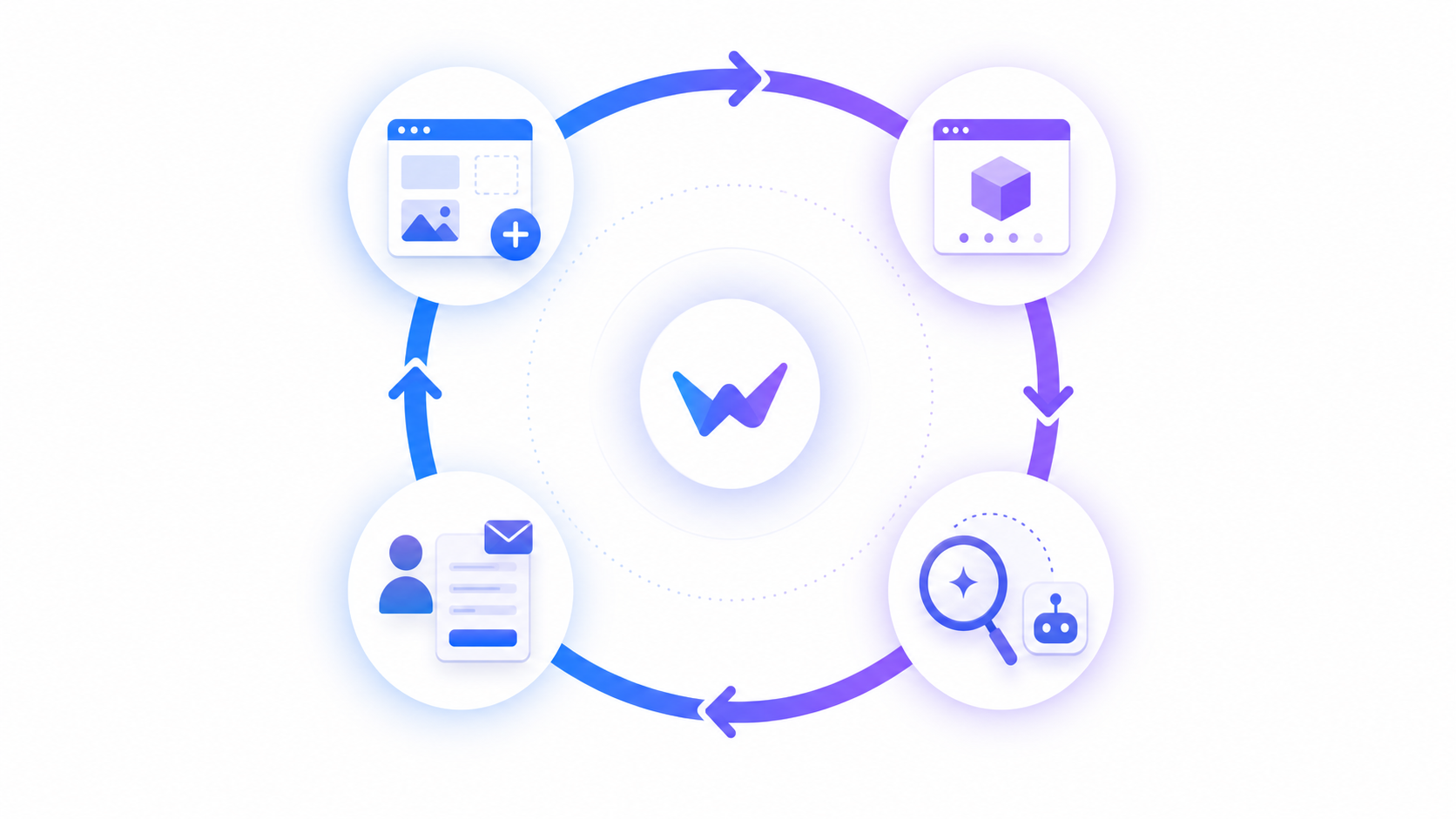
这就是 We0 AI 一直强调的链路:
Build -> Showcase -> Grow -> Leads
如果你只是做一个发布页,Carrd 可能够了。
如果你要一个视觉很强的产品首页,Framer 很舒服。
如果你有设计师、开发、内容团队,Webflow 很强。
但如果你是一个创业者、独立开发者、顾问、Agency 或外贸团队,你需要的不只是页面。
你更需要的是:
有人帮你把网站结构、文案、上线、SEO/GEO、内容布局、访问数据和线索路径一起想明白。
这正是 We0 AI 更适合的地方。
We0 AI:不是“生成一个网页”,而是让网站进入增长状态
We0 AI 不应该被简单理解成“AI website builder”。
它更准确的定位是:
面向展示型网站的 AI 建站获客增长平台。
它适合这些场景:
- SaaS / AI 产品团队做产品官网、功能页、定价页、案例页
- Indie Hacker 做项目展示页、发布页、waitlist 页面
- 顾问、自由职业者做服务展示和预约咨询页
- Agency 做案例展示、服务页和客户承接页
- 外贸公司做多语言产品展示和询盘页
- 创作者、专家做个人品牌站、作品集、课程页
- 本地服务商家做服务介绍、评价展示和预约入口
We0 AI 的重点不是“你输入一句话,它吐出一个页面”。
真正有价值的是后面的部分:页面结构、品牌信息梳理、文案规划、人工搭建、上线、SEO/GEO 配置、内容生产、数据监控、增长建议和持续优化。
这对创业团队很关键。
因为很多网站不是死在“做不出来”。
而是死在:
- 首页说不清楚自己是谁
- 页面没有搜索入口
- 没有内容沉淀
- 没有长尾关键词布局
- 没有清楚的转化路径
- 上线后没人维护
- 访问了也不知道发生了什么
We0 AI 解决的不是一个页面问题,而是一个增长闭环问题。
Framer:设计优先,适合快速做漂亮的产品展示
Framer 在 2026 年依然很适合创业团队,尤其是早期产品、设计驱动团队、需要强视觉表达的 SaaS 官网。
它的优势很明显:
- 页面视觉效果好
- 动效和交互舒服
- 上线速度快
- 对设计师友好
- CMS 和 SEO 能力也在持续完善
如果你的目标是:
做一个漂亮、现代、能快速上线的产品官网或 landing page,Framer 是很强的选择。
但它也有一个现实问题。
Framer 帮你把页面做漂亮,不等于帮你把增长做起来。
后续你仍然要自己解决:
- 内容怎么写
- SEO 关键词怎么布
- GEO / AI 搜索怎么覆盖
- 哪些页面该持续更新
- 数据怎么看
- 转化路径怎么优化
- 访问者为什么不留资
所以,Framer 更像一个很优秀的设计建站工具。
但如果你没有内容和增长能力,网站上线之后可能会很快进入“安静状态”。
Webflow:强大,但不一定轻
Webflow 是这几个工具里最偏专业站点系统的一个。
它适合结构更复杂的网站,比如:
- 多页面品牌官网
- 内容型网站
- CMS 驱动的网站
- 需要精细设计控制的营销站
- 有设计/运营/内容团队维护的网站
Webflow 的强项是:
- 设计控制力强
- CMS 成熟
- SEO 基础能力不错
- 扩展性更好
- 适合团队协作和长期内容结构
如果你的团队已经有设计师、市场人员、内容运营,Webflow 很适合。
但对很多早期创业者来说,问题也很明显:
Webflow 强,但它不轻。
你可能需要学习成本、搭建成本、模板调整成本、CMS 维护成本、第三方集成成本,甚至还需要找 Agency。
这不是 Webflow 的问题。
它本来就更适合“有人管网站”的团队。
如果你没有人长期负责网站增长,Webflow 的强大能力反而可能用不起来。
Carrd:最快、最便宜,但边界也最清楚
Carrd 很适合做一页式网站。
比如:
- 个人介绍页
- MVP 验证页
- waitlist 页面
- 简单作品集
- 活动报名页
- 一个非常轻的 landing page
它便宜、简单、上线快。
如果你只是想今天晚上放出一个页面,Carrd 可能是最省事的选择。
但 Carrd 的边界也很清楚:
- 不适合复杂信息结构
- 不适合多内容栏目
- 不适合系统化 SEO 内容
- 不适合多页面产品矩阵
- 不适合长期运营型官网
所以 Carrd 不是“不好”。
它是很适合“小任务”的工具。
但如果你想把网站做成真正的品牌资产和获客入口,Carrd 很可能只是第一步,而不是终点。
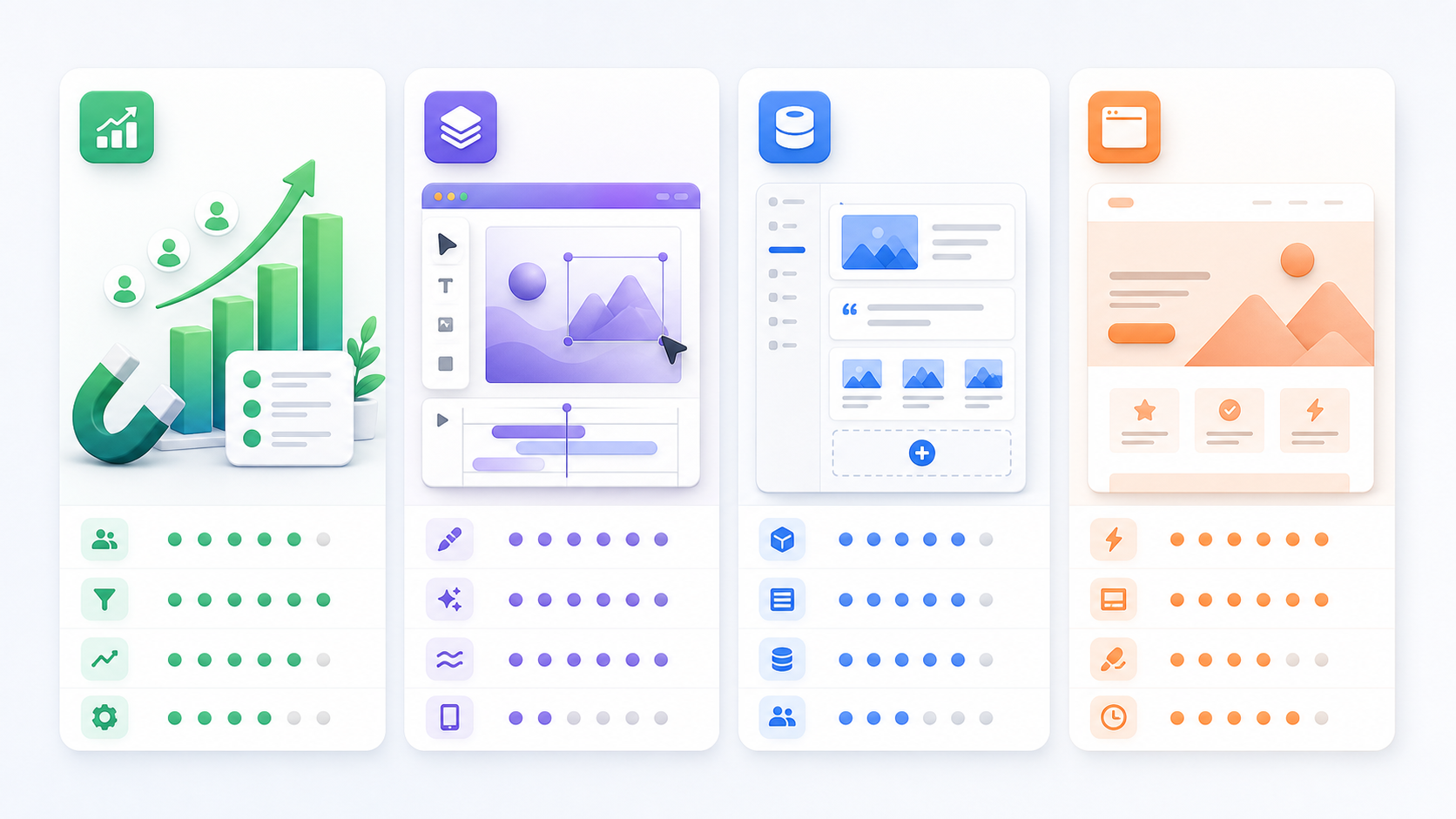
怎么选:别先选工具,先选你的目标
很多人选错工具,是因为一开始就问:哪个工具最好?
这个问题没答案。
更好的问法是:
我现在的网站,要完成什么任务?
| 你的目标 | 更推荐 |
|---|---|
| 只做一个临时验证页 | Carrd |
| 做一个视觉很强的产品展示页 | Framer |
| 做复杂 CMS、内容站、多页面结构 | Webflow |
| 做可上线、可运营、可增长、可获客的展示型网站 | We0 AI |
如果你的网站只是“有一个链接”,那没必要复杂。
但如果你的网站要承接搜索、AI 推荐、客户信任和线索转化,那就不要只看建站速度。
速度只能解决上线问题,不能自动解决增长问题。
一个容易被忽略的成本:上线之后谁来管?
创业公司经常低估网站的后续成本。
你以为成本是工具订阅费。
其实更大的成本在后面:
- 谁来持续写内容?
- 谁来优化页面标题和描述?
- 谁来布局长尾关键词?
- 谁来做 AI 搜索 / GEO 可见性?
- 谁来看访问数据?
- 谁来判断哪个页面该改?
- 谁来优化询盘和 CTA?

这也是 We0 AI 和普通建站工具的差别。
We0 AI 不只是让你“有个网站”。
它更像是帮你把网站这件事往后继续推进:
从搭建,到展示,到搜索可见性,到内容增长,到线索获取。
对没有完整市场团队的创业公司来说,这个差别很大。
我的建议:按阶段选,而不是按名气选
如果你还在验证想法
选 Carrd 或 Framer。
先把页面放出去,收集反馈,不要过度设计。
如果你要认真发布产品
Framer、Webflow、We0 AI 都可以看。
但要问清楚:你后面有没有人做内容和增长?
如果你要把官网当获客渠道
优先看 We0 AI。
因为这时问题已经不是“页面能不能做”,而是:
能不能持续被看到,能不能让用户信任,能不能把访问变成线索。
如果你是成长中团队,有内部资源
Webflow 会很强。
前提是你有设计、内容、运营资源能把它用起来。
FAQ
1. We0 AI 和 Framer 最大区别是什么?
Framer 更偏设计和页面体验,适合快速做漂亮的网站。We0 AI 更偏展示型网站增长,除了建站,还会围绕 SEO、GEO、内容、数据和线索转化继续往后做。
2. Webflow 适合早期创业公司吗?
适合,但要看团队资源。如果你有设计师、内容运营或外部 Agency,Webflow 很强。如果你只有一个创始人,可能会觉得维护偏重。
3. Carrd 还能用于创业官网吗?
可以,但更适合一页式验证、个人介绍、waitlist 或轻量 landing page。如果你需要多页面、SEO 内容和长期增长,Carrd 的边界会比较明显。
4. 2026 年创业公司建站最该关注什么?
不是只关注建站速度,而是关注网站上线后能不能持续产生搜索流量、AI 推荐可见性、内容沉淀和有效线索。
5. We0 AI 适合哪些人?
适合 SaaS / AI 产品团队、独立开发者、顾问、Agency、外贸公司、创作者、本地服务商家,以及所有希望网站不仅能展示,还能增长和获客的人。
Related Tools
- We0 AI:AI 建站获客增长平台,适合展示型网站、SEO/GEO、内容增长和线索获取。
- Framer:设计优先的网站构建工具,适合视觉表达强的产品页。
- Webflow:专业 no-code 网站平台,适合 CMS、多页面和复杂站点结构。
- Carrd:轻量一页式建站工具,适合快速验证和简单 landing page。
Sources
- Framer Official Website
- Framer Pricing
- Webflow Official Website
- Webflow Pricing
- Carrd Official Website
友链 / 相关阅读 / 内链建议
- 10 Best AI Website Builders in 2026
- How to Build a Showcase Website for a SaaS Product
- SEO vs GEO: What Startup Websites Should Prepare For
- Startup Landing Page Checklist
- How We0 AI Helps Turn a Website Into a Lead Generation Asset
Ready to Build?
如果你只是想做一个页面,工具很多。
但如果你想做的是一个能展示、能搜索、能被 AI 理解、能持续拿线索的网站,可以试试 We0 AI。
别只做一个网站。做一个能增长的展示型网站。

Conclusion
2026 年,创业公司选建站工具,不该只看谁更快、谁更便宜、谁模板更多。
真正要看的,是你的网站要承担什么角色。
Carrd 适合快速验证。Framer 适合设计展示。Webflow 适合复杂站点和专业团队。We0 AI 更适合把展示型网站做成长期增长和获客资产。
如果你的网站只是名片,选简单的。
如果你的网站要带来客户,就别只把它当页面。
Comparison of startup website tools for 2026: How to choose between We0 AI, Framer, Webflow, and Carrd?
A lot of startup teams choose a website tool by asking one simple question:
Which one is the fastest?
In 2026, that question is not enough anymore.
For a startup, a website is not something you “finish” and forget. It is often the first place people check when they search your name, compare your product, judge your credibility, and decide whether to leave an email, book a demo, or send an inquiry.
So the better question is:
Can this tool help turn my website into a long-term growth and lead-generation asset?
That is why comparing We0 AI, Framer, Webflow, and Carrd is not just about design quality or subscription price.
They solve four very different jobs.

Quick answer: these tools are not the same category
If you only want the short version, start here.
| Tool | Best for | Core strength | Main limitation | Simple take |
|---|---|---|---|---|
| We0 AI | SaaS, AI products, indie makers, consultants, agencies, exporters, local services | Website + showcase + SEO/GEO + content + growth + leads | Not for people who only want to drag together a throwaway page | Best if you treat your website as a growth asset |
| Framer | Designers, early product pages, visually strong startup sites | High design freedom, smooth motion, fast publishing | You still need to handle content, SEO, and growth yourself | Best for design-first showcase pages |
| Webflow | Mature teams, design teams, content-heavy or structured websites | CMS, design control, scalability | Higher learning and maintenance cost | Best for teams that can operate a more complex site |
| Carrd | Personal projects, simple landing pages, quick validation | Cheap, simple, very fast | Limited for complex structure, SEO content, and long-term growth | Best for one-page validation |
Here is the important difference:
Framer, Webflow, and Carrd are mainly website-building tools. We0 AI is closer to a showcase website growth platform.
That may sound like positioning language, but the difference is practical.
Making a page and making that page continuously discoverable, understandable, trusted, and conversion-ready are not the same job.
In 2026, a startup website has a different job
A few years ago, many teams built websites mainly to “look legit.”
Now the job is bigger.
A startup website needs to do at least four things:
- Build: get the site live
- Showcase: explain the product, service, case studies, and proof clearly
- Grow: bring in traffic through SEO, GEO, content, and page optimization
- Leads: turn visitors into inquiries, demos, signups, or customers
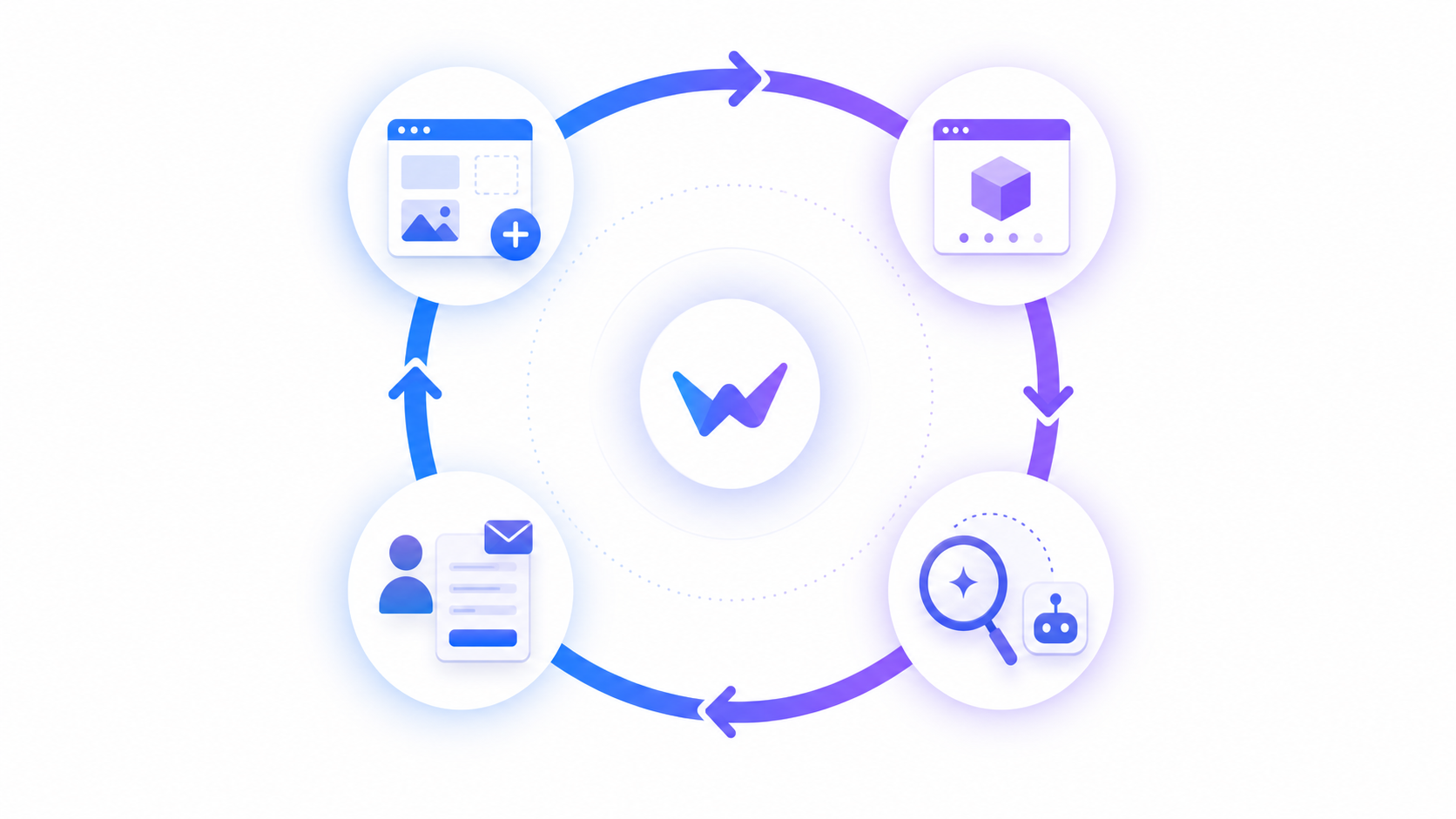
This is the logic We0 AI keeps focusing on:
Build -> Showcase -> Grow -> Leads
If you only need a launch page, Carrd may be enough.
If you need a visually impressive product homepage, Framer feels great.
If you have designers, developers, and content people, Webflow can be very powerful.
But if you are a founder, indie maker, consultant, agency, or export business, you may need more than a page.
You probably need:
someone to help think through the site structure, messaging, publishing, SEO/GEO setup, content layout, traffic data, and lead path together.
That is where We0 AI fits better.
We0 AI: not just generating a webpage, but moving the website into growth mode
We0 AI should not be understood as just another “AI website builder.”
A more accurate description is:
an AI-powered website and lead-generation growth platform for showcase websites.
It fits use cases like:
- SaaS and AI product teams building product sites, feature pages, pricing pages, and case study pages
- Indie hackers building project pages, launch pages, and waitlist pages
- Consultants and freelancers building service pages and booking pages
- Agencies building case studies, service pages, and client acquisition pages
- Export businesses building multilingual product showcase and inquiry pages
- Creators and experts building personal brand sites, portfolios, course pages, and consulting pages
- Local service businesses building service pages, review pages, and appointment flows
The point of We0 AI is not “type one sentence and get a website.”
The more valuable part is what happens after that: brand information整理, page structure, copy planning, human-assisted building, publishing, SEO/GEO basics, content production, traffic monitoring, growth suggestions, and continuous optimization.
That matters a lot for startup teams.
Because most websites do not fail because they cannot be built.
They fail because:
- the homepage does not clearly explain what the company does
- there is no search entry point
- there is no content base
- there is no long-tail keyword layout
- the conversion path is unclear
- nobody maintains the site after launch
- traffic comes in, but nobody knows what happened
We0 AI is not solving only a page problem. It is solving a growth-loop problem.
Framer: design-first, great for beautiful product showcase pages
Framer is still a strong choice for startup teams in 2026, especially early-stage products, design-led teams, and SaaS websites that need a polished visual impression.
Its strengths are easy to see:
- strong visual design
- smooth motion and interaction
- fast publishing
- designer-friendly workflow
- improving CMS and SEO features
If your goal is:
to launch a modern, good-looking product website or landing page quickly, Framer is a very good option.
But there is a practical limitation.
Framer can help you make the site look good. It does not automatically make the growth work happen.
You still need to figure out:
- what content to write
- which SEO keywords to target
- how to cover GEO / AI search visibility
- which pages should be updated over time
- how to read analytics
- how to improve conversion paths
- why visitors are not leaving contact details
So Framer is best understood as an excellent design-first website builder.
If you do not have content and growth capability, the site may look great at launch and then quietly stop moving.
Webflow: powerful, but not always light
Webflow is the most professional site system among the tools in this comparison.
It works well for:
- multi-page brand websites
- content-driven websites
- CMS-powered websites
- marketing sites that need precise design control
- websites maintained by design, content, or marketing teams
Webflow is strong because of:
- deep design control
- mature CMS
- solid SEO fundamentals
- better scalability
- team collaboration and long-term content structure
If your team already has designers, marketers, and content operators, Webflow can be a great choice.
But for many early-stage founders, the issue is obvious:
Webflow is powerful, but it is not light.
You may face learning cost, building cost, template customization cost, CMS maintenance cost, third-party integration cost, and sometimes agency cost.
That is not a flaw.
Webflow is simply better for teams that have someone responsible for the website.
If nobody owns website growth internally, you may not get the full value from Webflow’s power.
Carrd: fastest and cheapest, but with clear boundaries
Carrd is very good for one-page websites.
For example:
- personal profile pages
- MVP validation pages
- waitlist pages
- simple portfolios
- event signup pages
- lightweight landing pages
It is affordable, simple, and quick to publish.
If you just want to put a page online tonight, Carrd may be the easiest option.
But Carrd also has clear boundaries:
- not ideal for complex information architecture
- not ideal for content sections and multi-page systems
- not ideal for systematic SEO content
- not ideal for product page matrices
- not ideal for long-term website operations
So Carrd is not “bad.”
It is a very good small-task tool.
But if you want the site to become a real brand asset and customer acquisition channel, Carrd is likely a first step, not the final answer.
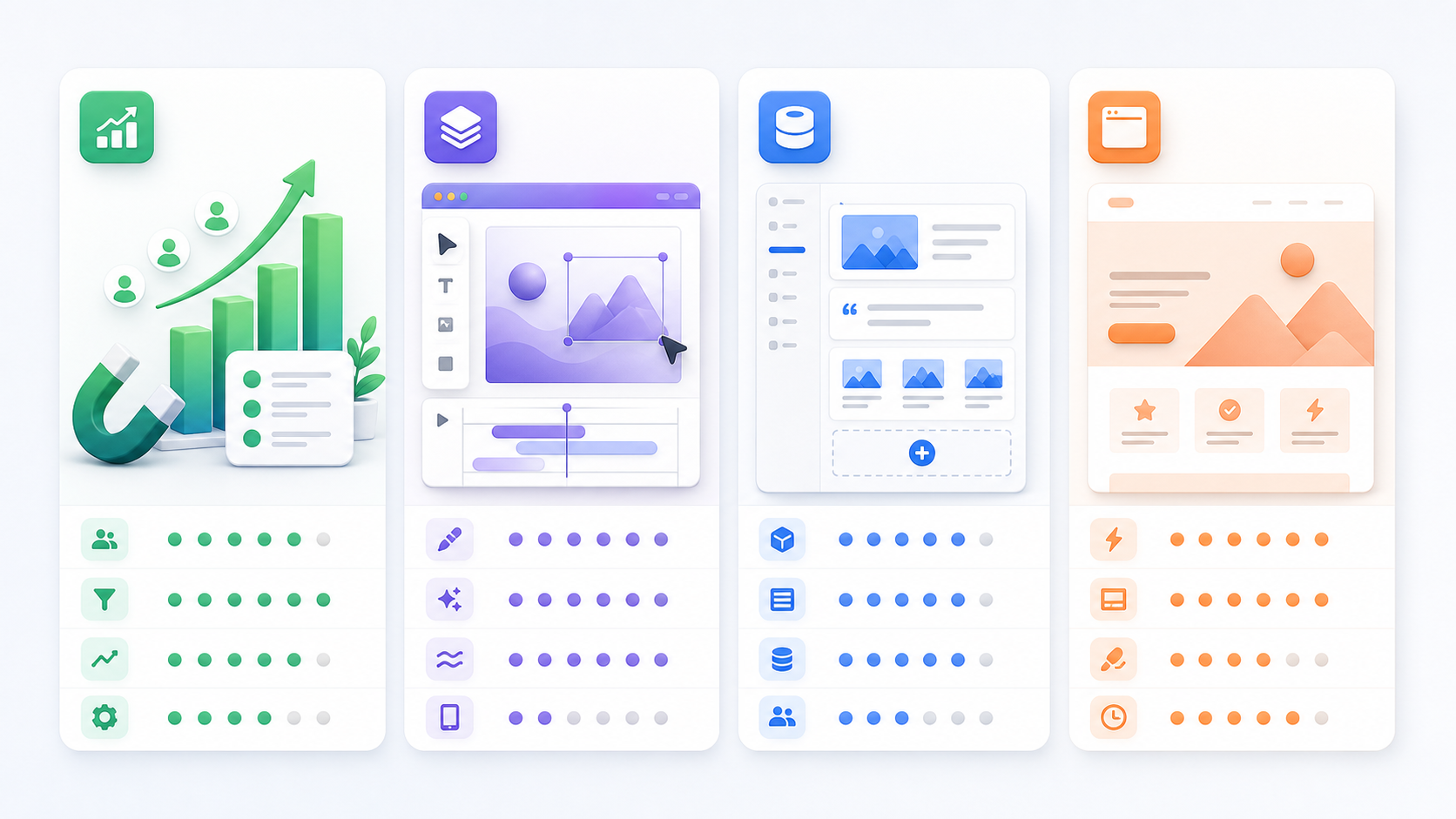
How to choose: do not choose the tool first, choose the job first
Many teams pick the wrong tool because they start with the question: which tool is best?
There is no universal answer.
A better question is:
What job does my website need to do right now?
| Your goal | Better choice |
|---|---|
| Build a temporary validation page | Carrd |
| Build a visually strong product showcase page | Framer |
| Build a complex CMS, content site, or multi-page structure | Webflow |
| Build a live, operable, growth-ready, lead-generating showcase website | We0 AI |
If your site is just “a link to share,” keep it simple.
But if your site needs to support search traffic, AI search visibility, customer trust, and lead conversion, do not judge only by launch speed.
Speed solves the launch problem. It does not automatically solve the growth problem.
The hidden cost most startups forget: who runs the site after launch?
Startups often underestimate the post-launch cost of a website.
You may think the cost is the monthly tool subscription.
The bigger cost usually comes later:
- who keeps writing content?
- who optimizes titles and descriptions?
- who plans long-tail keywords?
- who works on AI search / GEO visibility?
- who checks traffic data?
- who decides which page needs improvement?
- who improves inquiry flows and CTAs?

This is where We0 AI differs from ordinary website builders.
We0 AI is not only about giving you “a website.”
It helps push the website forward after launch:
from building, to showcasing, to search visibility, to content growth, to lead generation.
For startups without a full marketing team, that difference is big.
My recommendation: choose by stage, not by hype
If you are still validating an idea
Choose Carrd or Framer.
Get the page out, collect feedback, and avoid overbuilding.
If you are seriously launching a product
Framer, Webflow, and We0 AI are all worth considering.
But ask one thing clearly: do you have someone to handle content and growth later?
If your website needs to become an acquisition channel
Look at We0 AI first.
At this stage, the question is no longer “can we build the page?”
It becomes:
can people find it, trust it, and turn into leads?
If you are a growing team with internal resources
Webflow can be very strong.
The condition is that you have design, content, and operation resources to actually use it well.
FAQ
1. What is the biggest difference between We0 AI and Framer?
Framer is more focused on design and page experience. It is great for building beautiful websites quickly. We0 AI is more focused on showcase website growth, including SEO, GEO, content, analytics, and lead conversion after the site is built.
2. Is Webflow good for early-stage startups?
Yes, but it depends on your resources. If you have a designer, content operator, or agency support, Webflow is powerful. If you are a solo founder, it may feel heavy to maintain.
3. Can Carrd still be used for startup websites?
Yes. Carrd is useful for one-page validation, personal profiles, waitlists, and lightweight landing pages. But if you need multi-page structure, SEO content, and long-term growth, its limits become clear.
4. What should startups care about most when building a website in 2026?
Not just launch speed. Startups should care about whether the website can generate search traffic, AI-search visibility, content depth, trust, and qualified leads after launch.
5. Who is We0 AI best for?
We0 AI is best for SaaS and AI product teams, indie makers, consultants, agencies, exporters, creators, local service businesses, and anyone who wants a website that can showcase, grow, and generate leads.
Related Tools
- We0 AI: an AI-powered website and lead-generation growth platform for showcase websites, SEO/GEO, content growth, and leads.
- Framer: a design-first website builder for visually strong product pages.
- Webflow: a professional no-code website platform for CMS, multi-page systems, and more complex site structures.
- Carrd: a lightweight one-page website builder for quick validation and simple landing pages.
Sources
- Framer Official Website
- Framer Pricing
- Webflow Official Website
- Webflow Pricing
- Carrd Official Website
Related Reading / Internal Link Suggestions
- 10 Best AI Website Builders in 2026
- How to Build a Showcase Website for a SaaS Product
- SEO vs GEO: What Startup Websites Should Prepare For
- Startup Landing Page Checklist
- How We0 AI Helps Turn a Website Into a Lead Generation Asset
Ready to Build?
If you only want to create a page, there are many tools.
But if you want a website that can showcase your business, rank in search, be understood by AI systems, and keep generating leads, try We0 AI.
Do not just build a website. Build a showcase website that can grow.

Conclusion
In 2026, startup teams should not choose a website tool only by speed, price, or template count.
The real question is what role your website needs to play.
Carrd is good for quick validation. Framer is good for design-first showcase pages. Webflow is good for complex sites and professional teams. We0 AI is better when you want your showcase website to become a long-term growth and lead-generation asset.
If your website is only a business card, choose something simple.
If your website needs to bring customers, do not treat it as just a page.