What Is MCP? Why It Is Becoming the Connection Standard for AI Agents
Model Context Protocol, or MCP, is becoming one of the most important standards in the AI agent ecosystem. Instead of building custom integrations for every AI tool, app, database and workflow, MCP gives agents a shared way to discover context, use tools and connect with external systems. This guide explains what MCP is, how it works, why it matters for AI agents, and what businesses should understand before adopting it. You will learn how MCP compares with traditional API integrations, why developers describe it as a connection standard for AI applications, how hosts, clients and servers work together, and why security, permissions and trust still matter. The article also explains how business websites, product pages and showcase content should communicate agent-ready capabilities clearly as AI-powered tools become part of the buying journey.
What Is MCP?
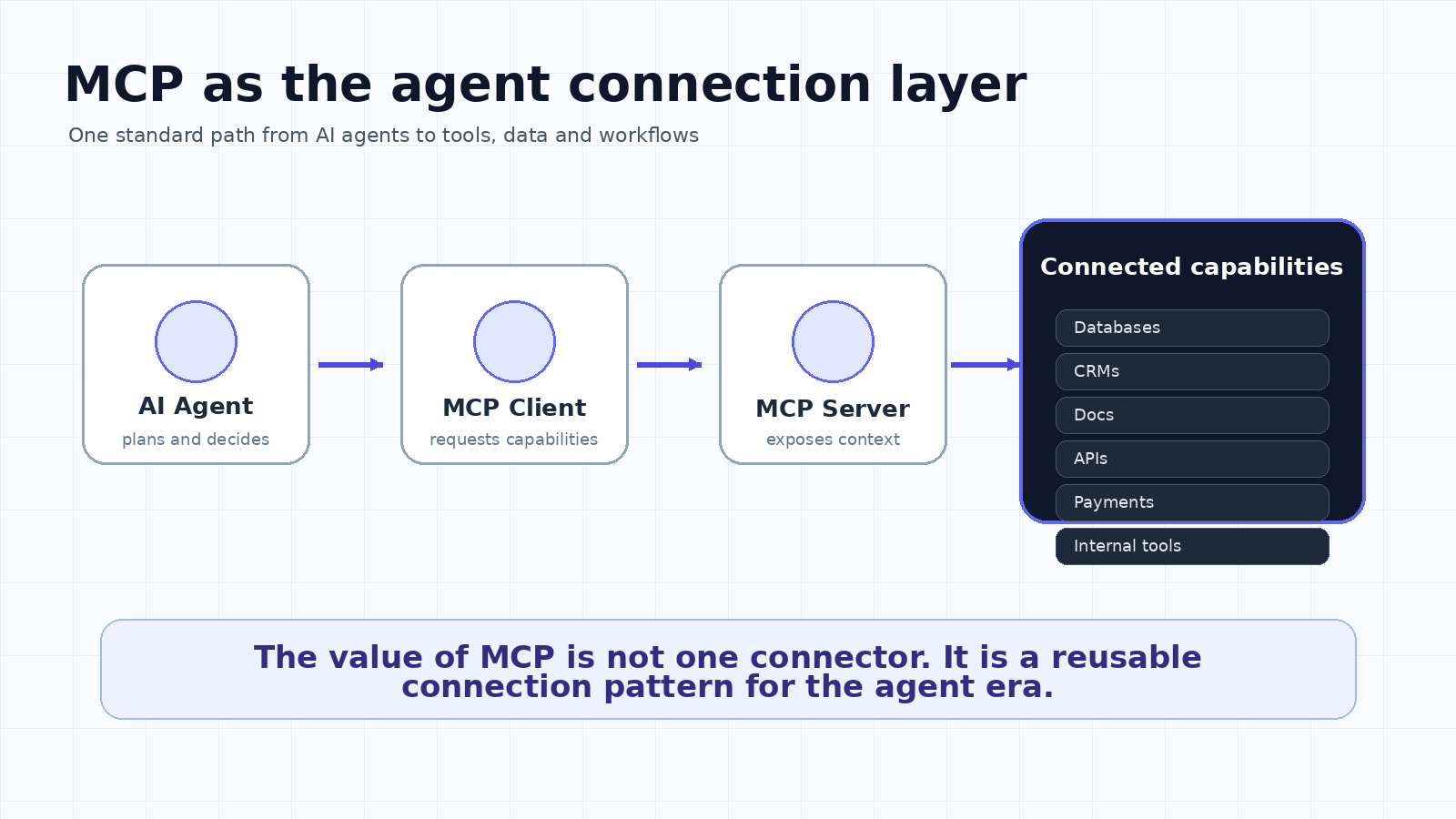
MCP stands for Model Context Protocol.
That sounds technical. It is technical. But the simple idea is not hard to understand.
AI agents are becoming more useful because they are no longer just chat boxes. They can search files, call tools, read databases, update CRMs, trigger workflows, inspect codebases and take action across software systems.
The problem is connection.
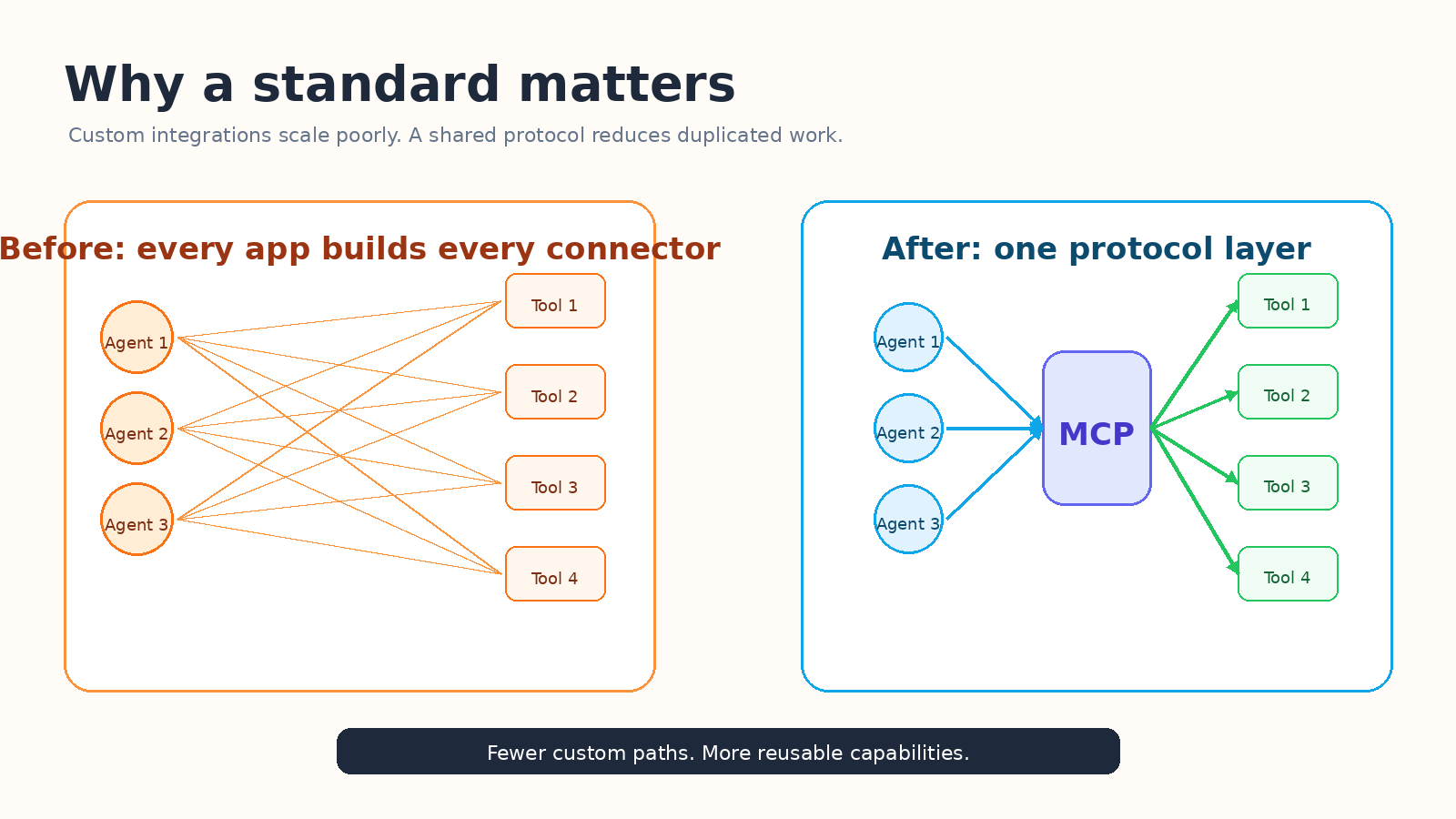
Every tool has its own API. Every database has its own rules. Every product team has its own way of exposing data. If every AI agent has to build a custom integration with every external tool, the whole ecosystem becomes messy very quickly.
MCP exists to reduce that mess.
At a basic level, MCP is a standard way for AI applications to connect with tools and context. A model or agent does not need to understand every app from scratch. Instead, it can connect through an MCP server that exposes approved capabilities in a predictable format.
That is why people often compare MCP to USB-C. The metaphor is useful, even if it is not perfect. USB-C gives devices a shared connection pattern. MCP gives AI applications a shared connection pattern for context, tools and workflows.
The important shift is this: AI agents are not only asking for information anymore. They are asking for access.
Why AI Agents Need a Connection Standard
Traditional software integration was built around applications talking to applications. A SaaS product might connect to Stripe, HubSpot, Google Drive or Slack through separate API work. That model still matters, but AI agents create a different kind of integration pressure.
An agent may need to reason across several systems during one task. It might read a support ticket, check customer status in a CRM, look up billing information, draft a response, and create a follow-up task. If every step requires a custom one-off connection, the agent becomes expensive to build and hard to maintain.
MCP helps by introducing a reusable layer between the agent and the external system.
Instead of asking, “How do we connect this model to every tool?” teams can ask, “Which MCP servers should this agent be allowed to use?” That is a cleaner question. It is also easier to govern.
This is why MCP is becoming important for developers, product teams and businesses. It does not magically make agents safe or useful. But it gives the ecosystem a more standard way to expose capabilities.
MCP vs Custom Integrations
Area | Custom Integrations | MCP Approach |
Connection model | One-off API work | Shared protocol layer |
Scaling problem | More tools means more custom code | More tools can expose MCP servers |
Agent access | Hard to standardize | Capabilities are described consistently |
Maintenance | Many fragile integrations | Reusable server-based pattern |
Governance | Scattered permissions | Centralized approval and review are easier |
This is the main reason MCP is getting so much attention.
The value is not just that one agent can connect to one tool. The bigger value is that many agents can use a common way to discover tools and context. That makes the ecosystem more composable.
Composable is one of those words that gets overused. In this case, it matters. If agents are going to become part of daily work, they need to combine capabilities without every company rebuilding the same connector library from zero.
How MCP Works in Plain English
MCP usually involves three roles.
The host is the AI application. This could be a coding assistant, desktop app, chatbot, IDE, internal enterprise assistant or agent platform.
The client is the connector inside that host. It manages communication with an MCP server.
The server is the piece that exposes tools, resources or prompts. For example, a server might expose a company knowledge base, a database query tool, a calendar action, a payment system action or an internal analytics workflow.
The agent asks for capabilities. The server describes what is available. The agent can then use those capabilities when the user’s task requires it.
This does not mean the agent should be allowed to do everything automatically. A serious implementation still needs permissioning, logging, approval flows and careful tool design.
The standard gives the connection shape. It does not replace product judgment.
Why MCP Is Becoming the Standard for AI Agents
MCP is gaining momentum because it solves a real platform problem.
First, it reduces duplicated integration work. Developers can build one MCP server for a system instead of building separate adapters for every agent interface.
Second, it fits the way agents actually work. Agents need context, tools and actions. MCP is designed around that pattern, not around a static webpage or a simple search box.
Third, it is being adopted across major AI ecosystems. OpenAI documentation now supports connectors and remote MCP servers for giving models new capabilities. Google’s agent development materials also discuss building agents that use MCP tools. This does not mean every implementation is identical, but it does show the direction of the market.
Fourth, it creates a vocabulary. Teams can talk about MCP servers, clients, tools, resources, permissions and transports. That shared language makes agent development feel less like a collection of hacks and more like a software architecture.
That is the real reason MCP matters. It turns agent connectivity into something teams can design, document and improve.
The Business Impact of MCP
For businesses, MCP is not just a developer topic.
It changes how software products may be evaluated. A buyer may soon ask not only, “Does this product have an API?” but also, “Can my agent use it safely?”
That changes product positioning. Tools that are agent-ready may need to explain what data they expose, what actions they support, what permissions exist, and how the system prevents unsafe behavior.
This is where a business website becomes more important, not less important. If your company sells a tool, service or platform that connects with AI workflows, your website needs to explain that connection clearly.
Not in vague language. Not by saying “powered by AI.” That phrase is already tired.
A better website explains the actual workflow: what the agent can access, what it can do, what remains under human control, and why the integration helps the customer get work done faster.
This is also where showcase websites become useful. A showcase website is not just a pretty landing page. It is a structured explanation of a product, use case, workflow, proof and conversion path. For agent-ready products, that structure matters because both humans and AI systems need to understand the value quickly.
We0.ai fits naturally into this shift when the goal is to turn a product, service or workflow into a clear showcase website. The point is not to mention AI everywhere. The point is to make the product easy to understand, easy to trust and easy to act on.
What Teams Should Be Careful About
MCP is powerful, but it is not a free pass.
The same thing that makes MCP useful also creates risk. If an agent can reach tools and data, the design must answer serious questions.
What can the agent access? Which actions require approval? Who owns the MCP server? How are tool calls logged? Can a malicious instruction manipulate the agent into using a tool incorrectly? What happens if a third-party server changes behavior?
Security is especially important because agents can combine reasoning with action. A bad search result is annoying. A bad tool call can create real damage.
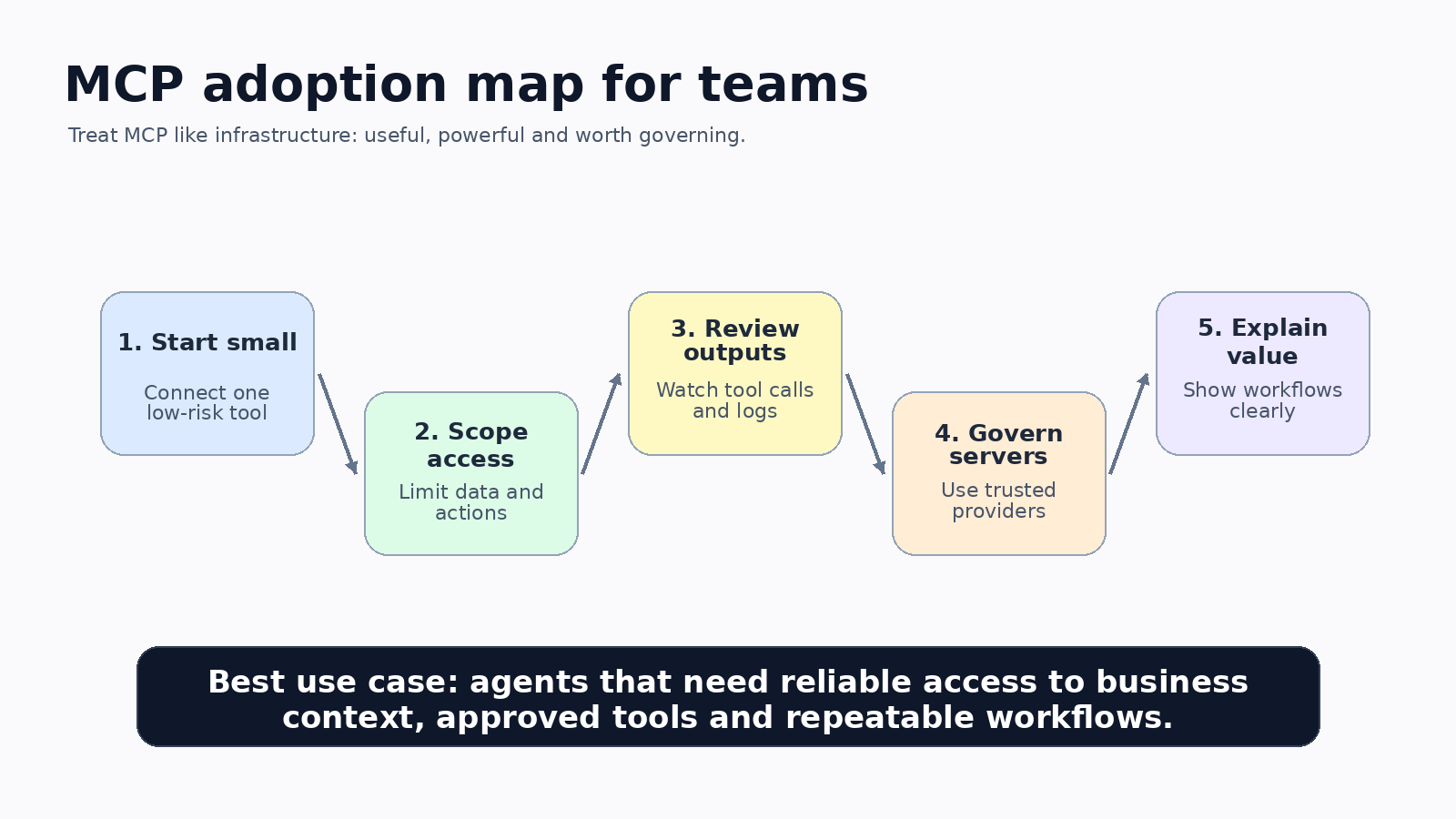
Teams should start with low-risk workflows, use trusted servers, restrict permissions, review logs, and separate read-only access from write actions. They should also avoid connecting sensitive systems before they understand the threat model.
In other words: MCP is infrastructure. Treat it like infrastructure.
How to Explain MCP on Your Website
If you are building an AI product, developer tool or business platform, your website should not bury the MCP story in a technical changelog.
A good MCP page should answer five questions quickly.
What can agents connect to? What tools or resources are exposed? What permissions exist? What use cases does this unlock? What proof shows that it works?
This kind of content also helps with SEO and GEO. Search engines need clear explanations. AI search systems need structured, extractable answers. Buyers need a reason to trust you.
A short technical page is not enough. A useful showcase page should combine a plain-English explanation, a workflow diagram, a comparison table, a security note, and a clear next step.
Final Takeaway
MCP matters because agents need a standard way to connect to the real world.
Without a standard, every agent becomes a pile of custom integrations. With a standard, agents can discover tools, use context and participate in workflows more predictably.
That does not mean MCP solves everything. It still needs security, governance and careful product design.
But the direction is clear.
As more tools become agent-ready, MCP is becoming the connection layer that makes the agent ecosystem easier to build, easier to explain and easier to scale.
CTA
If your product, service or platform is becoming agent-ready, your website needs to explain that clearly.
Use a showcase website to turn technical capability into a simple customer story: what it does, why it matters, and how it helps people get work done.
Build with We0.ai
FAQ
What is MCP in simple terms?
MCP is a standard way for AI agents to connect with tools, data sources and external systems.
Is MCP only for developers?
Developers implement it, but product teams and businesses should understand it because it affects integrations, workflows and product positioning.
How is MCP different from an API?
An API is usually a specific interface for one service. MCP is a protocol pattern that helps AI applications discover and use tools or context across systems.
Does MCP make agents safe automatically?
No. MCP standardizes connection, but teams still need permissions, approvals, logging and security review.
Why does MCP matter for websites?
Agent-ready products need clear website content that explains capabilities, workflows, trust and use cases.
Related Tools
Sources