2026 Website Migration Decision: Moving from Wix / Webflow / WordPress to We0 AI — When Is It Worth It?
Not every website is worth migrating. But if you’re already facing slow content updates, stagnant SEO growth, high site maintenance costs, or poor lead conversion, moving to We0 AI may not just be “switching website builders” — it could turn your site into a long-term growth asset.
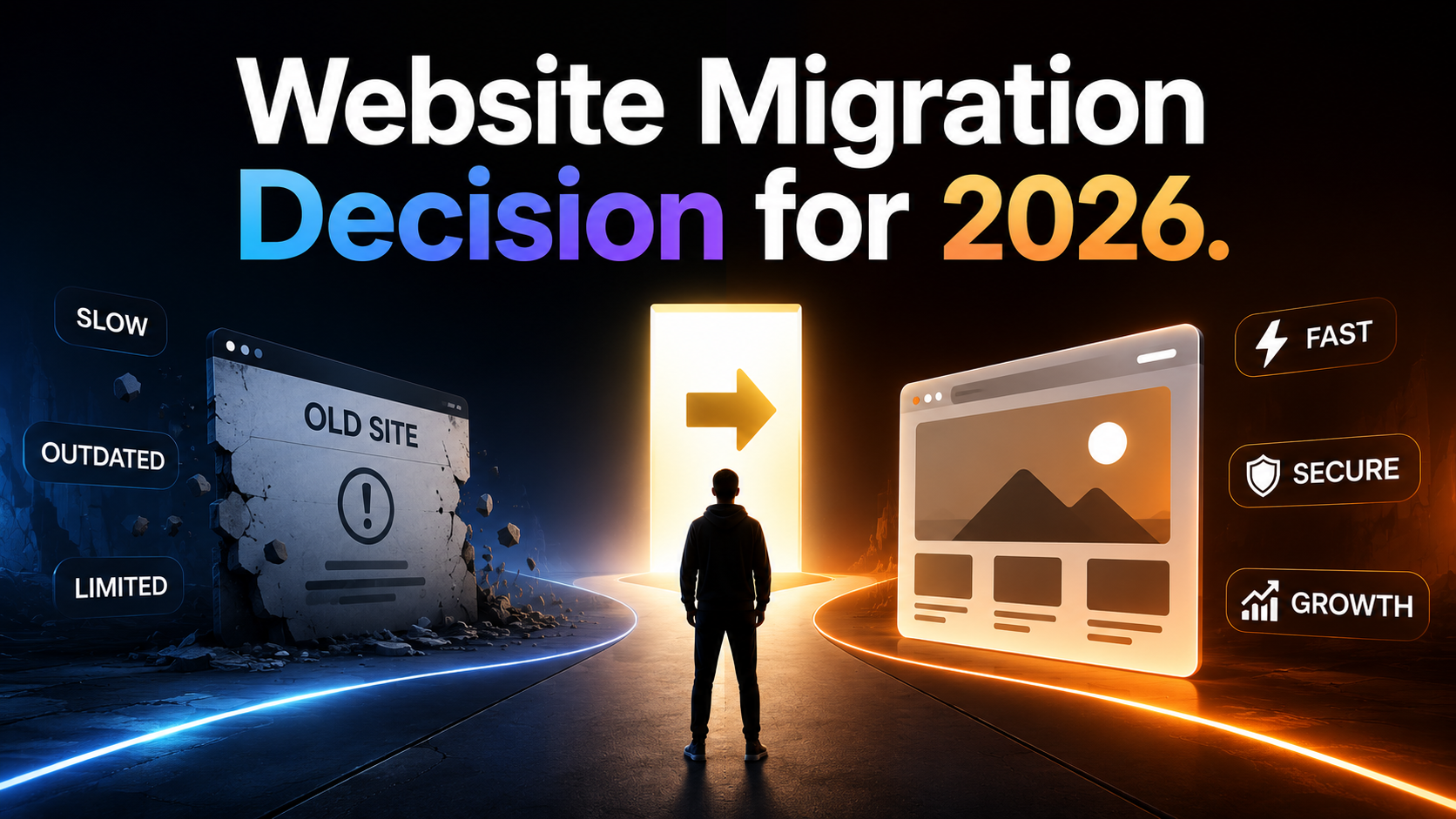
2026 Website Migration Decision: Moving from Wix / Webflow / WordPress to We0 AI, When Is It Worth It?
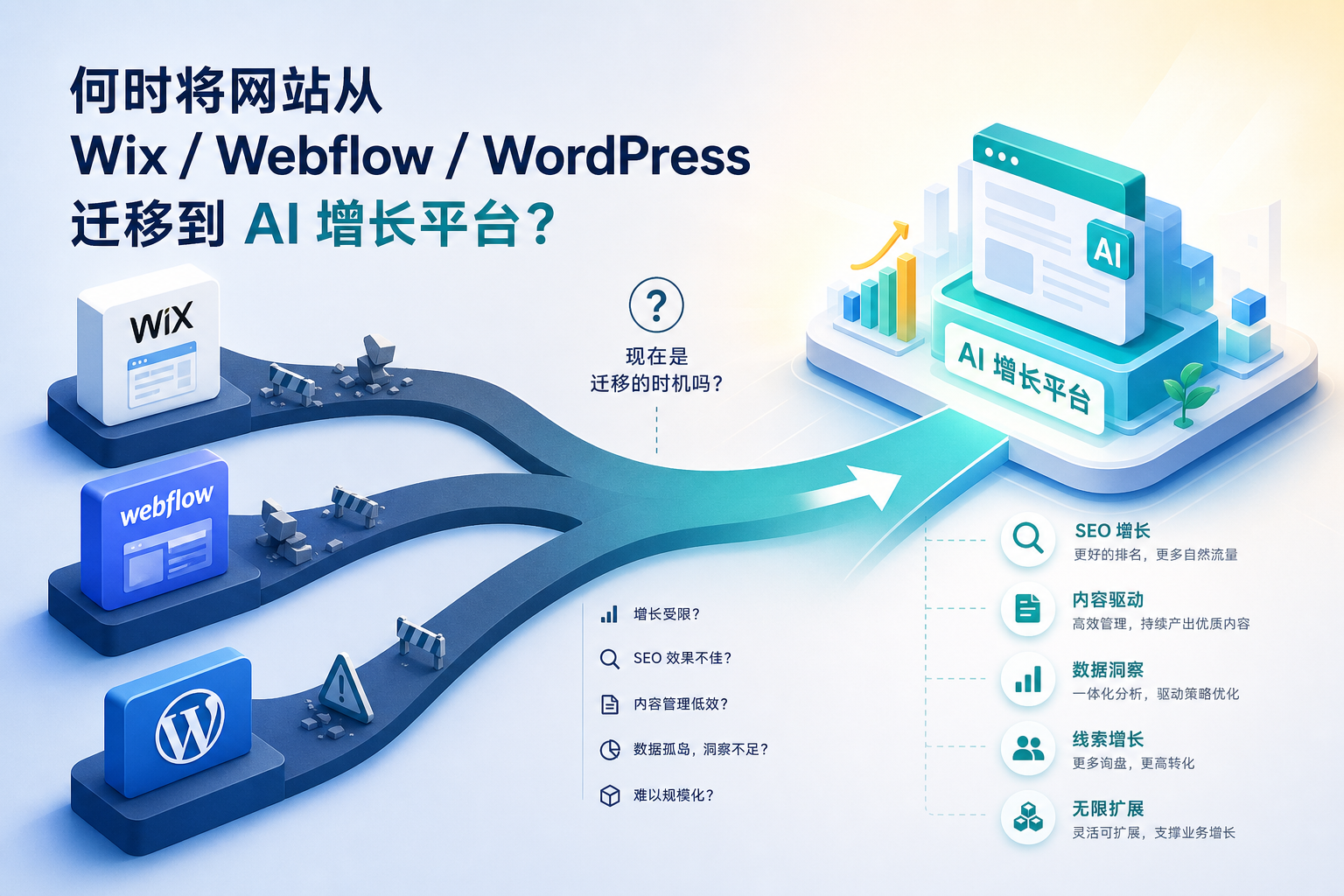
When many teams hear "migration," their first reaction is always the same: Troublesome, harmful to SEO, risky.
That judgment isn't wrong.
But there's a second half many don't say aloud—
If your current site is already difficult to update, failing to drive growth, and unable to capture leads, then not migrating could actually cost you more.
In 2026, the real question worth discussing is no longer "Should we build another website?"
Instead, it's: Is your current website an asset that can consistently bring in visibility, search traffic, inquiries, and customers?
This is why more and more teams are re-evaluating platforms like Wix, Webflow, and WordPress.
Not because they're unusable.
But because when a business reaches a certain stage, the issues shift from "Can I build a page?" to:
- Can content be updated continuously?
- Can SEO be scaled steadily?
- Can multilingual support and new pages be launched quickly?
- Is team collaboration becoming increasingly chaotic?
- Can the website genuinely support growth and capture leads?
If these problems start emerging all at once, migration is no longer a technical move—it's a growth decision.
Bottom Line First: Not Every Site Should Migrate, But These 4 Types Deserve Serious Evaluation
The most worthwhile moment for migration isn't when you're "tired of the old site."
It's when the old system has started to drag down your customer acquisition efficiency.
The types most worth evaluating seriously are typically these four:
- The site can showcase, but cannot grow.
Pages are online, the brand exists, but there's almost no new organic traffic for months, no new landing pages, and no content rhythm. - The site can be launched, but cannot be operated.
Every page modification requires outsourcing, waiting for design, waiting for development; the content team has almost no independent publishing capability. - The site has traffic, but fails to capture leads.
Scattered entry points, weak CTAs, broken form paths, unstructured case studies—visitors come but leave nothing behind. - The site's maintenance cost keeps rising.
Plugins, themes, compatibility, permissions, performance, multi-user collaboration—it starts as "a bit annoying" and becomes "no one dares to touch it."
If you're already here, the migration consideration isn't about "feature parity."
It's about whether it's worth transforming the website from a static cost item into a continuous growth item.
Wix, Webflow, WordPress: Their Problems Are Not Superficial
All three platforms can build websites.
The issue is they hold teams back in different ways.
| Platform | Early Advantage | Common Bottleneck | When It Becomes Unwieldy |
|---|---|---|---|
| Wix | Fast learning curve, quick launch | Difficult with structural expansion, complex content organization, long-term SEO maintenance | When pages multiply and content becomes more granular |
| Webflow | High design freedom, strong visual control | Not lightweight for non-design teams; content collaboration and scaled operations require extra processes | When moving from "building a pretty site" to "running a content site continuously" |
| WordPress | Large ecosystem, many plugins, high flexibility | Plugin debt, maintenance overhead, complex security and performance management | When the team lacks dedicated technical personnel for long-term maintenance |
Here's a point often misjudged:
Many teams think they're comparing website builders. Actually, they aren't.
What you're really comparing is:
- Content efficiency over the next 12 months
- Page launch speed
- SEO scalability
- Team collaboration friction
- Clarity of the customer acquisition path
When Does "Patching It Up" Become "Time to Migrate"?
If you see 3 or more of these 7 signals, it's well worth starting a migration evaluation.
1. Launching new pages is getting slower
If creating a new feature page, industry page, or case study page still requires "submit request—schedule—rework—launch," then this site is likely no longer suitable for growth-oriented operations.
The biggest enemy of a growth website isn't an ugly page. It's slow updates.
2. Content production and website publishing are disconnected
Articles are written but can't be published.
They get published but lack structural consistency.
You identify traffic-driving keywords needing topic pages, but no one executes.
Eventually, content and the site become two separate systems.
3. SEO isn't neglected, but it's stuck
You know what to do: titles, descriptions, structured pages, internal links, topic clusters, FAQs, long-tail keywords.
But every step feels heavy, so the team gradually stops doing it.
4. Expanding multilingual, multi-product, or multi-scenario support is difficult
Once the business goes global or product lines diversify, the previously "good enough" site structure quickly becomes a bottleneck.
5. Data is visible, but actions don't follow
You can see traffic, bounce rates, source keywords.
But then what? No continuous optimization mechanism, no content actions, no page iteration cadence.
6. The site's primary role is still "showcase"
If the website is just a digital business card, it doesn't need to be complex.
But if you expect it to drive search traffic, capture branded keywords, showcase cases, and generate inquiries, the operational logic is entirely different.
7. The team has silently accepted "don't touch the site"
This is often the most dangerous signal.
It means the website has degraded from a growth asset into a technical liability.
Why Some Teams Ultimately Migrate to We0 AI
Because they need more than just a "faster page builder."
They need a more complete chain:
Build -> Showcase -> Grow -> Leads
That is:
- Build the website
- Articulate products, services, and cases clearly
- Continuously capture search and content traffic
- Ultimately convert into inquiries, registrations, and customer leads
This is crucial.
We0 AI isn't just AI helping you generate a page.
It's more like:
- An AI website-building platform suited for showcase-style sites
- A growth foundation capable of sustaining SEO/GEO/content operations
- Plus a practical suite of manual support for content strategy, page planning, launch, optimization, and managed growth
In other words, many teams who migrate to We0 AI aren't migrating a "design style."
They are migrating the role of the official website within the entire business.
Not Everyone Should Migrate. Use This Table to Decide
| Your Current Situation | Staying on the Original Platform is Fine | Worth Evaluating Migration to We0 AI |
|---|---|---|
| Only 1-3 pages, almost no updates | Yes | No |
| Website is just a business card, no SEO needs | Yes | No |
| No content operation plan | Yes | No |
| Planning to continuously publish pages, create topics, and write articles over the next 6-12 months | Maybe | Yes |
| Want the website to capture inquiries, demos, bookings, sign-ups | Maybe | Yes |
The team lacks frontend/development resources, hoping the business team can also drive website growth | Moderate | Yes |
| Already doing SEO, but landing efficiency is too low | No | Yes |
| Need multilingual support, case studies system, service page matrix, and content page matrix | No | Yes |
One-sentence summary:
If your website just "exists," migrating or not doesn't matter.
If your website needs to "grow," platform capabilities and operational efficiency must be recalculated.
Migrating from Wix / Webflow / WordPress: Which 5 Dimensions Matter Most?
1. Page Production Efficiency
It’s not about whether it can be done.
It’s about whether you can consistently produce new pages within a week.
2. SEO / GEO Friendliness
It’s not about whether it "supports setting titles."
It’s about whether you can sustainably create:
- Long-tail pages
- FAQ pages
- Industry pages
- Use-case pages
- Case study pages
- Content pages
- Internal linking structures
- Multilingual versions
3. Are Content and Website a Unified System?
If what the content team produces can’t easily integrate into the main website structure, it’s hard for the site to build compound content assets.
4. Ongoing Maintenance Complexity
More flexible platforms aren’t always easier.
Especially when your team isn’t purely technical, maintenance complexity can balloon indefinitely.
5. Growth Loop Capability
This is the most overlooked dimension.
A website isn’t just for display.
It should connect "traffic → reading → trust → conversion actions."
A More Practical Judging Method: Calculate Opportunity Cost, Not Just Migration Cost
Many teams delay migration because they focus only on migration costs:
- How much will it cost?
- How much time will it take?
- Will it affect indexing?
- Will it hurt rankings?
These all need consideration.
But that’s not enough.
You also need to look at the other side:
- How much traffic will you miss over the next six months because page launches are too slow?
- How many inquiries will you lose because case study pages aren’t done?
- How many brand keywords will you fail to accumulate because content pages are scattered elsewhere?
- How many growth actions could your team have taken but didn’t, due to an outdated structure?
For many websites, migration isn’t expensive. Staying put costs more.
What’s the Biggest Fear in Migration? Not Moving, But Moving Messily
Let’s be clear.
Just because you want growth doesn’t mean you should migrate immediately.
A bad migration can indeed hurt SEO.
Google Search Central has consistently emphasized core actions for site moves/migrations: maintaining clear mapping, handling URL changes, setting up redirects, and monitoring indexing and traffic changes.
Similarly, Webflow and Wix’s official migration SEO content repeatedly mention: Migration isn’t about copying pages; it’s about migrating structure, signals, and sustainable operational capacity.
So a truly worthwhile migration isn’t "rebuilding the entire site."
It follows this sequence:
- First, audit the current state: Identify pages with traffic, pages with conversions, and content worth keeping.
- Then, define a new structure: Don’t copy the old site; restructure around user journeys.
- Next, map and migrate: Organize URLs, titles, content, internal links, and redirects.
- Finally, start growth operations: Completion isn’t the end; it’s the beginning.
Why Is We0 AI More Attractive for "Showcase Growth Websites"?
Because it consolidates many tasks teams used to handle separately into a more continuous workflow.
You Get More Than "Just a Website"
You get closer to this combination:
- AI-assisted website building
- Brand information and structure review
- Page planning and copy organization
- Website setup and launch
- SEO / GEO basic configuration
- Content publishing and expansion
- Page data monitoring
- Growth suggestions and continuous optimization
What does this mean?
It means the website is no longer just a project deliverable.
It becomes a long-term growth vehicle in ongoing operations.
Who Benefits Most?
This is particularly suited for:
- Owners: Already have a business and need an official site to consistently attract customers
- Independents: Solo developers, consultants, freelancers who want their website to work on its own
- Creators: With content and expertise, looking to combine display and conversion in one site
- SaaS / AI teams: Need to quickly build feature pages, use-case pages, pricing pages, case study pages, and content pages
- Agencies / Service teams: Need to simultaneously showcase services, case studies, and lead generation entry points
If You’re Struggling to Decide, Use This Migration Assessment Checklist
Score yourself.
For each item below, add 1 point if it applies:
- Website updates or new page additions have significantly slowed in the last 3 months
- The content team can’t smoothly publish articles and topics to the site
- SEO has direction, but execution efficiency is poor
- Website maintenance relies on a few people, posing high risk
- Need multilingual or multi-scenario expansion
- Want to create more case study, service, and industry pages
- Website already has traffic, but the conversion path isn’t clear
- The official site is becoming increasingly important to the business
0-2 points: No rush to migrate; optimize the current site first.
3-5 points: It’s time to seriously evaluate migration.
6+ points: Your issue likely isn’t page-related but about growth infrastructure.
FAQ
What’s Easiest to Lose When Migrating from Wix, Webflow, or WordPress?
The easiest things to lose aren’t "design," but URL structure, internal link relationships, indexing signals, and historical content assets. So do a full audit and mapping before migrating.
Will a Website Migration Always Affect SEO?
Short-term fluctuations are common, but they don’t necessarily mean long-term damage. By following Google Search Central’s site move guidelines—planning URL mapping, 301 redirects, sitemaps, and monitoring mechanisms—risks can be significantly reduced.
What Kind of Website Isn’t Worth Migrating For Now?
If you have very few pages, no content update plan, no organic traffic goals, and the official site doesn’t drive lead conversion, staying on the current platform is usually more cost-effective.
What’s the Biggest Difference Between We0 AI and Regular AI Website Builders?
It doesn’t just help you generate pages. We0 AI emphasizes the long-term operation of showcase websites, including SEO / GEO, content updates, data monitoring, growth suggestions, and lead capture.
What Types of Businesses Are a Good Fit for Migrating to We0 AI?
SaaS, AI tools, service-based companies, consultants, solo developers, creators, and foreign trade showcase sites are all good fits. It’s especially suitable for teams aiming to turn their official site into a long-term customer acquisition asset.
Related Tools
- We0 AI — AI website growth platform for showcase sites, SEO, content, and lead generation
- Google Search Central: Site Moves and URL Changes
- Webflow: SEO checklist for site migration
- Wix SEO Learning Hub: Site migration fundamentals
References
- Google Search Central — Site Moves and URL Changes
- [Webflow Blog — SEO checklist for site migration and a successful
launch](https://webflow.com/blog/seo-checklist-for-site-migration)
- Wix SEO Learning Hub — The fundamentals of site migrations for SEO
- G2 — Webflow vs. WordPress in 2026
Ready to Get Started?
If your current website is already slowing down your content, SEO, and customer acquisition efforts, it might be time to rethink:
What you may be missing isn’t just a new template.
What you’re missing is a website system that keeps going live, keeps optimizing, and keeps growing.
We0 AI is better suited for teams that have outgrown the "just get the site up" mindset.
If what you want is a corporate site that showcases, drives growth, and captures leads, We0 AI is closer to the answer than typical AI website builders.
Summary
When is it worth migrating from Wix / Webflow / WordPress to We0 AI?
The answer isn’t tied to a specific year, nor is it because a certain platform suddenly falls short.
The real answer is:
When you realize your old website has started to limit growth instead of supporting it.
At that moment, migration isn’t just a technical switch.
It’s an upgrade of your website’s role.