After Grok Enters Excel, How to Transform Enterprise Product Tables into We0.ai Product Pages, Industry Pages, and SEO Content?
Use Grok in Excel to first clean up enterprise product tables, then map them into We0.ai product pages, industry pages, and SEO content. Suitable for corporate websites, B2B, foreign trade, SaaS, and content growth teams.
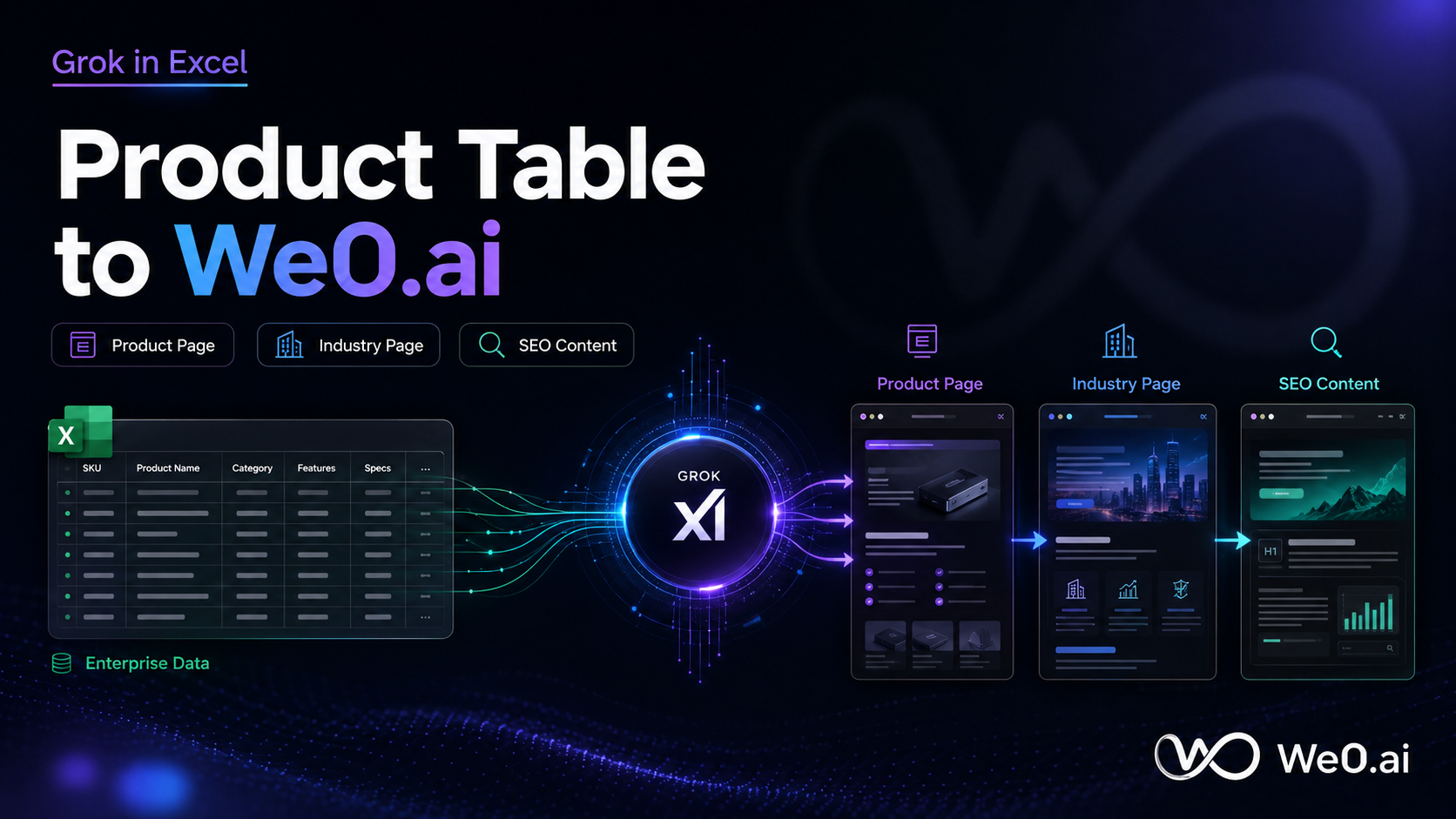
After Grok Integrates with Excel, Enterprise Product Sheets Are Finally More Than Just Spreadsheets
Many companies face an awkward reality:
All product information is stored in Excel.
There are models, parameters, application scenarios, selling points, prices, regions, and industry classifications. It seems comprehensive. But when it comes time to build the official website, it's still a mess.
Why?
Because spreadsheets are for internal data viewing, not for external value communication.
Website pages—especially product pages, industry pages, and SEO content pages—are not simply about "moving the spreadsheet online." They need to do something else:
Transform a bunch of fields into content that customers can quickly understand, are willing to click on, and are eager to inquire about.
This is where Grok's integration with Excel gets interesting.
It's not just about "writing copy" for you.
It's more like structuring the data within the spreadsheet first, and then feeding those structured results into a showcase website growth platform like We0.ai, turning them into pages that can go live and attract customers.
In a nutshell: Excel handles the data, Grok organizes the logic, and We0.ai turns the logic into website assets.

Don't Jump into Making Pages Yet; Clean Up the Spreadsheet First
If the enterprise product spreadsheet is messy from the start, the pages created from it will likely be messy too.
So the process isn't "directly generate web pages." Instead, start by doing three things within Excel:
| Step | Goal | What Grok Can Help With |
|---|---|---|
| 1. Clean fields | Standardize product names, specifications, units, and categories | Identify duplicates, format inconsistencies, and missing fields |
| 2. Categorize information | Find product selling points, applicable industries, and application scenarios | Extract keywords and tags from the spreadsheet |
| 3. Map to pages | Decide which content goes to product pages, industry pages, and SEO content | Automatically split content modules and page structure |
This sequence is important.
Structure first, generate second.
Not the other way around.
Many people try to get AI to "write an official website" all at once, and the result often looks like a very empty introductory article. It seems like content, but it doesn't convert anything.
Grok's Best Use in Excel Isn't Writing, It's "Dividing"
In an enterprise product spreadsheet, the most valuable part isn't the fields themselves, but the relationships between the fields.
For example:
- Which product belongs to which industry
- Which parameter is best suited for the hero section
- Which selling points are good for comparisons
- Which application scenarios can create industry pages
- Which keywords are suitable for long-tail SEO
What Grok is best at inside Excel isn't generating a bunch of filler text for you. It's extracting these relationships.
You can think of it as a three-layer output:
- Product Page Layer: Explains "what this is, what problem it solves, why choose it"
- Industry Page Layer: Explains "which industry this product is for, how it's implemented, what results it brings"
- SEO Content Layer: Explains "what users will search for, how the page covers these search intents"
Once these three layers are clearly distinguished, the website content is no longer scattered.
It becomes interconnected.
From Excel to We0.ai: The Most Practical Workflow
1) First, Organize the Product Spreadsheet into a Readable Structure
Your Excel sheet should have at minimum these columns:
- Product Name
- Product Category
- Core Selling Points
- Technical Specifications
- Applicable Industries
- Application Scenarios
- Target Customer
- Frequently Asked Questions
- Related Keywords
If these columns are missing, Grok can first suggest "recommended columns."
For instance:
- Which industry page should this product go on?
- Should this selling point be on the hero section or the detail page?
- Should this parameter be turned into an FAQ or a comparison table?
2) Next, Use Grok for Content Mapping
The most critical part here is the mapping rules.
| Original Table Field | Generated Location | Page Function |
|---|---|---|
| Product Name | Title / H1 | Tells users what the page is about |
| Core Selling Points | Hero section / Highlights module | Quickly grabs attention |
| Technical Parameters | Specs table / Comparison area | Facilitates comparison and filtering |
| Applicable Industries | Industry page / Scenario page | Catches search intent |
| Application Scenarios | Case module / Solution module | Builds trust and conversion |
| Frequently Asked Questions | FAQ | Covers long-tail keywords |
| Related Keywords | SEO Title / Description / Internal links | Improves indexing and ranking |
3) Finally, Hand It Off to We0.ai for Page Implementation and Growth
This step is the key.
We0.ai doesn't just "generate" content. It takes this structured content and continues to turn it into:
- Product Pages
- Industry Pages
- Case Study Pages
- FAQ Pages
- Inquiry Pages
- SEO Content Pages
- Multi-language Display Pages
In other words, it doesn't just help you build a single page; it helps you turn the information in your spreadsheet into operational website assets.
Why Product Pages, Industry Pages, and SEO Content Must Be Created Separately?
The biggest problem with many corporate websites is trying to say everything on one page.
The result is:
- Product pages are too vague
- Industry pages are too broad
- SEO content reads like a manual
- Users don't know what to do next
The correct approach is to layer them.
Product Page: Addresses "What Is This"
The focus of a product page is clarity.
Within three seconds of landing, the user should know:
- What you are selling
- What problem it solves
- Why it's better for them than alternatives
Industry Page: Addresses "Who Is This For"
An industry page isn't just repeating the product introduction.
It needs to explain:
- How this product is used in a specific industry
- What real-world problems it helps that industry solve
- Why people in that industry would search for this term
SEO Content: Addresses "How Will Users Search"
SEO content isn't about keyword stuffing.
It's about covering search intent, like:
- How to organize enterprise product tables into website content
- How to write B2B product pages
- How to do SEO for industry pages
- How to turn Excel product data into website content
When these three types of pages are separated, the website finally feels like a website.
Not like a "long-form manual."
A Very Practical Judgment: Conversion Depends on Structure, Not Eloquence
Many people misunderstand.
They think if the official website copy is beautifully written, conversions will be good.
That's not the case.
What truly determines conversion is often the structure.
For example:
- Does the title clearly state the product category?
- Does the hero section explain the value in one sentence?
- Are the specs easy to compare?
- Do the industry scenarios relate to actual business?
- Does the FAQ answer the user's biggest concerns?
- Does the CTA appear naturally?
These are the keys to whether a page can "sell."
The first step Grok takes in Excel is to straighten out the information relationships in the product spreadsheet.
The second step We0.ai takes is to turn that sorted information into pages that can be visited, searched, and converted.
Missing either step will reduce the overall effectiveness.
Think of It as a Three-Stage Growth Pipeline
Build -> Showcase -> Grow -> Leads
- Build: First, structure the product information so the data doesn't get messy.
- Showcase: Clearly display your products, industries, and case studies.
- Grow: Make the pages searchable and continuously updatable.
- Leads: Finally, convert traffic into inquiries and customers.
This is also why We0.ai is better suited for showcase websites.
It's not the kind of tool that just "makes a demo page and calls it a day."
It's more like integrating website building, content, SEO, and growth into one continuous pipeline.
Who Is This Suitable For?
You are a particularly good fit for this approach if you fall into one of these categories:
- SaaS / AI Product Teams: Many products, modules, and feature pages
- B2B Manufacturing Enterprises: Long product tables, many parameters, diverse industries
- Foreign Trade Companies: Complex multilingual content and product categorization
- Agents / Service Providers: Need to clearly organize service pages, case studies, and industry pages
- Independent Brands / Startups: Rely on official websites to capture brand keywords and long-tail traffic
In a word:
As long as your product data is already in a spreadsheet, you already have content assets. The key is whether you can turn them into page assets.
Final Conclusion
Once Grok enters Excel, its most valuable feature isn't "auto-generating copy."
It's that, for the first time, businesses have the opportunity to organize scattered product spreadsheets into a truly manageable content system.
Then, through We0.ai, this content system can be realized as:
- Product pages
- Industry pages
- SEO content pages
- Inquiry pages
- Sustainable, updateable website assets
Spreadsheets are just the raw material; pages are the business.
If you already have a product Excel file but your website content is still scattered, it means what you lack isn't more writing, but a workflow that goes from data to pages, and from pages to growth.
This is exactly where We0.ai fits best.
Frequently Asked Questions
1. Can Grok directly organize Excel product tables into website content?
Yes, but only if the fields are cleaned up first and page mapping is done. Otherwise, the output will be scattered.
2. Why not just let AI generate an entire website?
Because enterprise product content can't be written arbitrarily; it must be based on real fields, real industries, and real search intent.
3. What's the difference between product pages, industry pages, and SEO content?
Product pages explain what the product is, industry pages explain who it's for, and SEO content explains how users will search for it.
4. What role does We0.ai play in this workflow?
It takes structured content and turns it into website pages that can be launched, managed, and support growth.
5. Is this approach suitable for foreign trade and B2B?
Very much so, especially for companies with many products, categories, and keywords.
Related Tools
Ready to Get Started?
If you already have a product spreadsheet but haven't turned it into page assets, now is the time to turn this into a workflow, not a manual task.
First use Grok to organize the structure, then use We0.ai to turn the content into pages.
This is the right path to go from "having data" to "having traffic."
Summary
Stop treating Excel as just a spreadsheet file.
It's actually the raw material for your website content.
The only thing that matters is whether you have a method to turn it into product pages, industry pages, and SEO content.