GPT-5.6 Sol’s 1M Context Window Is Now Available in Codex With ChatGPT Accounts
OpenAI has expanded access to GPT-5.6 Sol’s million-token context window in Codex , making the larger context available when developers sign in with a ChatGPT account rather than l
GPT-5.6 Sol’s 1M Context Window Is Now Available in Codex With ChatGPT Accounts
Introduction
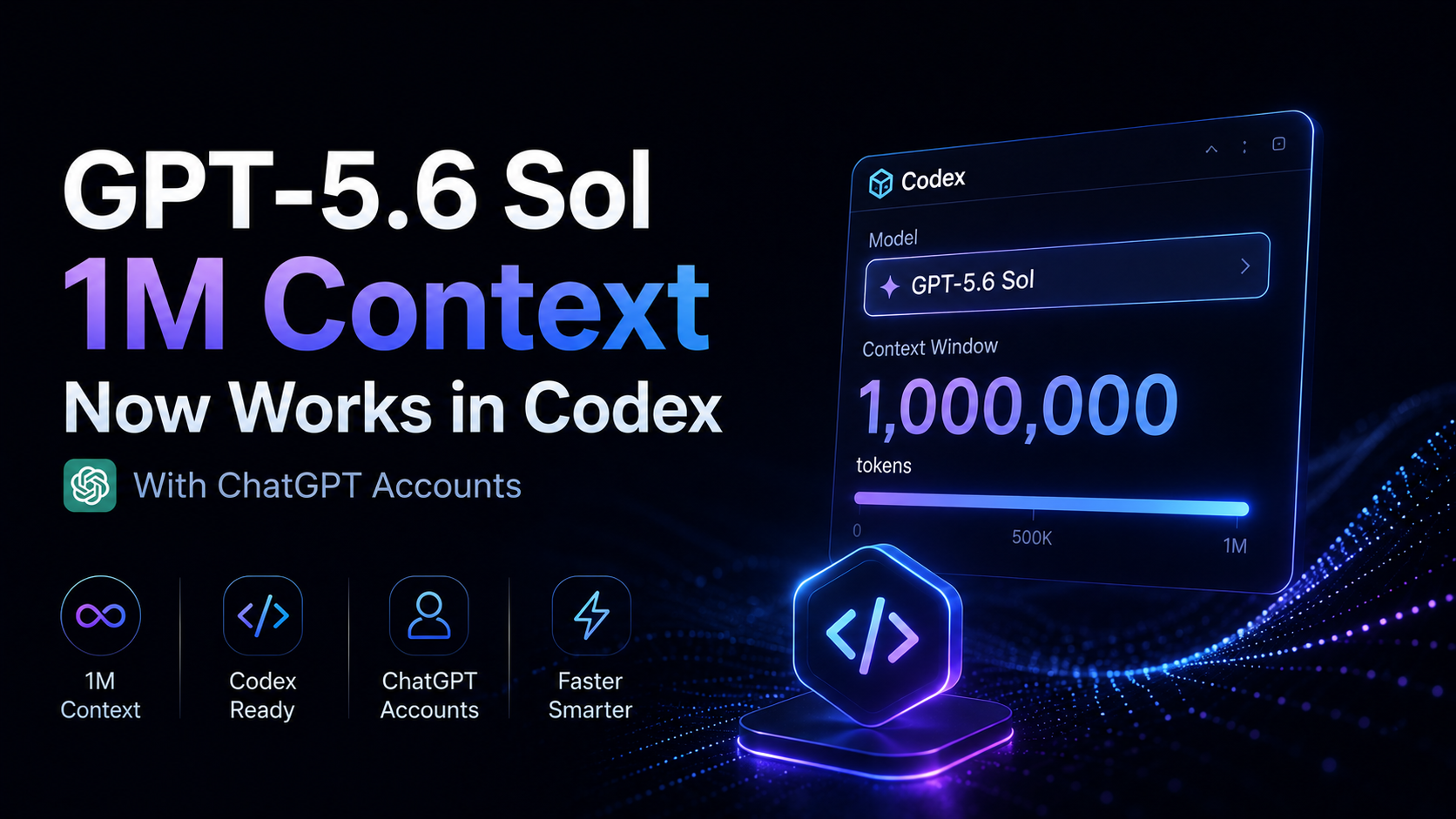
OpenAI has expanded access to GPT-5.6 Sol’s million-token context window in Codex, making the larger context available when developers sign in with a ChatGPT account rather than limiting it to API-key authentication.
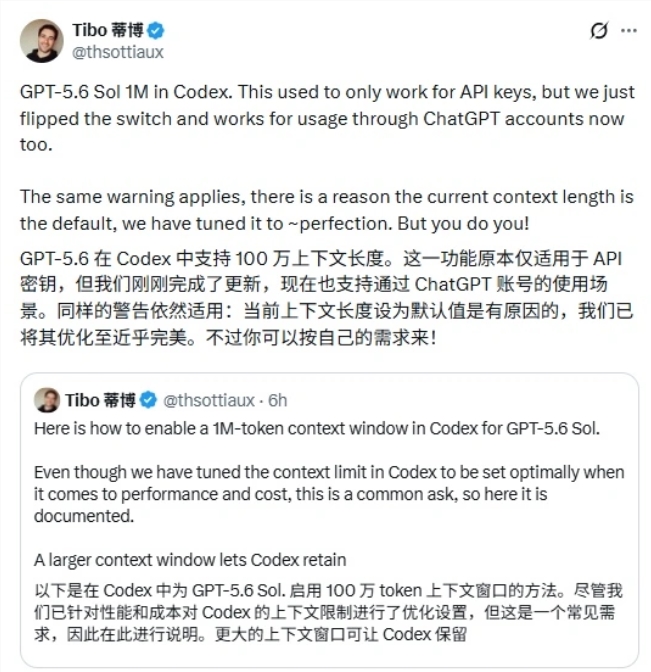
The update was highlighted by OpenAI engineer Tibo, who works on Codex and ChatGPT. According to the announcement shared in the original AIBase report, GPT-5.6 Sol’s 1M context mode had previously worked only for API-key users, but the switch has now been enabled for ChatGPT-account usage as well.
OpenAI’s current model documentation lists GPT-5.6 Sol with a 1,050,000-token context window and up to 128,000 output tokens. That gives Codex substantially more room to retain source code, tool results, instructions, and conversation history before context management or compaction becomes necessary.
For developers working on large repositories, long debugging sessions, migrations, or multi-step refactoring, the option can be useful. But OpenAI is also warning users not to assume that the largest possible context window is always the best default.
ChatGPT Subscribers Can Use the Million-Token Window in Codex
The practical change is that the long-context capability is no longer restricted to developers authenticating Codex with an API key.
The announcement says the feature now also works through ChatGPT accounts. OpenAI’s current Codex pricing documentation confirms that Plus, Pro, Business, Enterprise, and other supported ChatGPT plans include Codex access, with the GPT-5.6 model family available on eligible paid plans.
GPT-5.6 Sol itself has an official context window of:
| Specification | GPT-5.6 Sol |
|---|---|
| Context window | 1,050,000 tokens |
| Maximum output | 128,000 tokens |
| Model ID | gpt-5.6-sol |
| Alias | gpt-5.6 |
The larger window allows a Codex session to retain much more working information at once.
That can include:
- Large portions of a repository
- Long conversation histories
- Tool and shell output
- Build and test results
- Design or architecture documents
- Multi-file refactoring context
- Earlier debugging steps and decisions
For smaller tasks, this extra space may make little practical difference. For a large production repository, however, preserving more of the project state can reduce how often older material has to be summarized or dropped from the active context.
Codex Exposes a Context-Window Configuration
OpenAI’s official Codex configuration reference documents the setting:
model_context_window
It represents the number of context-window tokens available to the active model.
OpenAI’s sample configuration also shows that Codex normally uses model or preset defaults when this value is left unset. In other words, users do not need to manually force the maximum context size for ordinary use.
The original announcement specifically emphasizes that the million-token option is something users can choose when they need it.
That distinction matters because a larger context window is a capability, not automatically the optimal setting for every session.
Why OpenAI Does Not Make 1M Context the Default
Tibo also cautioned that Codex’s current default context length is intentional.
According to the announcement, OpenAI has tuned the normal setting around a balance of performance and cost. Users are free to choose the larger context, but the default is designed to work efficiently for typical coding sessions.
This is consistent with OpenAI’s official Codex pricing guidance.
OpenAI notes that tasks that appear similar can consume very different amounts of a user’s allowance because usage depends on factors including:
- Model choice
- Context size
- Reasoning
- Tool use
- Retrieval
- Prompt caching
That means a million-token window should not be interpreted as “free extra memory.”
The more context a session actively processes, the more tokens may need to be read, cached, managed, or compacted. For users working under plan-based Codex limits, larger contexts can therefore consume available usage faster.
OpenAI’s token-based rate card also treats very long context as a distinct workload. In supported Work and Codex environments, input beyond the long-context threshold can carry higher token rates under applicable token-based pricing.
The Default Is Enough for Many Everyday Tasks
Codex already includes context-management mechanisms designed to keep long sessions workable.
For normal bug fixes, focused feature work, code review, or smaller repository changes, the standard context configuration may already be sufficient.
A developer does not necessarily gain anything by placing an entire repository and every previous tool result into the active window at all times.
The more useful approach is to match the context size to the task.
A million-token context is most attractive when the work genuinely depends on a large amount of simultaneously relevant information, such as:
- Large-scale repository refactoring
- Long-running debugging across many files
- Architecture migrations
- Cross-module dependency analysis
- Complex agent workflows with substantial tool history
- Tasks where aggressive compaction would remove useful implementation details
For a narrow task involving only a handful of files, the default context can be more efficient.
Larger Context Means More Room Before Compaction
One of the main benefits of the expanded window is that Codex can keep more history available before it needs to compress older information.
Context compaction is useful because no agent can carry unlimited history forever. But compression inevitably replaces detailed prior material with a shorter representation.
A larger window delays that tradeoff.
For example, a long coding session may accumulate:
- Repository instructions
- Source files
- Search results
- Shell commands
- Test output
- Failed approaches
- Code diffs
- User corrections
- Architecture decisions
- Additional tool calls
When the active context becomes crowded, Codex may need to compact or otherwise manage the earlier history.
With GPT-5.6 Sol’s full 1.05M-token window available, more of that information can remain directly accessible for longer.
This is especially useful when earlier details are still important to decisions being made much later in the task.
However, the benefit is workload-dependent. Keeping information available is only helpful when that information remains relevant.
Long Context Can Consume Usage Faster
The main caution in the original AIBase article concerns usage limits.
Some developers have reported that enabling the full million-token context can cause their available Codex quota to fall faster during intensive sessions.
That behavior is not surprising from a token-accounting perspective.
OpenAI’s own Codex documentation explains that prompt length alone does not determine usage. Context, reasoning, tools, retrieval, and caching all contribute to how much allowance a task consumes.
A larger context therefore creates the possibility of much heavier turns when a session actually grows into that space.
This does not mean every request immediately consumes one million tokens simply because the maximum window has been enabled. It means the session is allowed to grow much larger, and sufficiently large requests can become more expensive in tokens or plan usage than comparable requests using a smaller working context.
For that reason, enabling the maximum window only when it solves a real problem is the safer default strategy.
When Should You Use GPT-5.6 Sol’s 1M Context?
The new option is most useful when the cost of losing context is greater than the cost of carrying it.
Good Candidates for the Full Context Window
Consider the larger window when:
- Codex needs to understand a very large repository.
- A refactor spans many packages or modules.
- The session has a long chain of dependencies and earlier decisions remain relevant.
- Debugging requires comparing logs, source files, tests, and earlier hypotheses.
- You are performing a migration that touches a large percentage of the codebase.
- Automatic compaction is occurring before you want older detail summarized.
Cases Where the Default May Be Better
Stay with the normal context configuration when:
- The task is limited to one or a few files.
- You can divide a project into clean, independent sessions.
- Most older tool output is no longer useful.
- You are doing quick reviews or isolated fixes.
- Preserving weekly or plan-based Codex usage matters more than retaining maximum history.
The important change is that developers now have the choice.
Previously, the full context capability described in the source report was limited to API-key usage. ChatGPT-account users can now opt into the larger window when their workload justifies it.
常见问题
How large is GPT-5.6 Sol’s context window?
OpenAI’s official model documentation lists GPT-5.6 Sol with a 1,050,000-token context window. The model also supports up to 128,000 output tokens.
Can I use the 1M context window in Codex with a ChatGPT account?
Yes. The update reported by AIBase and announced by OpenAI engineer Tibo says that GPT-5.6 Sol’s million-token context support has been enabled for Codex sessions authenticated through ChatGPT accounts, rather than remaining limited to API-key use.
Do I need an OpenAI API key to use the larger Codex context?
Not for the ChatGPT-account path described in this update. API-key authentication remains supported, but the change specifically expands the capability to ChatGPT-account usage as well.
Is the 1M context window enabled by default?
No. The announcement says Codex’s normal context setting has been intentionally tuned for performance and cost. The larger window is an option for users who specifically need the additional context.
Why can a larger context use my Codex allowance faster?
Context contributes to the amount of information the model processes. OpenAI’s Codex pricing documentation says model choice, context, reasoning, tool use, retrieval, and caching all influence usage, so long and context-heavy sessions can consume more allowance.
Does enabling 1M context mean every message uses one million tokens?
No. The context window is a maximum capacity, not a fixed token charge for every turn. Actual usage depends on how much content is present in the session and how much the model processes.
What kinds of coding tasks benefit most from a million-token context?
Large repository refactors, long debugging sessions, architecture migrations, cross-module analysis, and extended agent workflows are good candidates. Small fixes and tightly scoped tasks usually do not require the maximum window.
Where is the Codex context-window setting documented?
OpenAI documents model_context_window in the official Codex Configuration Reference and Advanced Configuration guides. The sample configuration notes that leaving it unset allows Codex to use its model or preset defaults.
相关工具
- OpenAI Codex: OpenAI’s coding agent for local development, IDE workflows, cloud tasks, and long-running software work.
- GPT-5.6 Sol: OpenAI’s flagship GPT-5.6 model with a 1.05M-token context window.
- ChatGPT Desktop: OpenAI’s desktop workspace for ChatGPT and Codex projects, files, and long-running work.
Related Links
- GPT-5.6 Sol Model Documentation: Official specifications for the 1.05M context window, output limit, model ID, and supported capabilities.
- OpenAI GPT-5.6 Announcement: OpenAI’s official overview of GPT-5.6 Sol, Terra, and Luna and their availability in Codex.
- Codex Advanced Configuration: Official documentation covering
model_context_windowand other model-limit settings. - Codex Configuration Reference: The complete reference for Codex configuration keys, including context-window and automatic-compaction controls.
- Codex Sample Configuration: OpenAI’s example
config.toml, including the optional manual context-window setting. - Codex Pricing and Usage Limits: Official plan availability, usage guidance, and information about how context and other factors affect consumption.
- OpenAI Model Catalog: Official comparison of GPT-5.6 models, context windows, output limits, and API pricing.
Summary
GPT-5.6 Sol’s full million-token context is no longer limited to Codex sessions authenticated with an API key. ChatGPT-account users can now access the larger context option as well, giving long coding sessions more room for repository content, tool output, and conversation history.
The maximum window is not intended to replace Codex’s normal default for every task. OpenAI has deliberately tuned the default around performance and cost, while the 1.05M-token option is most useful for genuinely large repositories and long-horizon engineering work.
For everyday fixes, the default context may remain more efficient. For complex projects where losing earlier detail is a real bottleneck, the new option gives developers significantly more headroom.
The important update is not that every Codex session should use one million tokens—it is that ChatGPT users can now choose the full GPT-5.6 Sol context when the project actually needs it.