Google Generative AI Report is Here: Which Websites Among We0 AI, Webflow, and WordPress Are Easier to Track AI Search Exposure?
Google AI Overviews is reshaping website traffic structures. This article analyzes from four perspectives—structured data, trackability, content scalability, and analytics chain—to break down which websites among We0 AI, Webflow, and WordPress are easier to track AI search exposure, and provides recommendations for building sites better suited for growth and customer acquisition.
Google Generative AI Report Is Here: Which Website—We0 AI, Webflow, or WordPress—Makes It Easier to Track AI Search Exposure?
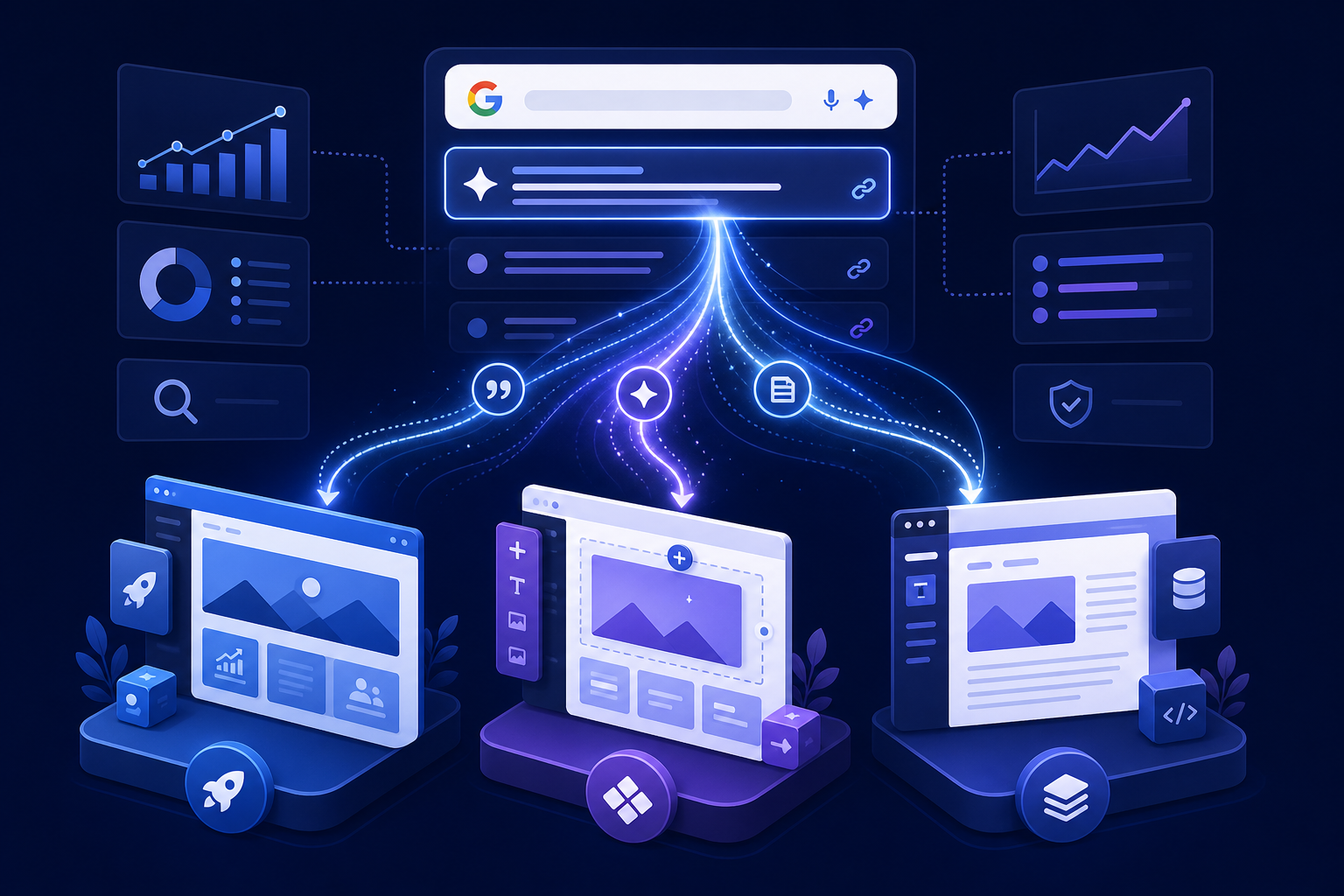
Chinese Cover Image
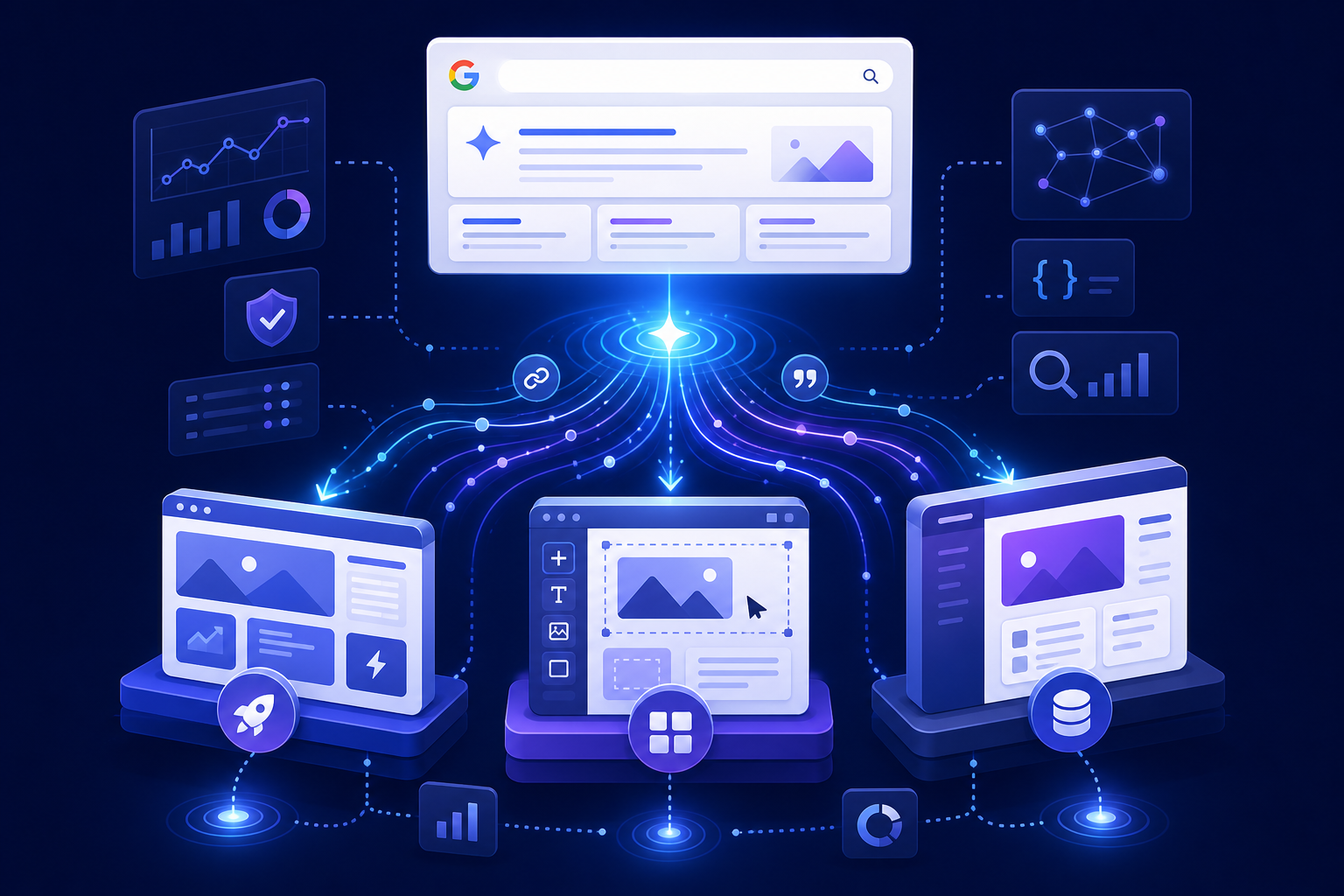
English Cover Image
Google Generative AI Report Is Here: Which Website—We0 AI, Webflow, or WordPress—Makes It Easier to Track AI Search Exposure?
Let’s start with the conclusion.
The real challenge has never been "whether a website is seen by AI," but "whether you can track it."
Over the past two years, many teams have been discussing AI Search, AI Overviews, GEO, brand citations, and whether they appear in answers. However, when it comes to execution, they often hit a very practical roadblock:
Not all websites are suited for AI Search exposure tracking.
Some sites can publish content but lack structural coherence.
Some sites look good visually but lack deep tracking points.
Others offer high technical flexibility but become increasingly heavy to maintain over time.
So, this article won’t discuss vague trends. We’ll focus on one thing:
If Google’s generative search is reshaping traffic channels, then among We0 AI, Webflow, and WordPress, which type of website makes it easier to track AI Search exposure clearly?
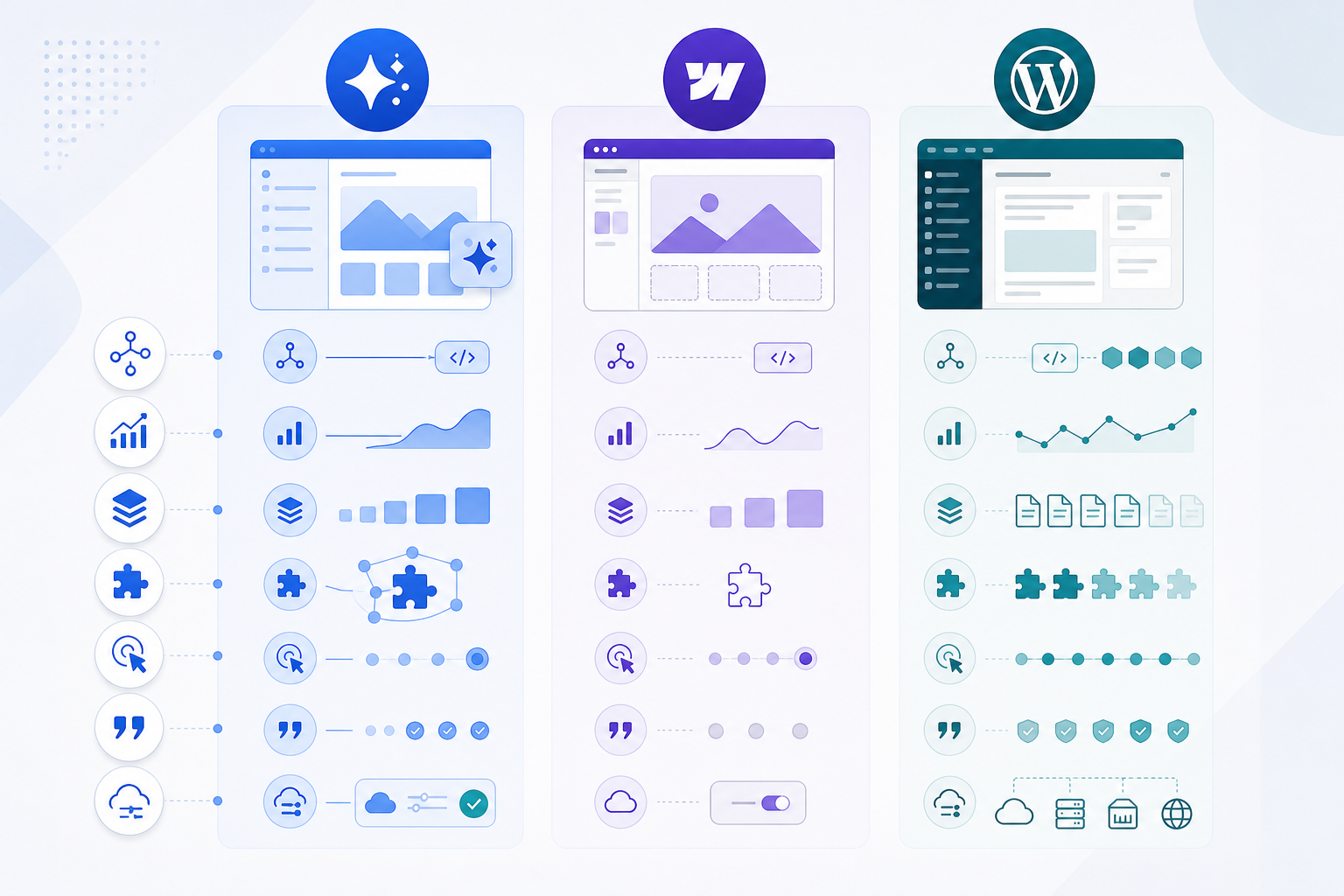
First, Let’s Clear Up a Common Misunderstanding: AI Exposure ≠ AI Traffic
Many people currently confuse several things when looking at AI Search:
- Being mentioned by AI
- Being cited by AI
- Having a link in the AI answer
- Users actually clicking through
- Converting after clicking through
These five things are entirely different.
If your website system can only see "page visits," then you’re likely seeing only the result, not the process.
What’s more, Google’s official explanation of AI Overviews itself warns that generative answers integrate multiple sources—they’re not a simple replacement for the traditional 10 blue links. In other words, your brand may be seen, but it may not leave a trace in the way you’re familiar with.
That’s why today, when discussing website-building platforms, we can’t just look at "whether it can do SEO." We also need to consider:
- Whether the content structure is clear
- Whether Schema/structured data is easy to implement
- Whether page and event data is easy to integrate
- Whether content scaling is stable enough
- Whether subsequent monitoring, review, and iteration are smooth
A More Practical Framework: AI Search Tracking Is About the Chain, Not a Single Point
What you really need to track usually spans these four layers:
- Mention: Has AI mentioned you?
- Citation: Has it cited your site or brand?
- Click: Has it directed users to your site?
- Lead/Conversion: Once on your site, did it generate leads?
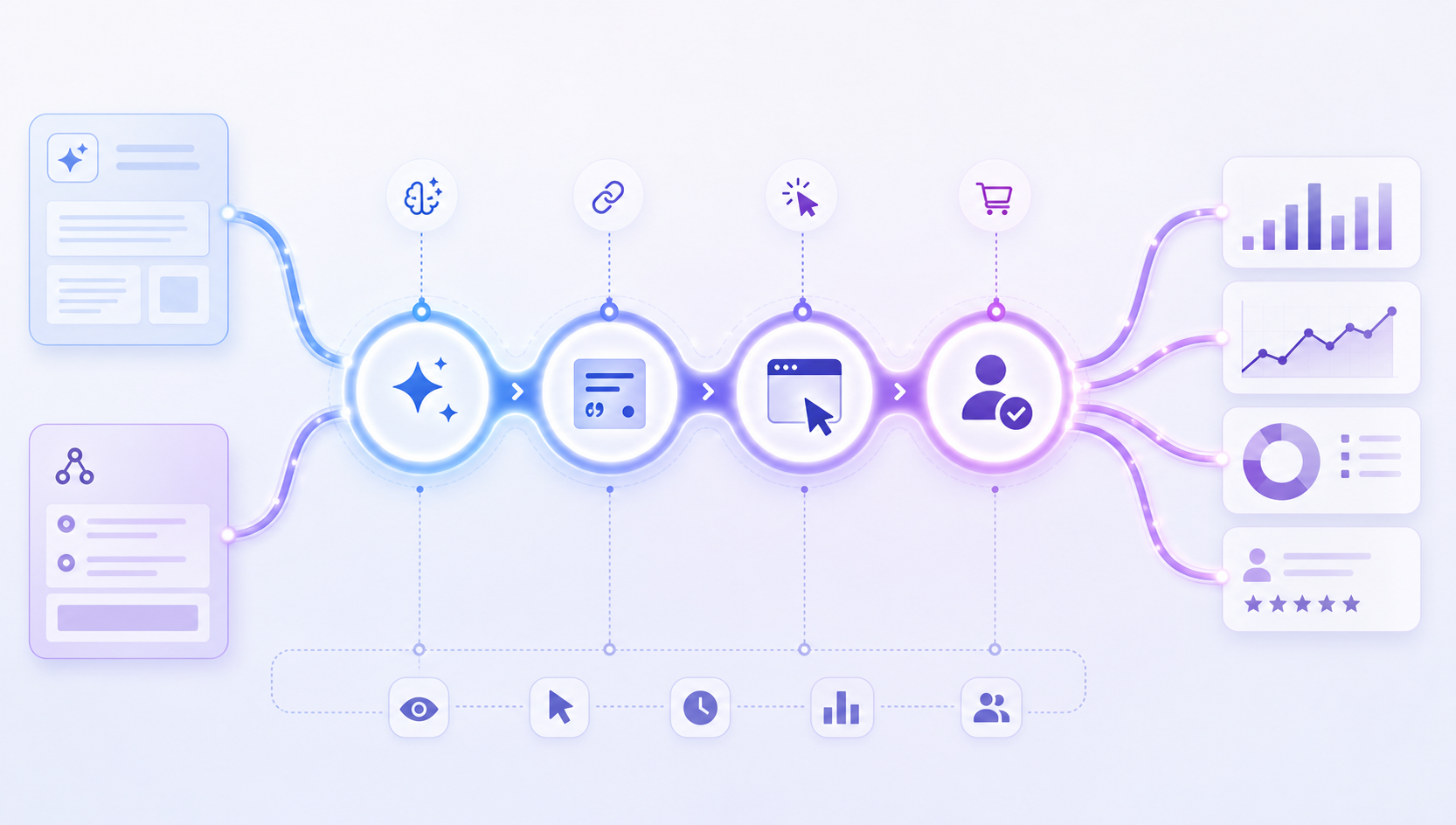

If a website building system can only solve step 3, or even only see step 4, then its usefulness for the AI Search era is actually incomplete.
What are the real differences between the three types of websites?
Let’s start with a quick-read version:
| Dimension | We0 AI | Webflow | WordPress |
|---|---|---|---|
| Launch Speed | Fast, and growth-oriented | Fast, design and showcase-focused | Depends on themes, plugins, and team |
| Content Structure Uniformity | High | Medium to High | Medium, tends to become fragmented |
| Structured Data Implementation | Can be planned uniformly | Doable, sometimes requires manual effort | Most flexible, but heavily reliant on plugin quality |
| Analytics Tracking & Event Design | Better suited for planning from customer acquisition funnel from the start | Basic is sufficient, deep customization limited | Most flexible, but highest implementation cost |
| AI Search Tracking Friendliness | Most balanced for small and medium teams | Suitable for lightweight content, strong branding sites | Suitable for large content sites with technical and operational collaboration |
| Long-term Maintenance Cost | Medium | Medium | Tends to be high |
One sentence judgment:
- If you want "fast launch + continuous SEO/GEO/content/lead nurturing afterward," We0 AI is more convenient.
- If you want "beautiful pages, strong brand identity, not a huge amount of content," Webflow is enough.
- If you want "extremely high freedom + deep plugin ecosystem + very heavy content system," WordPress has the highest ceiling, but also the most likely to get out of control.
Why is We0 AI better at "trackability"?
The key point here is not that We0 AI is "better" than all systems. Rather, it's that it's better suited to viewing website building, content, SEO, GEO, data, and lead generation within the same chain.
This is important.
Because in the AI Search era, a truly valuable website is not just a site built up, but a:
Growth asset that can continuously publish, be continuously understood, be continuously cited, and can be continuously reviewed and optimized.
1) Structure is easier to design for search and AI understanding from the start
Google Search Central's guidance on structured data has always been clear: structured markup helps search engines better understand page content.
This is even more critical in the context of AI Search. Generative answers rely more on whether content is "easy to parse, categorize, and cite."
The advantage of growth-oriented platforms like We0 AI typically isn't having the flashiest pages, but rather:
- Clearer page types
- More stable display website structures
- Service pages, case study pages, product pages, and FAQ pages are easier to unify with templates
- When expanding content hubs later, it's less likely to become messy
AI prefers structures it can read. Growth teams do too.
2) It's not just about making pages; it's easier to connect "Display → Content → Lead Generation"
The problem with many website builders is that the front end is fast, but the back end falls apart.
The page goes live. Then what?
- Who fills in the content?
- Who expands the case study pages?
- Who modifies titles and structures?
- Who continuously monitors which pages start getting AI Search exposure?
- Who converts that traffic into inquiries, registrations, and leads?
The value of We0 AI isn't just in Build; it's in Build -> Showcase -> Grow -> Leads.
In other words, it doesn't just help you create pages; it leans more toward making the site a system for sustainable operation, sustainable growth, and sustainable lead generation.
This is particularly important for AI Search tracking. Because ultimately, you don't just want to know "Did AI mention me?"; you want to know:
After being mentioned, which pages are handling the traffic, which content is growing, and which leads are actually coming in.
3) It's more friendly for small and medium teams because it reduces "tracking system fragmentation"
Many teams don't have a lack of tools; they have too many:
- Looking at a part in Search Console
- Looking at a part in Analytics
- Looking at a part in on-site forms
- Looking at a part in SEO plugins
- Another part in AI visibility tools
The final problem isn't having no data. It's:
The data isn't connected.
We0 AI is a better fit because its design philosophy is inherently based on the website as a growth asset. This means the logic from site structure, content publishing, to subsequent conversion is more complete.
For those building display-oriented official sites, product sites, service pages, case studies, or content sites, this difference is very real.
It's not because its single parameter is the highest.
It's because it's more closed-loop overall.
Webflow's strengths and limitations are also clear
Webflow has been very popular for years, and for good reason.
It has several appealing points:
- Strong visual control over pages
- Easy to create brand identity
- Friendly for design teams
- Basic SEO settings aren't bad
- Suitable for brand sites, product landing pages, and event pages
And Webflow itself mentions in its content that structure and schema are important in the AI Overview era. That judgment is correct.
But if we zoom out to the issue of "AI Search exposure tracking," Webflow is more like:
A great display system, but not necessarily the most complete growth tracking system.
What scenarios is Webflow better for?
If your site has these characteristics, Webflow often works well:
- Not a huge number of pages
- Moderate content update frequency
- Focus on display and conversion, not large-scale content SEO
- Team has design resources and wants a consistent visual look
Where do Webflow's limitations typically appear?
- Limited deep expansion capability
When you start doing heavy content, complex categorization, cross-template structures, and granular event design, Webflow often isn't as easy as it was at the start. - Tracking flexibility isn't absent, but it's not as "ops-friendly. "
It can integrate analytics tools and do basic tracking, but if you want a more refined operational closed loop around AI mentions, citations, page handling, and CTA conversion, you'll feel the boundaries. - Suitable for brand display, but not necessarily the best for complex SEO content flywheels
Webflow can do content, but when your content strategy gets heavy, it may not be the most worry-free option.
Simply put, Webflow's strength is in "looking right," but in the AI Search era, you also need to care about "can you keep up later. "
Why WordPress is still strong, and why it's still the easiest to get complicated?
WordPress's biggest advantage, everyone knows:
High freedom. Large ecosystem. Many plugins.
You can build almost anything on WordPress:
- Blogs
- Media sites
- Multi-author content systems
- Resource sites
- Large categorized sites
- Programmatic content projects
- Multi-language sites
- Deep SEO architecture sites
If your team has people who understand technology, SEO, and content operations, WordPress's ceiling is indeed very high.
WordPress's advantages in AI Search tracking
- Large space for structured data expansion
You can make schema very detailed through plugins, themes, or even custom code. - Free analytics capabilities
Whether it's
GA4, GTM, logs, form systems, CRM, or third-party visibility tools—WordPress can theoretically integrate with all of them.
3. Very Strong Content Scalability
For teams needing to produce a large volume of articles, features, Q&A pages, and resource pages, WordPress remains a solid choice.
But the Problems Are Real
- Easy to Pile Up Plugins
Almost anything you want to do can be done. The issue is that, as you go along, the site starts to feel patched together. - Site Consistency Becomes Harder to Manage
Templates, authors, editing habits, plugin versions, field rules—over time, they easily fall out of sync. - Maintenance Costs Creep Up
Security, performance, compatibility, updates, caching, structural fixes... these gradually consume team energy.
So the problem with WordPress has never been that it "can't do it," but rather:
It can do so much that you'll easily overcomplicate your tracking system.
For content-focused businesses with mature teams, this is an advantage.
For small to medium teams, it can also be a burden.
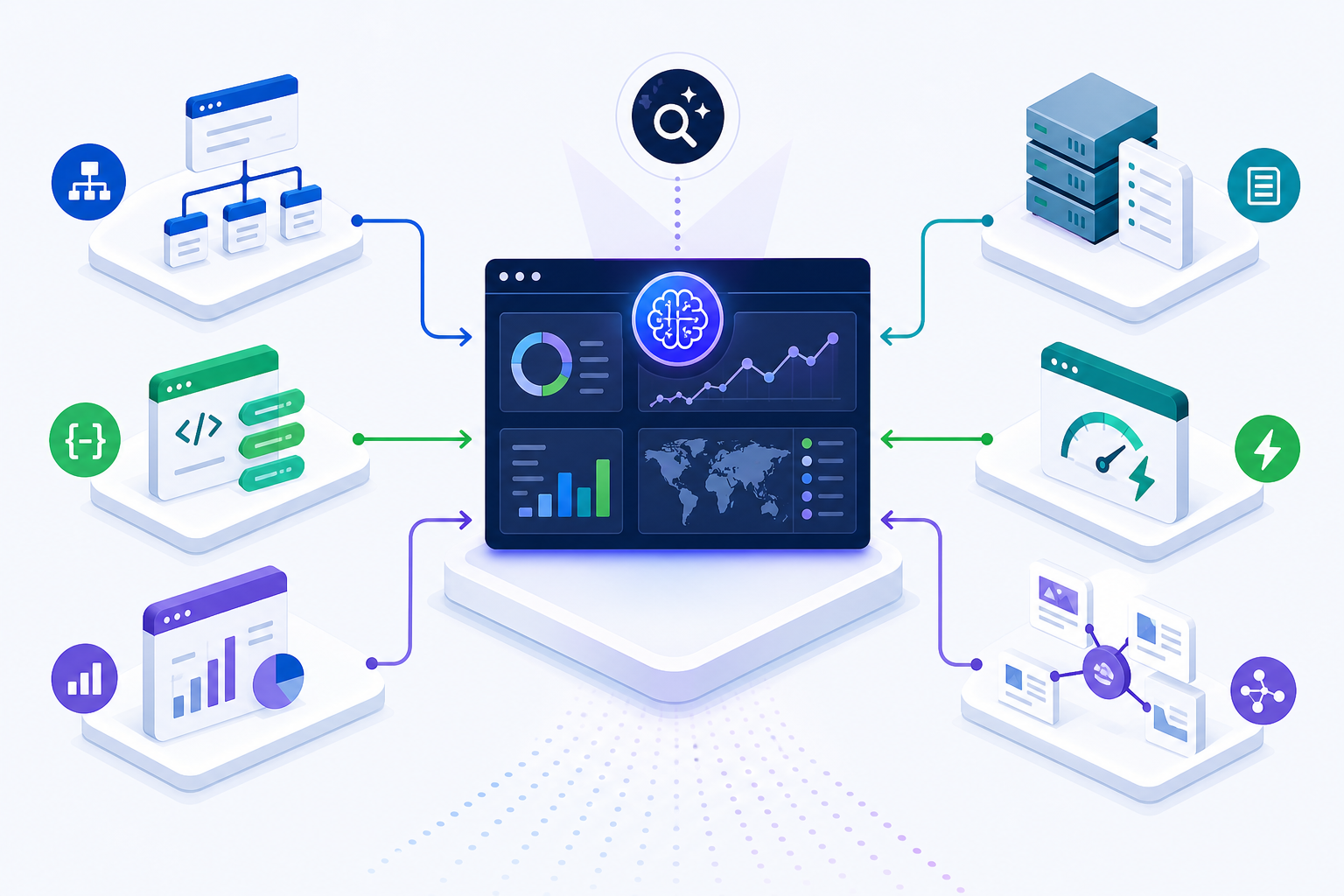
Websites Truly Easier to Track AI Search Exposure Usually Share 6 Common Traits
Whether you use We0 AI, Webflow, or WordPress, websites that are easier to track for AI Search exposure typically have these characteristics:
1) Stable Content Structure
Not changing the setup every other day.
Instead, product pages, service pages, case study pages, blog pages, and FAQ pages all have relatively clear fields and hierarchy.
2) Clear Page Semantics
Titles, summaries, main content, Q&A, authors, update dates, product information, service information—these are easily understood by search engines and AI systems.
3) Controllable Structured Data
You don't have to perfect your schema, but at least you need to be able to implement it reliably, modify it continuously, and supplement it systematically.
4) Complete Analysis Funnel
More than just tracking PV and UV.
You should be able to see page entry points, click behavior, CTAs, forms, inquiries, registrations, and their correlation with external AI visibility monitoring tools.
5) High Content Iteration Efficiency
AI Search exposure isn't a one-time effort. You need to continuously add content, adjust structures, test pages, and review citations.
Only by making continuous improvements can you catch up.
6) Clear Growth Goals
If your website is just an online business card, your tracking requirements won't be high.
But if your site is designed to generate traffic, leads, and customers, you must treat "trackability" as a standard part of the site-building process from day one.
A More Direct Conclusion
If You Fall into One of These Three Groups, Here's How to Choose
| Who You Are | Which Type of Site Suits You Better |
|---|---|
| Startup teams, independent developers, consultants, or agencies wanting to quickly launch an official site and consistently do SEO/GEO/content-driven customer acquisition | We0 AI |
| SaaS or creative teams that prioritize brand display, page design, and medium-volume content | Webflow |
| Companies with technical capabilities, content teams, and needs for complex content systems and deep customization | WordPress |
On "AI Search Exposure Tracking" Alone, My Assessment Is:
- We0 AI: Most Balanced. Especially suited for those who want to combine site building, display, content, SEO, GEO, and lead generation in one place.
- Webflow: Saves Most Design Communication. But once you enter the phase of heavy content, heavy tracking, and heavy iteration, its limitations become more apparent.
- WordPress: Most Flexible. But the flip side of flexibility is complexity and maintenance costs.
So none is "the best." It's about which one best fits your current growth chain.
If you ask me for the most straightforward advice:
In the era of Google generative search, websites that are easier to track AI Search exposure are often not the ones with the most features, but those with clearer structure, more stable content, and a more complete tracking chain.
And this is precisely why platforms like We0 AI—a "display site growth platform"—are worth a second look.
It doesn't just help you build a site.
It helps you build a long-term asset that can go live, display, grow, and acquire customers.
FAQ
What is the biggest difference between Google AI Overviews and traditional organic search?
The biggest difference is that users may not click a link first; they might see an AI summary first. This means the chain of a brand being mentioned, cited, and clicked is fundamentally redesigned, and site owners need to pay more attention to the difference between "visibility" and "trackability."
Can Webflow do AI Search optimization?
Yes, it can. Webflow isn't incapable of SEO or AI Search optimization; it's just better suited for moderately complex display scenarios. If you later need extensive content expansion and a more detailed analysis loop, you typically need to plan more carefully.
Is WordPress the best for AI Search tracking?
If the team has the technical capability, WordPress does offer the highest flexibility. However, it's not the default optimal choice, because high flexibility also brings higher maintenance costs and more complex data systems.
What teams is We0 AI best suited for?
It's best suited for teams that want to quickly launch a display site while also planning for ongoing SEO, GEO, content growth, and lead generation, such as SaaS companies, AI products, consultants, agencies, independent developers, and foreign trade display businesses.
How should AI exposure be tracked?
It's recommended to look at it across at least four layers: mention, citation, click, and conversion. Search Console, GA4, on-site conversion events, and dedicated AI visibility tools are often needed together.
Related Tools
Sources
- Google Search Central: Intro to structured data markup
- Google Search Help: AI Overviews
- Webflow: AI Overviews and search visibility
- AirOps: AI search visibility tools
- Frase: What is AI visibility?
/io/blog/ai-visibility)
Friends' Links / Related Reads / Internal Link Suggestions
- Is We0 AI just an AI website builder?
- Why is a showcase website more important than a "good-looking website"?
- What is the real relationship between GEO and SEO?
- How should an AI product's official website structure its content?
- Why is launching a website not the end, but the beginning of growth?
Ready to Build?
If you're currently thinking about this question:
"It's not 'Should I build an official website,' but 'Should I build a site that can consistently capture AI Search, SEO, and leads,'" then We0 AI deserves a serious look.
Because it doesn't treat website building as a one-time delivery.
It treats the website more like a long-term growth project.
Conclusion
Google's generative search isn't just changing the search results page.
It's also pushing everyone to redefine "what makes a good website."
In the past, the focus was: Did you build it or not?
Now, the real focus should be: Once it's built, can it be understood, can it be cited, can it be tracked, and can it win customers?
From this perspective, We0 AI, Webflow, and WordPress each have their place.
But if your goal is a website that is launchable, operable, continuously optimizable, scalable, and capable of acquiring customers, the answer isn't just "which tool to choose," but "which growth logic to choose."
And We0 AI is clearly closer to the latter.
Google’s Generative AI Shift Is Here: Which Sites Are Easier to Track for AI Search Visibility — We0 AI, Webflow, or WordPress?
Chinese Cover
English Cover
Google’s Generative AI Shift Is Here: Which Sites Are Easier to Track for AI Search Visibility — We0 AI, Webflow, or WordPress?
Let's start with the real answer.
The hard part is no longer whether AI can see your site. The hard part is whether you can actually track what happened.
A lot of teams are talking about AI Search, AI Overviews, GEO, brand mentions, and citations. But once they move from theory to execution, they hit a very practical wall:
Not every website is built for AI Search visibility tracking.
Some sites can publish content, but their structure is messy.
Some sites look polished, but the tracking layer is thin.
Others offer huge technical freedom, but become heavier and harder to maintain over time.
So this article is not about vague trends. It's about one concrete question:
As Google's generative search reshapes traffic entry points, which type of site is easier to track for AI Search visibility: We0 AI, Webflow, or WordPress?
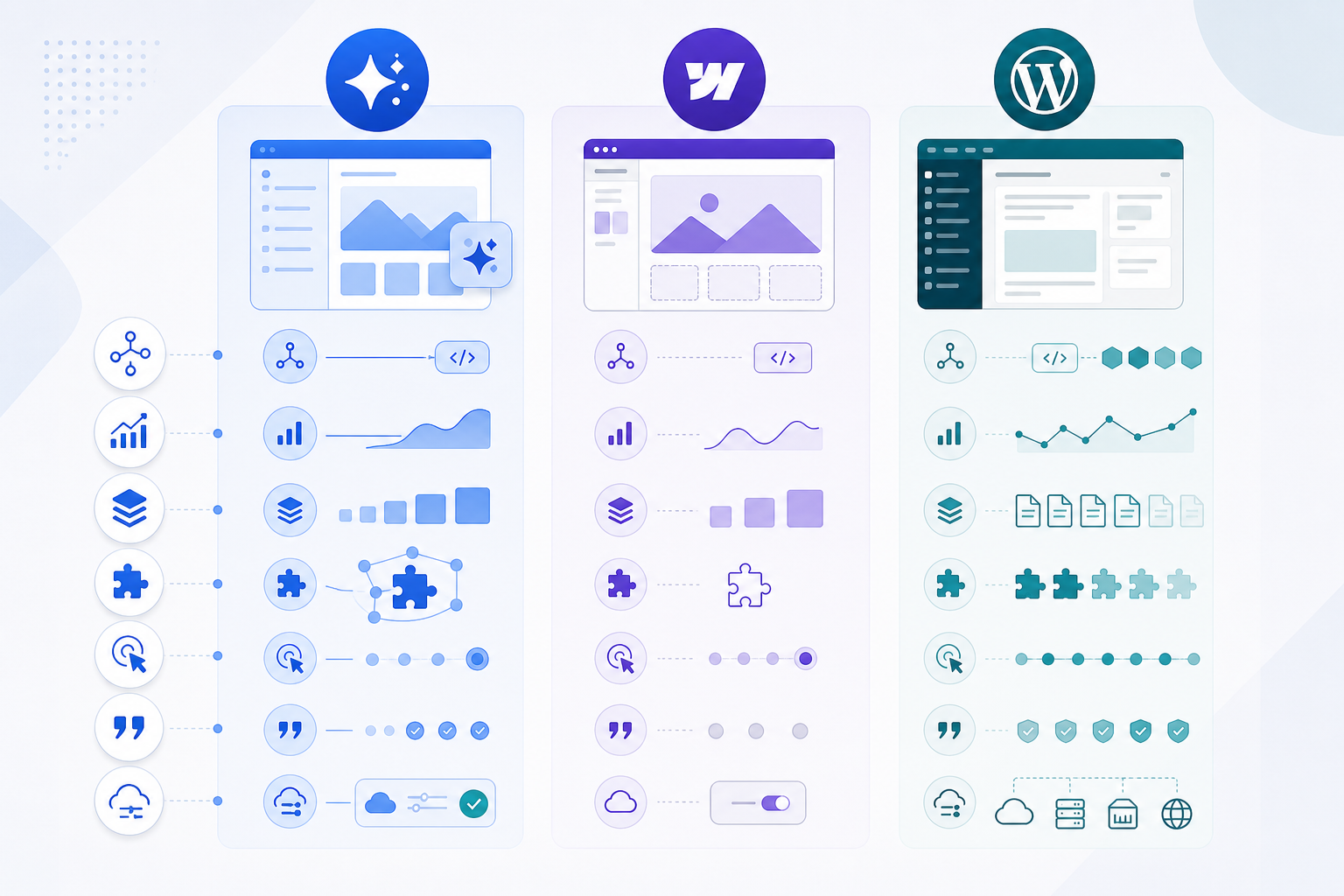
First, clear up one misunderstanding: AI visibility is not the same as AI traffic
Right now, many people collapse several different things into one bucket:
- Being mentioned by AI
- Being cited by AI
- Getting a link inside an AI-generated answer
- Receiving an actual visit from that answer
- Turning that visit into a lead or customer
Those are not the same thing. Not even close.
If your
When a website system can only show page visits, you’re probably seeing the outcome, not the journey.
And there’s another layer of complexity. Google’s own documentation on AI Overviews makes it clear that generative answers synthesize information from multiple sources. This means your brand may be visible, but not in the familiar, easily measurable way traditional search teams are used to.
That’s why choosing a website platform today can’t be reduced to “Can it do SEO?” You also need to ask:
- Is the content structure clean?
- Is structured data easy to implement and maintain?
- Are page-level and event-level analytics easy to connect?
- Can the content system scale without becoming unstable?
- Is ongoing monitoring and iteration actually manageable?
A more useful framework: AI Search tracking is about the chain, not a single metric
What you really want to track usually falls into four layers:
- Mention: Did AI mention your brand?
- Citation: Did it cite your site or your content?
- Click: Did it send users to your site?
- Lead / Conversion: Did those visits turn into actual business outcomes?
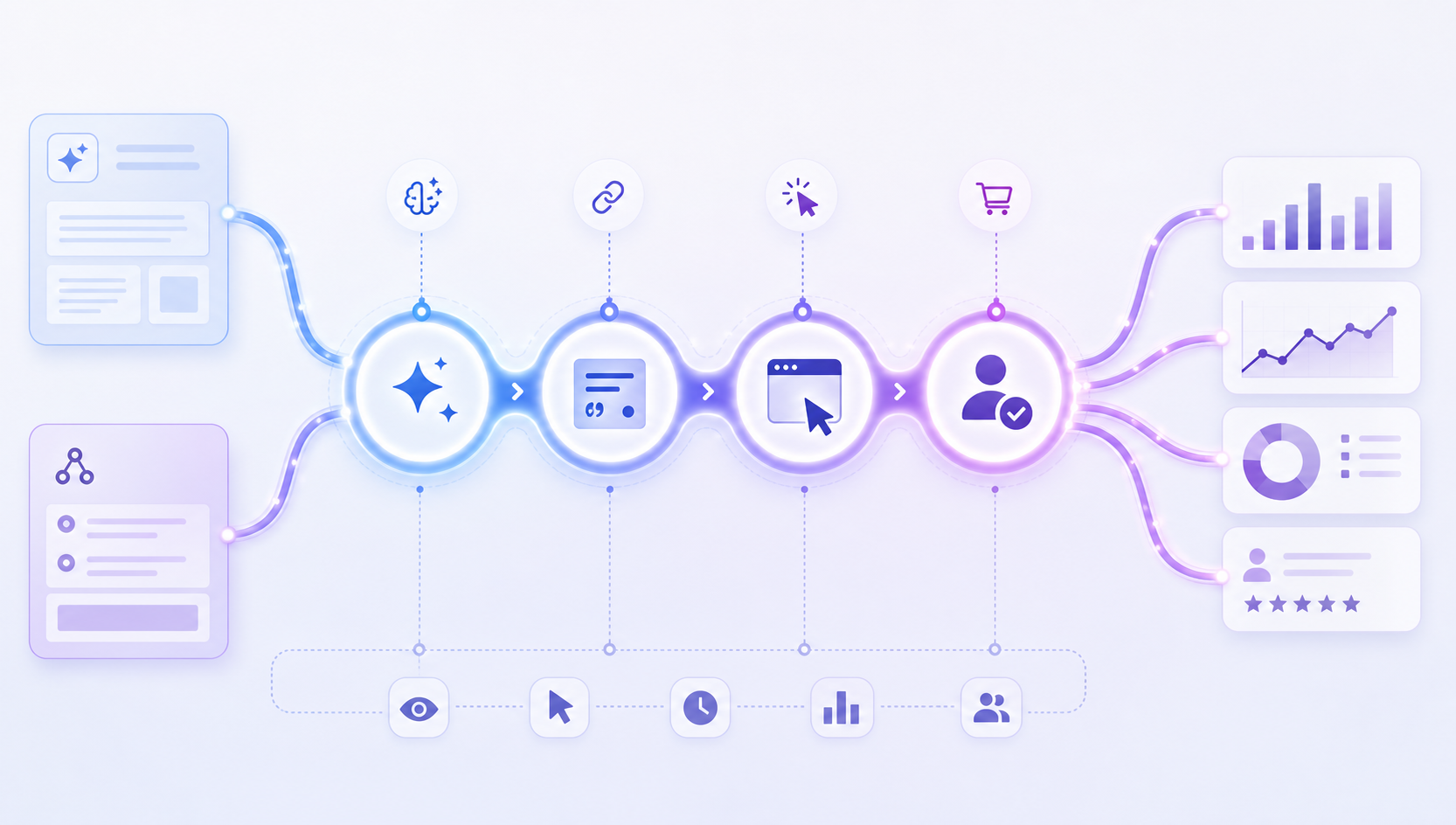
If your platform only helps with step three, or only lets you see step four, then it’s only solving part of the problem.
So where do the three site types really differ?
Here’s the short version:
| Dimension | We0 AI | Webflow | WordPress |
|---|---|---|---|
| Launch speed | Fast, with a growth-first angle | Fast, with a design-first angle | Depends on themes, plugins, and team setup |
| Structural consistency | High | Medium to high | Medium, often gets messy over time |
| Structured data execution | Easier to plan in a unified way | Possible, but sometimes manual | Most flexible, but depends heavily on plugin quality |
| Analytics and event design | Better suited to growth-chain planning from day one | Good enough for basics, limited for deeper workflows | Most flexible, but highest implementation cost |
| AI Search tracking friendliness | Most balanced for small and mid-sized teams | Best for lighter content and stronger brand presentation | Best for technically mature, content-heavy teams |
| Long-term maintenance cost | Medium | Medium | Often higher |
One-line summary:
- If you want to launch quickly and keep building SEO, GEO, content, and lead capture afterward, We0 AI is the smoother path.
- If you want beautiful pages and strong brand presentation, and your content program isn’t too heavy, Webflow is a solid fit.
- If you want maximum freedom, plugin depth, and a powerful content engine, WordPress has the highest ceiling — and the highest chance of getting complicated.
Why We0 AI has an edge on the tracking side
The point here is not that We0 AI is magically stronger at everything. The point is that it’s better aligned with a single chain
that connects website building, content, SEO, GEO, analytics, and lead capture.
That matters more than it sounds.
Because in the AI Search era, the websites that create real value are not just websites that exist. They’re websites that can keep publishing, keep getting understood, keep getting cited, and keep improving through iteration.
In other words: they behave like growth assets.
1) The structure is easier to design for search and AI understanding from the start
Google Search Central has long made the case for structured data: it helps search engines better understand page content.
In an AI Search context, that becomes even more important. Generative systems depend heavily on whether content can be parsed, classified, and cited cleanly.
Growth-oriented platforms like We0 AI usually win here not because they offer the wildest page customization, but because they make it easier to keep these things consistent:
- Clear page types
- Stable showcase-site architecture
- Reusable templates for service pages, case studies, product pages, and FAQs
- A more scalable content hub once the site starts expanding
AI tends to favor content it can interpret. Growth teams do too.
2) It’s not just page building — it’s easier to connect showcase, content, and lead capture
A common issue with many site builders is that the first part goes fast, and the second part falls apart.
The pages go live. Then what?
- Who expands the content?
- Who creates more case-study pages?
- Who keeps adjusting titles and structure?
- Who tracks which pages start picking up AI Search visibility?
- Who turns that visibility into forms, signups, or revenue?
That’s where We0 AI’s Build -> Showcase -> Grow -> Leads logic matters.
It doesn’t just help you launch pages. It helps you treat the site as something that can keep operating, keep improving, and keep generating business value.
And that matters a lot for AI Search tracking, because the end goal isn’t just “Was I mentioned by AI?” It’s:
After the mention, which page captured attention, which content kept growing, and which visits actually turned into leads?
3) It reduces fragmented tracking for smaller teams
A lot of teams don’t suffer from a lack of tools. They suffer from too many disconnected ones:
- Search Console in one tab
- Analytics in another
- Form data somewhere else
- SEO plugins in a different dashboard
- AI visibility tools in yet another layer
The problem is not missing data.
The problem is that the data doesn’t connect into one usable story.
We0 AI is better suited to teams that want to think of the site as a long-term growth asset rather than a one-time design project. That makes a real difference for showcase websites, product sites, service pages, case-study flows, and content-led acquisition paths.
Not because it wins every single technical category.
But because the overall loop is more complete.
Webflow’s strengths are real. Its limits are real too.
There’s a reason Webflow became so popular.
It does several things very well:
- Strong visual control
- Easier brand expression
- Good fit for design-led teams
- Solid baseline SEO settings
A natural home for brand sites, landing pages, and launch pages.
And yes, Webflow itself has published content around AI Overviews and the importance of structure and schema. That part is fair.
But if we narrow the question to AI Search visibility tracking, Webflow feels more like this:
A very good presentation system, but not always the most complete growth-tracking system.
Where Webflow fits best
Webflow tends to work well when:
- The site doesn’t have too many page types
- Content velocity is moderate
- The focus is on presentation and conversion, not large-scale SEO publishing
- The team has design resources and wants a polished visual system
Where the friction usually appears
- Deep expansion gets harder
Once the site grows into larger content systems, more complicated taxonomies, and finer-grained event design, Webflow often feels less lightweight than it did at the beginning. - Tracking flexibility has edges
It can connect analytics tools and handle the basics, but if you want a tighter loop around AI mentions, citations, landing-page capture, CTA behavior, and conversion paths, you start feeling the boundaries. - Great for showcase. Not always ideal for a heavier content flywheel
Webflow is not incapable of content SEO. It’s just not always the most operationally efficient choice once the content strategy becomes much larger.
Put simply: Webflow is excellent at making a site look right. In the AI Search era, you also need to ask whether it will remain trackable when the growth layer gets serious.
Why WordPress is still powerful — and still the easiest place to get complicated
WordPress still has one giant advantage:
Freedom.
A massive ecosystem. Endless plugins. Near-total flexibility.
You can build almost anything on WordPress:
- Blogs
- Publisher sites
- Multi-author content systems
- Resource hubs
- Large taxonomy-driven sites
- Programmatic content projects
- Multilingual sites
- Deep SEO architecture projects
If your team includes people who understand technical SEO, analytics, content ops, and implementation, WordPress absolutely offers the highest ceiling.
Where WordPress wins for AI Search tracking
- Structured data can go much deeper
Through plugins, themes, or custom code, you can build highly specific schema layers. - Analytics freedom is huge
GA4, GTM, logs, CRM integrations, form systems, third-party visibility tools — WordPress can connect to nearly all of it. - Content scalability is still top-tier
For teams publishing at high volume across articles, FAQs, glossaries, topic clusters, and resource pages, WordPress remains a heavyweight.
But the trade-offs are just as real
- Plugin stacking becomes a problem
Almost anything is possible. That also means sites often become stitched together over time. - Consistency gets harder to manage
Templates, editors, plugin versions, metadata rules, field logic — the longer the site lives, the easier it is for structure to drift. - Maintenance costs quietly rise
Security, performance, updates, caching, compatibility, technical cleanup — these things slowly eat team bandwidth.
So WordPress
is not weak. Not at all.
It’s just so capable that it becomes very easy to overcomplicate the tracking system.
For mature content teams, that can be a strength.
For smaller teams, it can become a burden.
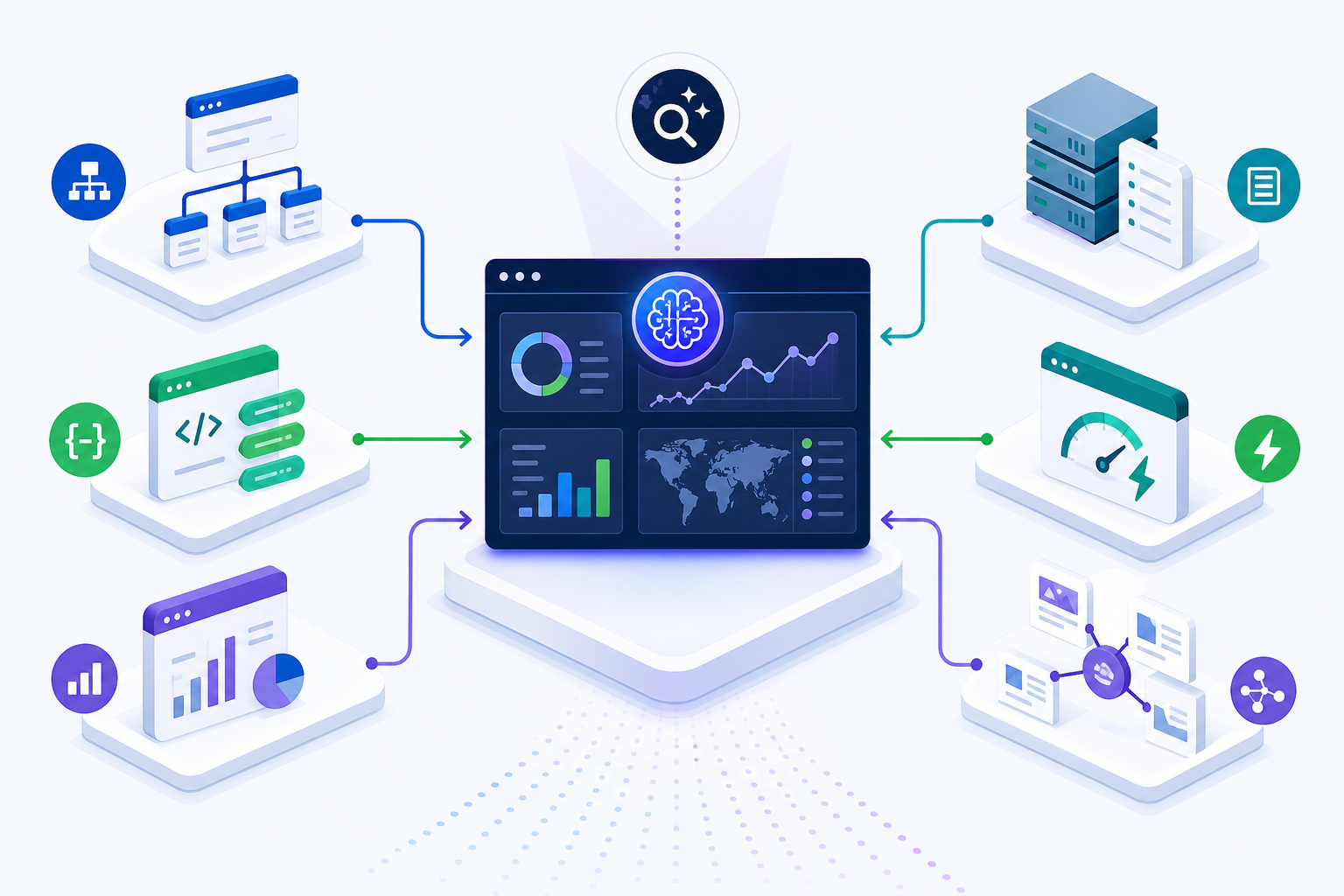
The sites that are easier to track in AI Search usually share six traits
No matter whether you use We0 AI, Webflow, or WordPress, the sites that are easier to track in AI Search tend to have the same fundamentals:
1) Stable content structure
Not one structure this week and another next month.
Product pages, service pages, case studies, blog posts, and FAQs should follow clear field logic and page hierarchy.
2) Clear semantic signals
Titles, summaries, main body content, questions, authors, update dates, product data, service details — all of these should be easy for search systems and AI systems to interpret.
3) Structured data that is actually manageable
You don’t need perfect schema everywhere. But you do need something you can implement consistently, update reliably, and improve over time.
4) A full analytics chain
Not just pageviews and sessions.
You need to understand entry pages, click behavior, CTA interaction, forms, inquiries, signups, and how those relate to external AI visibility monitoring.
5) Fast iteration speed
AI Search visibility is not a one-time event. You need to keep publishing, keep refining, keep restructuring, and keep testing.
If you can’t iterate, you can’t really track meaningfully.
6) A clear growth goal
If your website is just an online business card, your tracking expectations will stay low.
But if the site is meant to generate traffic, leads, and customers, then trackability needs to be part of the website standard from day one.
Final verdict
If you are one of these three types of teams, here’s the practical fit
| Team type | Best-fit website path |
|---|---|
| Startup teams, indie hackers, consultants, and agencies that want to launch fast and keep building SEO, GEO, content, and lead acquisition | We0 AI |
| SaaS and creative teams that care deeply about presentation and design, with a moderate content load | Webflow |
| Companies with technical capabilities, editorial workflows, and a need for deep customization | WordPress |
If we only look at AI Search visibility tracking, my view is this:
- We0 AI: the most balanced. Especially for teams that want site building, showcase, content, SEO, GEO, and lead capture to work as one system.
- Webflow: the easiest on design collaboration. But once the workflow becomes content-heavy, tracking-heavy, and iteration-heavy, the limits become more visible.
- WordPress: the most flexible. But flexibility comes with complexity and operational cost.
So the answer is not which one is universally best. The answer is which one fits your growth chain right now.
now.**
And if you want the most grounded version of the takeaway, it’s this:
In Google’s generative search era, the websites that are easier to track in AI Search are usually not the ones with the most features. They’re the ones with clearer structure, more stable content systems, and more complete tracking logic.
That’s exactly why platforms like We0 AI deserve a second look.
They’re not just helping teams build pages.
They’re helping teams build a long-term asset that can launch, showcase, grow, and convert.
FAQ
What’s the biggest difference between Google AI Overviews and traditional organic search?
The biggest difference is that users may read the AI answer before clicking anything. That breaks the old assumption that visibility and traffic are the same event.
Can Webflow support AI Search optimization?
Yes. Webflow can absolutely support SEO and AI Search work. It’s simply a better fit for moderate-complexity showcase scenarios than for very heavy content and analytics operations.
Is WordPress the best choice for AI Search tracking?
It can be, if your team has the technical capability to manage it well. But it’s not automatically the best choice for everyone, because more freedom also means more maintenance and more data complexity.
Who is We0 AI best for?
Teams that want to launch showcase websites quickly while continuing to invest in SEO, GEO, content growth, and lead capture — including SaaS teams, AI products, agencies, consultants, indie makers, and export-oriented presentation sites.
How should teams track AI visibility?
At minimum, split it into four layers: mention, citation, click, and conversion. In practice, that usually means combining Search Console, GA4, on-site conversion events, and dedicated AI visibility tools.
Related Tools
Sources
- Google Search Central: Intro to structured data markup
- Google Search Help: AI Overviews
- Webflow: AI Overviews and search visibility
- AirOps: AI search visibility tools
- Frase: What is AI visibility?
Related Reading / Internal Link Suggestions
- Is We0 AI just another AI website builder?
- Why showcase websites matter more than pretty websites
- GEO vs SEO: what’s the real relationship?
- How should AI product websites structure content?
- Why launching a website is not the end — it’s the start of growth
Ready to Build?
If the question on your mind is no longer “Should I build a website?” but rather:
“Should I build a website that can keep earning AI Search visibility, SEO traffic, and leads?”
then We0 AI is worth a closer look.
Because it doesn’t treat website building as a one-time delivery.
It
Treats the website as a long-term growth project.
Conclusion
Google’s generative search is not just changing the search results page.
It’s also forcing teams to redefine what a good website actually is.
It used to be enough to ask: Did we build the site?
Now the better question is: After the site goes live, can it be understood, cited, measured, and turned into customers?
From that angle, We0 AI, Webflow, and WordPress all have their place.
But if your goal is a website that is launchable, operable, continuously optimizable, growth-ready, and lead-generating, then the real decision is not just the tool.
It’s the growth logic behind the tool.
And We0 AI is clearly closer to that second path.