Before You Redesign Your Company Website, Redesign Its Information Architecture
Chinese Title: 企业官网改版,不应该先换设计,而应该先重做信息架构 English Title: Before You Redesign Your Company Website, Redesign Its Information Architecture Type: Pain-point / Guide / SEO Growth Article Target Audience: Business Owners, SaaS and AI Product Teams
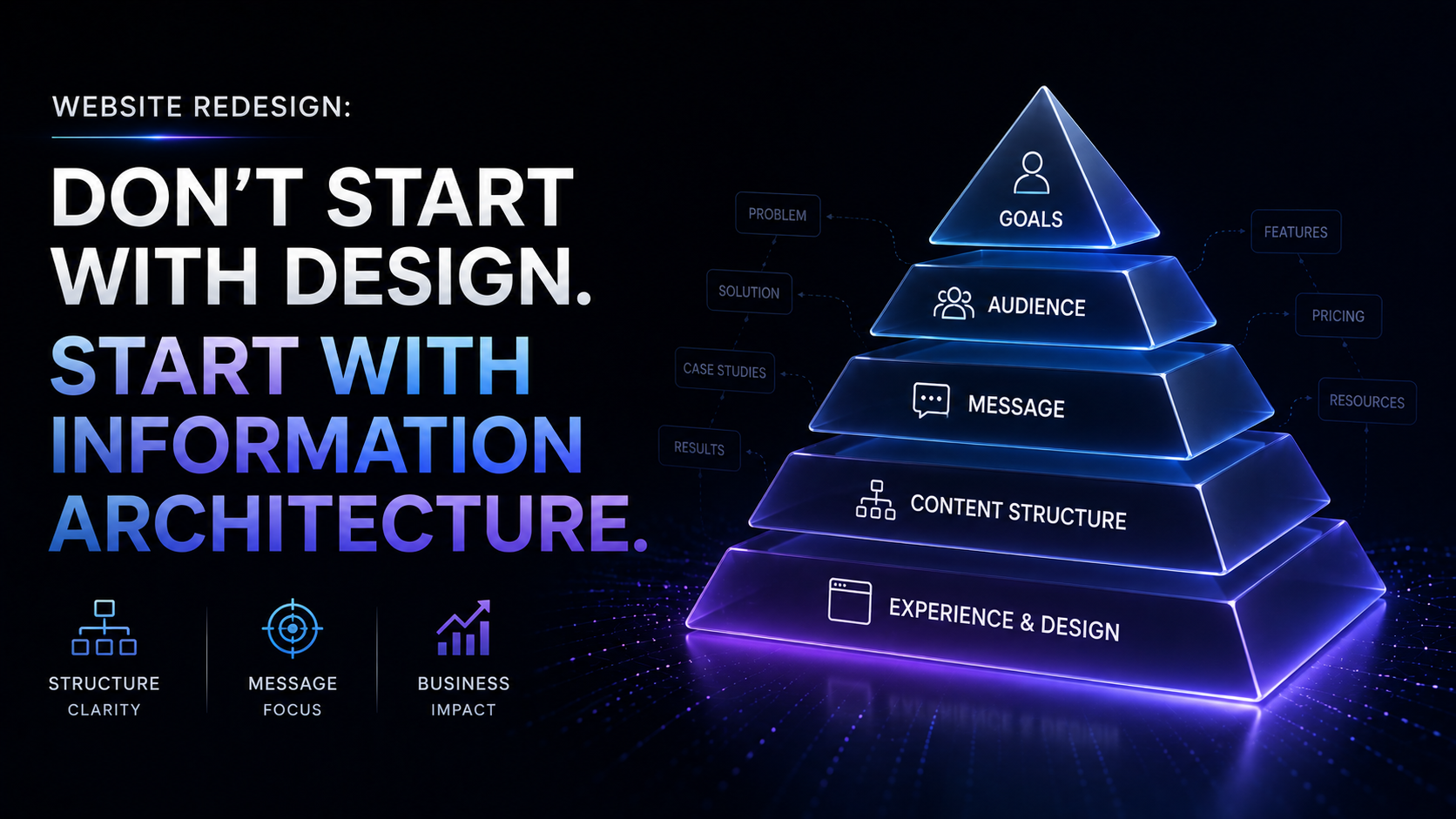
Before You Redesign Your Company Website, Redesign Its Information Architecture
When many companies say they want to redesign their website, the first sentence is usually:
"We want a more modern design."
So the project starts with looking for reference sites. Everyone discusses whether the homepage should be bigger and cooler, what color the buttons should be, whether the hero section should feature video or animation, and whether the typography should feel more tech-forward.
These things matter, of course. But they should not be the first step in a redesign.
If the content relationships on your website are a mess, the navigation doesn't help users make decisions, and product, service, case study, and industry information contradict one another, then a prettier design will only package the chaos more elegantly.
The real problem a website redesign should solve first is not "what the page looks like," but "why users come here, and where they should go next."
The Bottom Line Up Front: Design Solves Perception; Information Architecture Solves Understanding
A corporate website typically serves several types of visitors simultaneously:
- Prospective customers hearing about the brand for the first time
- Buyers or decision-makers comparing options
- Technical users looking for product details
- Partners trying to verify credibility
- People landing on a specific page via Google or AI search
Their tasks are completely different.
Some want to know what you do; some only care about pricing; some want to see customer cases; some want to confirm whether you serve their industry. If the website is built entirely around your internal organizational structure, it cannot serve all these tasks at the same time.
Information architecture is about how content is categorized, how pages relate to one another, how users move through the site, and how search systems understand the entire website.
Design then makes that structure easier to see and easier to use.
The order cannot be reversed.
Why "Redesigning the Design First" Often Dooms a Website Redesign
1. The homepage looks better, but users still don't know what you sell
Most homepage problems are not about looks—they are about unclear information priority.
The hero section has a big brand slogan, followed by three blocks of business introductions, then customer logos, news, and team photos. There's plenty of content, but users still can't answer three critical questions:
- What specific problem do you solve?
- Who is your product or service for?
- Where should I click to learn more and take action?
When a page lacks a clear path to understanding, a visual upgrade will not automatically lead to a conversion upgrade.
2. The number of pages increases, but content never forms a system
The most common approach in a redesign is to keep all old pages and add a few "solution pages," "industry pages," and "resource pages." The result is longer navigation and fragmented content.
Product pages describe features, and industry pages repeat the same features. Case study pages show only customer logos without process or results. The resource center feels like a file dump that can't absorb search demand.
This isn't a lack of content—it's a lack of a content model.
3. After visual mockups are done, you discover the business logic doesn't work
If you haven't defined page roles and content relationships in advance, designers can only work with existing copy. Then the review process begins, and sales, product, and marketing teams all weigh in:
- Sales wants more industry entry points
- Product wants to highlight feature modules
- Marketing wants SEO long-tail pages
- Management wants the homepage to feel more "premium"
In the end, one page tries to do everything—and does none of it well.
Good information architecture isn't about putting everything on the homepage; it's about giving every type of content an appropriate place.
Before Redesigning, Answer These 5 Questions
1. What task does the user most want to accomplish when they arrive?
Don't just ask "Who is our target user?" Also ask:
- Are they here to learn about the brand, or to compare options?
- Do they already know the product name, or do they only have a problem?
- Do they need proof, pricing, tutorials, or direct contact?
- Are they entering from the homepage, or landing directly on a deep page from search results?
Write down the user tasks, and the navigation will no longer be just a department directory.
2. What logic should your content be organized by?
Companies tend to organize by internal structure: products, services, industries, news.
Users, however, are more likely to search for content using these logics: problems, industries, product capabilities, customer cases, pricing, and calls to action.
During a redesign, you need to separate "how the company manages content" from "how customers look for answers." Navigation should serve user cognition, not replicate the org chart.
3. What is each page actually responsible for?
Every page should have a clear primary mission.
| Page Type | Primary Question It Answers | Primary Action |
|---|---|---|
| Homepage | Who you are and what problem you solve | Enter the product/service path |
| Product Page | How it works and who it's for | Trial, contact, or learn about solutions |
| Industry Page | Do you understand my business | View relevant case studies or solutions |
| Case Study Page | Have you actually delivered results | Contact, book, or see more |
| Resource Page | Can I get useful information here | Read, subscribe, keep exploring |
| Contact Page | How do I start a conversation with you | Submit a lead |
If a single page is trying to educate users, showcase all features, and capture leads simultaneously, the architecture usually hasn't been broken down clearly enough.
4. How do pages connect to each other?
Don't treat pages like islands. Product pages should link to relevant case studies; case studies should link to industry solutions; articles should link to product capabilities and next steps.
These connections help users keep exploring. They also help search engines and AI systems understand how topics relate to one another.
5. How will you keep operating after the redesign?
A website is not a one-time brochure.
After launch, you need to know which pages get traffic, which pages generate leads, where users drop off, and which topics are worth expanding further.
If the architecture doesn't leave room for content updates and data monitoring from the start, future growth will be difficult.
Shift from a "Page Checklist" to a "Content System"
Traditional redesigns tend to start with a list of pages:
Home, About Us, Products, Services, Case Studies, News, Contact Us.
A more effective approach is to build a content system first:
- Audiences: Owners, technical leads, buyers, partners
- Problems: Cost reduction, efficiency gains, lead generation, compliance, speed to launch
- Capabilities: Product features, service methods, industry experience, delivery capabilities
- Proof: Customer case studies, data results, testimonials, certifications
- Actions: Try, book, consult, download, subscribe
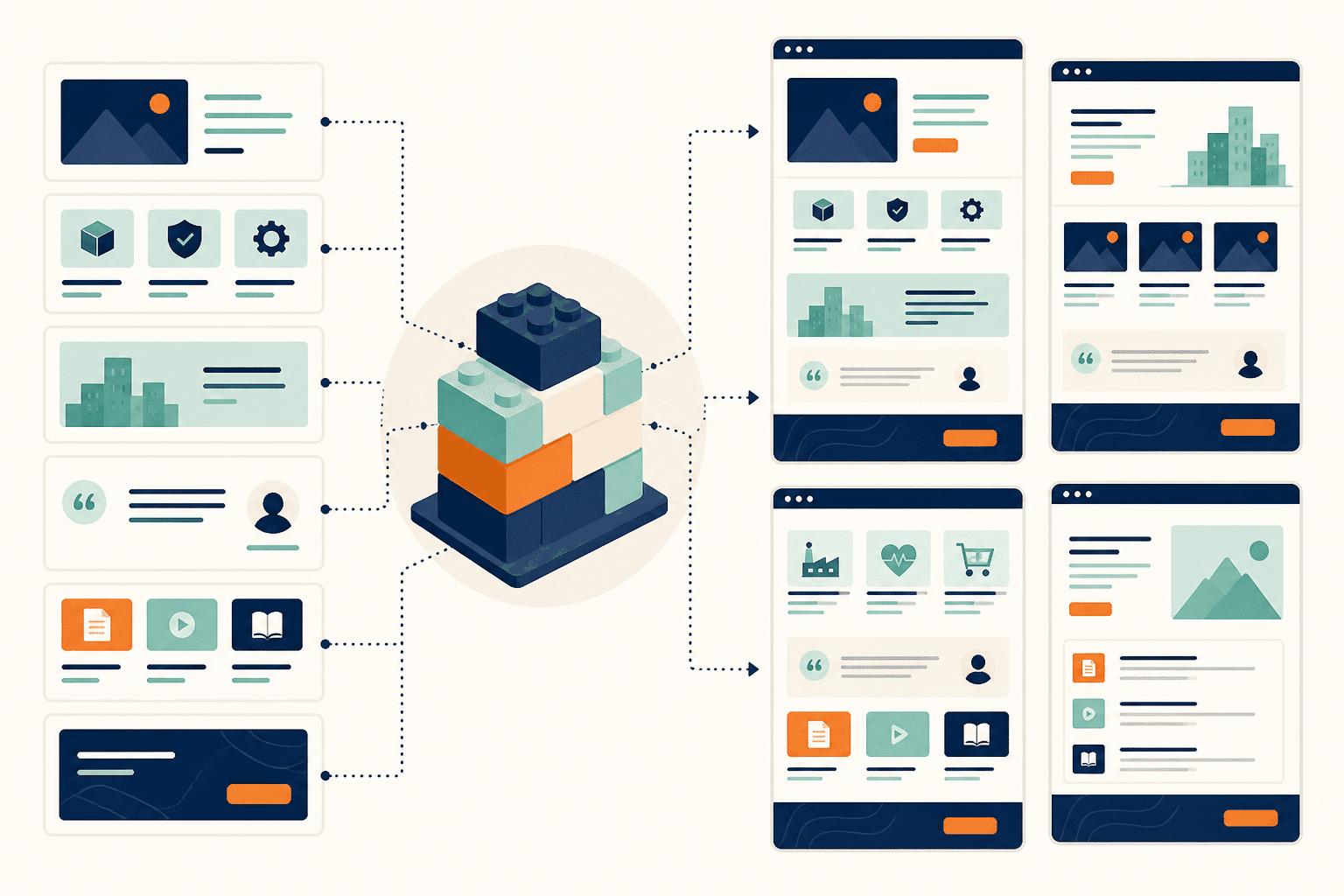
When content is structured this way, a case study isn't just a single detail page—it can also be referenced on industry pages, product pages, articles, and sales materials. This is what makes a scalable website, not a collection of pages endlessly copied and pasted.
Why Does Information Architecture Directly Impact SEO and GEO?
SEO isn't just about putting keywords in titles. Search systems need to determine whether a website consistently, clearly, and credibly covers a topic.
A clear information architecture helps you:
- Build content clusters around core topics
- Use internal links to explain the relationships between pages
- Provide corresponding landing pages for different search intents
- Avoid multiple pages competing for the same keyword
- Create a closed loop among product, case study, industry, and knowledge content
For GEO—generative engine optimization—structure matters just as much. AI needs to extract entities, relationships, definitions, and evidence from pages. If your product capabilities are scattered across several pages of repetitive copy, your brand becomes harder to understand accurately and reference.
A good-looking website might make someone stay for a few seconds; a well-structured website earns the chance to be found, understood, and recommended.
A More Reliable Website Redesign Process
Step 1: Audit the Old Site Instead of Tearing It Down
Organize the old site's pages, traffic, rankings, conversions, and business usage. Don't assume old pages have no value just because they're old. Some of them may be exactly where your search traffic and leads come from.
Step 2: Interview Real Users and Internal Teams
Ask customers, sales, support, and product teams separately: What do customers ask most often? Which links do sales send most frequently? What content always needs to be re-explained? These answers are often closer to real needs than the "I think" opinions from internal meetings.
Step 3: Design Navigation and Page Hierarchy
First define the primary navigation, secondary navigation, breadcrumbs, related content, and CTAs using text and wireframes. Don't rush into discussing gradients and animations at this stage.
Step 4: Create a URL, Redirect, and Content Migration Plan
Document old URLs, new URLs, page status, target keywords, and redirect relationships. The biggest risk during a redesign is that the visuals go live while search assets quietly disappear.
Step 5: Move into Visual Design
At this point, design doesn't start from a blank canvas—it builds a visual language on top of a validated structure. Designers can focus more on hierarchy, rhythm, trust, and conversion, rather than solving categorization problems for the business team.
Step 6: Keep Observing and Optimizing After Launch
Don't just track traffic. Also track entry pages, scroll depth, site search, CTA clicks, form completion rates, and lead quality. Information architecture isn't set in stone—it should keep evolving based on business needs and user feedback.
The Real Difference Between a Redesign and an Information Architecture Overhaul
| Just changing the design first | Rebuilding information architecture first |
|---|---|
| Starts with the homepage visuals | Starts with user tasks and business goals |
| More and more pages | Clearer content roles and hierarchy |
| Relies on internal department categories | Organized by user problems and search intent |
| Launch marks the end | Continuous operations and optimization after launch |
| Focused on "looking premium" | Focused on understanding, search, and lead generation |
We0 AI: Turning Your Website from a One-Time Deliverable into a Growth Asset
If you just need a beautiful showcase page, many tools can do that.
But what businesses actually need isn't usually "building a page"—it's organizing products, services, case studies, content, and conversion paths into a website that can be operated long-term.
That's where We0 AI fits in.
We0 AI isn't just an ordinary AI website builder, nor is it simply generating a webpage from a text prompt. It's closer to an AI website building, lead generation, and growth platform for showcase websites: starting from information structuring, page planning, and website building, then extending into SEO, GEO, content publishing, data monitoring, and ongoing optimization.
Its core flywheel is:
Build → Showcase → Grow → Leads
Build the website → Showcase products and proof → Earn search and AI recommendation traffic → Generate leads and customers
For SaaS, AI products, agencies, consultants, foreign trade companies, and personal brands, the website shouldn't just be an "online business card." It should answer questions, build trust, capture search traffic, and move users to the next step.
Frequently Asked Questions
Does a website redesign always need to start with information architecture?
If the website content is simple, a large-scale architecture project may not be necessary. But as soon as you're dealing with multiple products, industries, user types, or content sections, you should sort out the information architecture first—otherwise, visual design will easily mask business problems.
Are information architecture and website navigation the same thing?
No. Navigation is just the entry point users see. Information architecture also includes page hierarchy, content categorization, URLs, internal links, tags, content models, and user paths.
Does information architecture affect website SEO?
Yes. Clear hierarchy, topic clusters, and internal links help search systems understand page topics, and also reduce issues like keyword cannibalization and duplicate content.
What core pages should a B2B website have?
Typically, these include a homepage, product or service pages, industry pages, case study pages, resource content, an about page, and contact/conversion pages. The specific structure should be driven by user tasks, business models, and search demand.
Is We0 AI only for quickly generating homepages?
No. We0 AI is better suited for helping users build showcase websites that are launch-ready, operable, and capable of sustained growth, with ongoing optimization around SEO, GEO, content, data, and lead generation.
Related Tools
Ready to Get Started?
If your website is already showing these signs—navigation getting longer, pages repeating, sales constantly having to explain things the website doesn't—then you probably don't need a prettier template.
What you need is to reorganize: Who visits, what they're looking for, which content proves you, and where they should go next.
Start with structure, then let design do its work. Start building your We0 AI showcase website
Summary
A corporate website redesign is not a renovation project.
It's not swapping the old homepage for a new one, or changing blue to a gradient. A truly effective redesign rethinks the path through which users understand your company.
Rebuild the information architecture first, then the visual design; build a content system first, then expand the pages; figure out how to be found, understood, and trusted first, then debate whether the website looks premium enough.
Because the website's ultimate job isn't just to showcase.
It needs to keep growing and keep generating leads.