Codex++ Tutorial: Enhance Codex Desktop with Plugin Unlocking, Session Deletion, API Routing, and Workflow Control
A practical Codex++ guide for developers who use Codex Desktop every day. Learn what Codex++ changes, how it works as an external launcher through CDP injection, which problems it solves, and how plugin unlocking, session deletion, Markdown export, provider switching, user scripts, and Zed integration fit into a safer AI coding workflow.
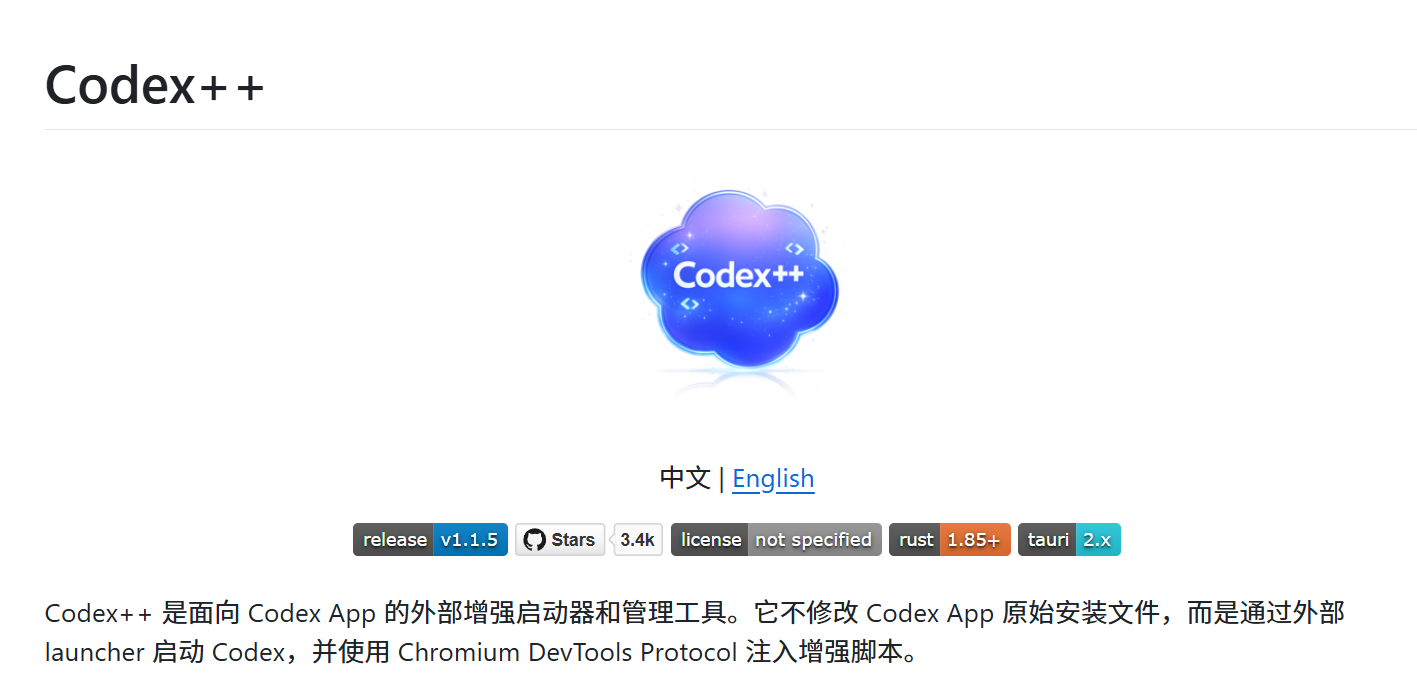
Original article image: Codex++ project overview
If you use the Codex desktop app every day, the problem is usually not the model. The core capability is strong. The friction is in the small things.
API-key login can lock the plugin entry. Test sessions pile up, but cannot be truly deleted. Custom API routes or providers often require manual configuration file edits.
None of these issues is fatal by itself. But in daily development, small friction repeats. Codex++ is designed to fix the developer needs that official products may not prioritize immediately.
This article does not frame Codex++ as a magic tool. A better description is: a third-party enhancement launcher. It does not modify the original Codex installation. It starts Codex externally and injects runtime enhancements through the Chromium DevTools Protocol.
Quick takeaway: who should use it
User type | Fit | Reason |
Daily Codex desktop users | Good fit | Session deletion, Markdown export, and provider switching are high-frequency needs |
API Key or proxy API users | Good fit | It reduces manual config file editing |
Users who need UI customization | Good fit | The user script system creates room for extra workflows |
Light users who only open Codex occasionally | Maybe not | The official app may already be enough |
Teams sensitive to third-party injection | Use carefully | Review source code, permissions, logging, and internal policy first |
1. Three real pain points in the official Codex app
Plugin access can be limited under API-key login
The first issue mentioned in the original article is common: when using API-key login, the plugin entry may appear disabled and ask for ChatGPT login. For developers who rely on custom providers, local network conditions, or lower-cost routing, this becomes a direct workflow blocker.
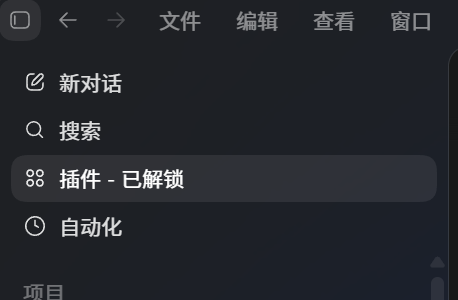
Original article image: Codex plugin entry status
Sessions can be archived, but not really deleted
The second issue feels small until it becomes daily noise. Test projects, failed attempts, temporary prompts, and repeated contexts fill the session list. Archiving alone does not clean up the workspace.
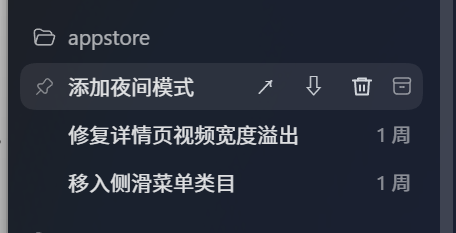
Original article image: delete entry in session list
API routing and provider switching are not very visual
When developers want compatible endpoints, proxy APIs, or custom providers, the official path often means editing `~/.codex/config.toml`. That is not difficult, but it is not ideal for frequent switching or quick recovery.
This is where Codex++ becomes useful. It does not replace Codex. It adds a desktop workflow layer that makes these operations more visible, reversible, and repeatable.
2. The technical idea: external launch, no original-file modification
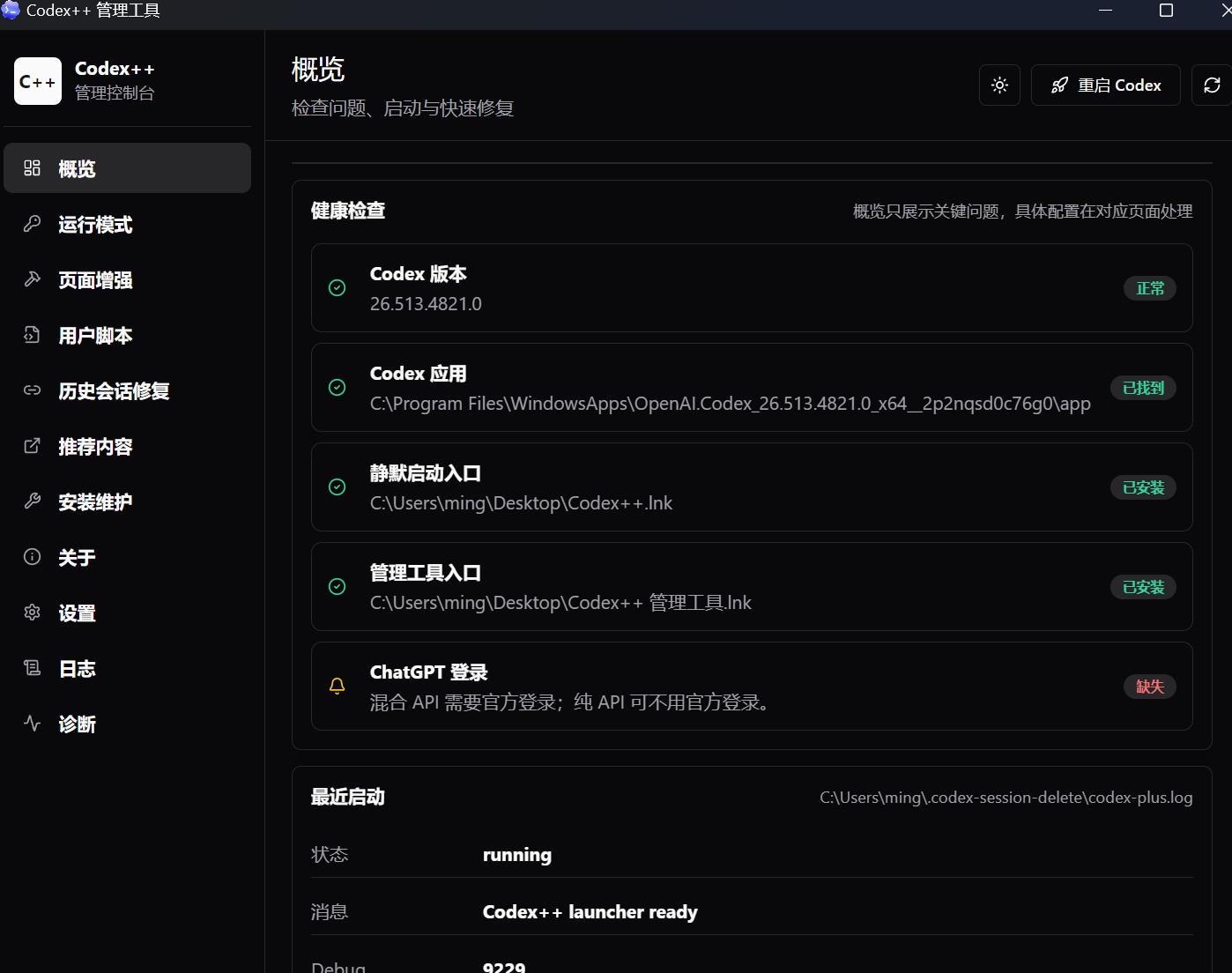
Original article image: Codex++ manager interface
The key design idea is non-invasive enhancement. Codex++ does not edit the Codex installation directory, modify app.asar, or write system DLLs. It launches Codex from an external launcher, connects to the Chromium DevTools Protocol, and injects enhancement scripts into the running renderer.
Module | Role |
Rust backend | Handles core logic, startup flow, and local management |
Tauri + React manager | Provides configuration, diagnostics, repair, and visual controls |
CDP injection | Enhances Codex page behavior at runtime |
User script system | Allows more flexible UI and workflow customization |
This matters because an enhancement layer that avoids modifying the official installation is usually easier to update and easier to roll back. But third-party injection still requires trust and review.
3. How to understand CDP injection
Electron apps can be understood as Chromium plus local capabilities. The Chrome DevTools Protocol was originally designed for debugging, inspection, and page control. Codex++ uses that route: it connects to a debugging port and injects scripts such as `renderer-inject.js` while Codex is running.
In plain English: it does not rebuild Codex; it adds behavior to the running page.
The advantage is flexibility. The limitation is that it depends on runtime state and page structure. If the official UI changes significantly, the enhancement scripts need to adapt.
4. The most useful Codex++ features
Feature | Practical value |
Plugin entry unlocking | Restores plugin access as much as possible in API-key workflows |
Session deletion | Removes test sessions and cleans noisy project history |
Markdown export | Turns conversations into technical notes and project records |
Timeline history view | Helps review long-context task states |
Project moving | Moves project directories inside Codex without manual config edits |
User scripts | Allows UI and workflow customization similar to Tampermonkey |
Provider sync | Keeps history and context more stable when switching API services |
Zed integration | Recognizes remote SSH environments and opens files in Zed |
These features are not flashy. But in real projects, the most useful enhancements are often the small ones that save clicks, preserve history, and reduce context loss.
5. The core capability: API routing injection
The original article treats API routing injection as the killer feature, and that makes sense. Many developers are logged into ChatGPT but still want model requests to go through custom APIs or proxy endpoints. Codex++ turns that into a provider configuration flow instead of a manual config-file task.
model_provider = "CodexPlusPlus"
[model_providers.CodexPlusPlus]
name = "CodexPlusPlus"
wire_api = "responses"
requires_openai_auth = true
base_url = "https://example.com/v1"
experimental_bearer_token = "sk-..."
The practical value is that developers can switch across providers, API routes, and test environments while keeping the coding workflow relatively stable.
API keys, base URLs, and provider settings are sensitive. Do not expose real keys in screenshots, public repositories, or articles.
6. Installation and usage flow
Windows
Windows users usually download a `CodexPlusPlus-*-windows-x64-setup.exe` installer. After installation, two entry points appear:
Entry | Role |
Codex++ | Daily launcher that starts Codex and injects enhancements |
Codex++ Manager | Configuration, diagnostics, and repair panel |
For daily use, launch from Codex++ rather than opening the original Codex app directly.
macOS
If macOS reports that the app is damaged or cannot be opened, the usual reason is lack of Apple notarization. Open System Settings, go to Privacy & Security, and manually allow the app.
For both Windows and macOS, GitHub Releases should be the preferred source. Third-party cloud-drive installers can be a backup, but they should not be the default trust source.
7. Why the project architecture matters
apps/ codex-plus-launcher codex-plus-manager assets/inject/ renderer-inject.js crates/ codex-plus-core codex-plus-data
This structure shows that Codex++ is not a tiny script. It has a launcher, a manager, core libraries, and a data layer. Rust handles the core logic, Tauri provides desktop capability, and React + Vite power the management UI.
The lesson is not only how to enhance Codex. It is how to split a developer pain point into external launch, runtime injection, diagnostics, and configuration management.
8. Risk boundaries: more enhancement is not always better
• Download only from trusted sources. Do not run unknown binaries casually.
• Do not expose API keys, provider settings, or base URLs in screenshots.
• Enterprise users should review source code, network requests, logs, and permissions first.
• If an official Codex update causes issues, fall back to the official launch path before debugging the enhancer.
• Do not treat script injection as risk-free. CDP is powerful, so it needs caution.
9. How this connects to We0.ai: turn tool experience into searchable assets
A tool tutorial like this disappears quickly if it only lives in a social post or chat group. A better path is to turn it into a technical article, tool page, FAQ, and case page inside a showcase website.
That is the logic of We0.ai: Build -> Showcase -> Grow -> Leads. You are not just publishing a tutorial. You are turning development experience into a content asset that search engines, AI search, and potential customers can understand.
A developer-tool team can build content clusters around Codex, Claude Code, Cursor, AI agents, and workflow automation, then use SEO and GEO to earn search traffic and AI recommendation traffic. Tool capability needs to be seen before it can turn into trials, registrations, or sales.
Conclusion
Codex++ is not a replacement for the official Codex app. It is an enhancement layer for frequent users: plugin entry access, session deletion, Markdown export, provider switching, and user scripts.
If you only open Codex occasionally, the official app may be enough. If Codex is your daily development workspace, tools like Codex++ have real practical value.
The bigger point is this: AI coding tools are moving from “can the model write code?” to “can the workflow keep running?”
FAQ
Is Codex++ an official OpenAI tool?
No. It is a third-party enhancement launcher and manager for the Codex App. Users should review source, permissions, and risks before using it.
Does Codex++ modify the original Codex installation?
According to the project description, it does not modify the original installation. It starts Codex externally and injects enhancements through CDP.
What are the most practical features?
Session deletion, Markdown export, plugin entry enhancement, provider switching, and API route management are the most daily-use features.
Is it safe to use Codex++?
Its non-invasive design may reduce maintenance friction, but third-party injection still requires caution. Enterprises should review source code and network behavior first.
Why publish this as a We0.ai showcase article?
Tool tutorials can become searchable, citable, conversion-ready content assets. We0.ai helps turn these technical workflows into pages that support SEO, GEO, and leads.
Related Tools
• Codex++
• Tauri
• Zed
• We0.ai
Sources
• We0.ai