Claude Cowork on Mobile and Web: How Teams Should Redesign Their Agent Harness
Claude Cowork’s mobile and web support is more than a product interface update. It shows that agent work is becoming persistent, cross-device, asynchronous, and tool-using. That shift makes the agent harness more important. Teams need clearer task scopes, stricter permissions, persistent logs, model routing, deterministic validation, and human approval at the right points. A good next step is not to chase every new agent feature. It is to build a small internal benchmark, define risk levels, and make delegated work reviewable. **The strongest agent workflow is not the one with the most autonomy. It is the one with the clearest boundaries, best evidence, and safest review path.**
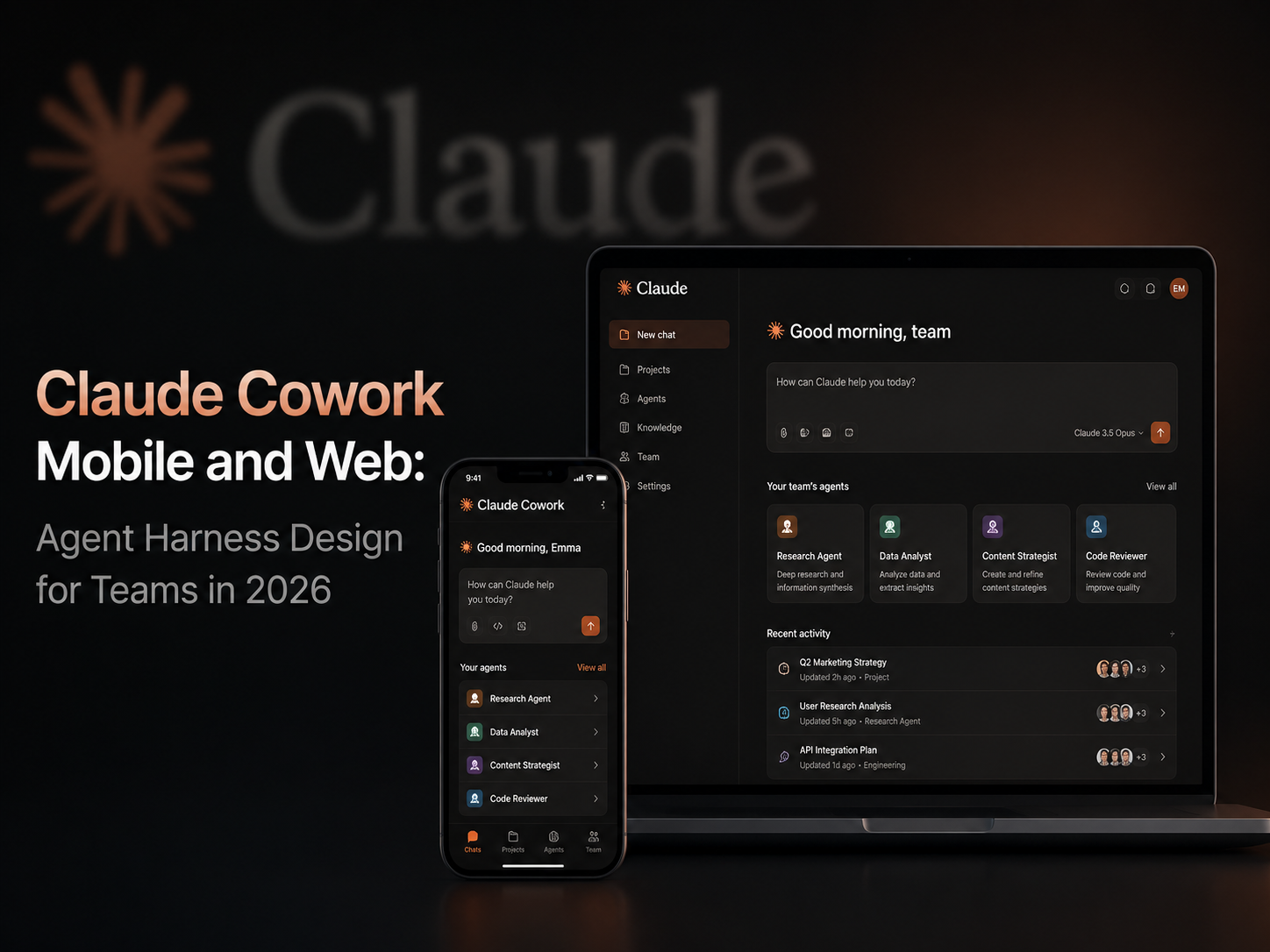
Claude Cowork on Mobile and Web: How Teams Should Redesign Their Agent Harness
Introduction
Anthropic’s Claude Cowork update looks simple at first: Cowork is moving beyond desktop and becoming available on web and mobile as well. But the real signal is larger than one new interface.
Once an agent can keep working after a user leaves the desk, the product is no longer just a chat window. It becomes a persistent task thread. The user can start work on desktop, check progress on a phone, answer a clarification from another device, and return later to review an artifact.
That shift matters for teams using Claude Cowork, Claude Code, Codex, Cursor, GitHub Copilot, NxCode, or internal agents. The question is no longer only “Can the model solve the task?” The better question is: Can the system around the model control context, tools, state, permissions, logs, validation, and human review?
Key Takeaways
- Claude Cowork on mobile and web is a product signal, not just a convenience update. It turns AI work into a persistent, cross-device task flow.
- The competition between agent products is moving toward the agent harness: permissions, context, state, logs, model routing, verification, and review.
- Mobile access is useful for progress checks and narrow confirmations, but it should not weaken code review, production approval, or sensitive-data controls.
- AWS AgentCore and the broader discussion around harness engineering show that cloud vendors and research teams are moving in the same direction.
- Teams should treat this release as a workflow audit moment, not just another feature announcement.
What Actually Changed
Claude Cowork is expanding from a desktop-centered workflow into a web and mobile experience. The user can start a task at a computer, let Claude continue in the background, check status from a phone, and return later to review the output.
That changes the mental model.
A chatbot waits for the next message. A code-completion tool suggests the next line. A background agent keeps working after the user steps away. This means teams cannot place all governance inside one desktop session or one visible terminal window.
Anthropic’s Cowork product page also emphasizes control. Users choose folders and tools, and enterprise admins can configure access and permissions. That matters because cross-device work is only useful if it does not accidentally turn every phone tap into a broad permission grant.
For engineering teams, the lesson is not “move every task to mobile.” The lesson is that delegated work is becoming durable. Tasks will continue across tabs, devices, meetings, notifications, and human context switches. The operating model has to assume that work may continue after the first prompt.
Why This Is a Harness Story
An agent harness is the system around the model that turns a request into controlled work.
It includes:
- Context assembly
- Tool access
- State management
- Memory rules
- Task planning
- Retries and failure handling
- Logs
- Permissions
- Validation
- Human review
A strong model inside a weak harness can still fail badly. It may read the wrong files, use the wrong tool, make a large unsafe change, or produce a result that looks polished but cannot be reviewed.
Claude Cowork’s mobile and web expansion makes the harness more visible. The task may start on desktop, continue in the cloud, request approval on mobile, and finish with files or messages ready for review. That flow needs state and permissions that travel with the task, not just with the device.
AWS is pushing a related idea from the cloud side through Amazon Bedrock AgentCore. Its harness model focuses on orchestration, tool execution, context management, state persistence, failure recovery, and isolated sessions. Lilian Weng’s writing on harness engineering points in the same direction from a research perspective: better agent behavior comes not only from stronger model weights, but also from better environments, feedback loops, evaluation, tools, and scaffolding.
In practical terms, the harness is where teams define what “good agent work” means.
The Risk of Always-On Work
Cross-device agents have obvious value.
A product manager can ask for a customer research brief before boarding a train. An engineer can start a log investigation, close the laptop, and approve a narrow follow-up from a phone. A founder can delegate an investor update and review the draft later.
But the risk is just as clear. A task that keeps running in the background can continue using tools, files, connected apps, and context after the human stops watching the screen.
Teams should separate five types of authority.
| Authority Type | Example | Default Rule |
|---|---|---|
| Read local context | Repository files, docs, notes | Allow only scoped folders |
| Read connected apps | Slack, email, calendar, CRM | Use per-connector approval |
| Write local artifacts | Drafts, branches, spreadsheets | Allow only with reviewable diffs |
| External communication | Send email, post Slack, file tickets | Require human confirmation |
| Destructive or production action | Delete files, rotate secrets, deploy | Require explicit approval and logs |
Mobile access should make review faster, not weaker. A phone is useful for checking task status, answering a clarification, or approving a narrow next step. It is not the right place to review a large code diff, authorize a production migration, approve billing changes, or grant wide access to customer data.
A simple operating rule works well:
Mobile can steer, but serious approval should happen where the evidence is visible.
What Coding Teams Should Change
1. Make Task Scope Explicit
Every delegated task needs a written boundary.
A good scope should include:
- The goal
- Allowed files, folders, or systems
- Disallowed actions
- Allowed tools
- Expected output
- Validation commands
- Stop conditions
- Required human approval points
Without these boundaries, a background agent is just a long-running prompt with tools attached. That is not a safe operating model.
2. Require Evidence, Not Just Output
A reviewer should not have to guess what the agent did.
For code tasks, the final report should include:
- Files changed
- Diff summary
- Commands run
- Tests passed or failed
- Assumptions
- Known risks
- Suggested rollback path, if relevant
For research tasks, the final report should include:
- Source links
- Confidence level
- Missing information
- Conflicting evidence
- Open questions
The goal is to make the agent’s work auditable. A polished answer is not enough.
3. Use Model Routing
Not every task needs the same model, context window, or budget.
Low-risk summarization, issue triage, formatting, and deterministic transformations can often use cheaper models. Hard debugging, architecture planning, migrations, and security-sensitive work may justify stronger models and tighter review.
A practical routing policy might look like this:
| Task Type | Suggested Model Strategy | Review Level |
|---|---|---|
| Formatting or cleanup | Lower-cost model | Lightweight review |
| Summary or triage | Lower-cost model | Spot check |
| Small code fix | Mid/high model depending on risk | Diff + test review |
| Architecture change | Stronger model | Human review required |
| Security or production task | Stronger model + strict harness | Human approval required |
| External customer communication | Stronger model or human-led | Approval before sending |
The point is not to always use the cheapest model. The point is to use the right model for the risk level.
4. Limit Memory
Persistent agents make it tempting to store everything. That is risky.
Teams should store stable, reusable information such as:
- Project rules
- Preferred commands
- Repository conventions
- Accepted workflows
- Test commands
- Formatting preferences
Teams should avoid storing:
- Secrets
- Personal data
- Customer-specific details
- Temporary speculation
- Unverified assumptions
- Sensitive business context without a retention policy
Good memory improves workflow reliability. Bad memory turns yesterday’s guess into tomorrow’s hidden instruction.
5. Build a Local Benchmark
Do not evaluate agents only through demos or social media clips.
Pick real tasks from the last month. Include bugs, refactors, documentation edits, data cleanup, support investigations, and release checks. Run each agent under the same time budget and compare the results.
Measure:
- Completion rate
- Review time
- Token cost
- Error type
- Safety issues
- Rollback complexity
- Whether the output was actually useful
A team’s local benchmark is more valuable than a generic leaderboard because it reflects the work that team really does.
A Practical We0 AI Agent Harness
A useful harness does not have to start as a large platform project. A minimal version can be built with a repository instruction file, a task template, a validation checklist, and a review rule.
Use a task template like this:
Goal:
Allowed context:
Allowed tools:
Disallowed actions:
Validation command:
Expected artifact:
Human approval needed for:
Stop if:
Then map task types to workflows.
This template is simple, but it forces the team to make authorization and validation visible.
For We0 AI-style workflows, the harness should help teams define instructions, run repeatable checks, compare agent outputs, and preserve enough context for review. The goal is not to slow adoption. The goal is to make delegation predictable enough to trust.
How to Evaluate Claude Cowork Against Other Agents
Do not compare Claude Cowork, Claude Code, Codex, GitHub Copilot, Cursor, or internal agents by “vibes.”
Use real tasks and ask five questions:
- Can the agent find the right context without over-reading private or irrelevant files?
- Can it use tools safely and recover from tool failures?
- Can it produce a small, reviewable artifact?
- Can it prove the output with tests, source links, or logs?
- Can a human stop, redirect, or approve the work at the right moments?
Run each task more than once. Agents are stochastic. A single impressive run does not prove reliability, and a single bad run does not prove the system is useless.
Also measure review burden. If an agent creates a large artifact that takes longer to verify than doing the task manually, it is not helping. A useful agent reduces the cost of reaching a confident decision. It does not merely generate more output.
What the Market Is Telling Us
Claude Cowork mobile and web is part of a broader shift.
AWS is turning agent harnesses into managed cloud infrastructure. GitHub Copilot cloud agent supports background coding and pull request workflows. Claude Code, Codex, Cursor, and internal agents are all pushing teams toward asynchronous, tool-using work. Research discussions around harness engineering also suggest that better agent systems will depend on stronger environments, tools, feedback loops, and evaluation.
These are different product stories, but they point toward the same operational reality: AI products are becoming systems.
They need:
- Runtime control
- Model routing
- Context policy
- Tool permissions
- Observability
- Evaluation
- Human approval
- Audit trails
The age of “paste prompt, get answer” is not over. But for serious teams, it is no longer the frontier.
Recommended Operating Model
Here is a practical 30-day rollout plan.
Week 1: Inventory Current Agent Usage
List every agent tool your team uses.
For each tool, record:
- What data it can access
- What it can write
- Which tools it can call
- Whether it can run commands
- Whether it touches customer data
- How outputs are reviewed
- Whether usage is official or unofficial
This gives the team a clear baseline.
Week 2: Create a Task Policy
Divide tasks into low, medium, and high risk.
This policy should be written down. If a task category is unclear, treat it as medium or high risk until the team decides otherwise.
Week 3: Build an Internal Benchmark
Select about 20 real tasks from the previous month.
Include:
- Bug fixes
- Refactors
- Documentation updates
- Customer-support investigations
- Data cleanup work
- Release checks
- Research briefs
Run current workflows and at least one alternative agent setup. Track completion, review time, cost, failures, and surprises.
Week 4: Harden the Harness
Add or improve:
- Repository instructions
- Validation commands
- Logging requirements
- Connector permissions
- Stop conditions
- Review checklists
- Approval rules
If a task cannot be verified, it should not be delegated without a clear human owner.
Practical Rules for Mobile Agent Access
Mobile access should be designed around narrow control, not broad authority.
A safe mobile workflow can allow users to:
- Check task progress
- Answer a clarifying question
- Approve a low-risk next step
- Stop a task
- Redirect a task
- Request a summary
- Mark a task for desktop review
It should not casually allow users to:
- Approve large code diffs
- Deploy to production
- Delete files
- Send customer emails
- Grant broad folder access
- Expose secrets
- Modify billing or permissions
- Accept large generated artifacts without evidence
This does not mean mobile control is bad. It means mobile control should be scoped to the kinds of decisions that can be made responsibly from a small screen.
The Bottom Line
Claude Cowork mobile and web support matters because it shows where agent products are going. AI work will be persistent, cross-device, asynchronous, and tool-using.
Teams that treat agents only as smarter autocomplete will miss the shift. Teams that treat agents as fully trusted coworkers will create avoidable risk.
The safer path is controlled delegation: narrow task scopes, explicit permissions, persistent logs, deterministic validation, model routing, and human review at the right moments.
FAQ
What is Claude Cowork?
Claude Cowork is Anthropic’s agentic work product that lets Claude handle tasks across files, tools, and workflows while the user reviews the final result. Its web and mobile support makes the workflow more persistent and cross-device.
Why does Claude Cowork mobile access matter?
Mobile access matters because it changes how users interact with agents. Instead of staying in one desktop session, a task can continue in the background while the user checks progress, answers questions, or reviews status from another device.
What is an agent harness?
An agent harness is the system around the model that manages context, tools, state, permissions, validation, logs, and human review. It is what turns a model response into controlled work.
Is mobile approval safe for AI agents?
Mobile approval can be safe for narrow, low-risk decisions, such as clarifying a requirement or checking progress. It should not replace full review for large code changes, production actions, customer data, external messages, or destructive operations.
How should teams evaluate Claude Cowork against Codex or Cursor?
Use real internal tasks instead of demos. Compare completion rate, review burden, cost, safety, rollback complexity, source evidence, and whether the agent can be stopped or redirected at the right moments.
What should a good agent task template include?
A good template should include the goal, allowed context, allowed tools, disallowed actions, validation command, expected artifact, required approval points, and stop conditions.
Why is model routing important for agent workflows?
Different tasks have different risk and complexity levels. Simple summaries may not need the most expensive model, while architecture changes, debugging, migrations, and security-sensitive tasks may require stronger models and stricter review.
What is the biggest risk of always-on AI agents?
The main risk is that the agent may keep using tools, context, or permissions after the user stops paying close attention. That is why scoped access, logs, reviewable artifacts, and approval gates are essential.
Related Tools
- Claude Cowork: Anthropic’s cross-device AI agent product for delegating and reviewing work.
- Claude Code: Anthropic’s coding agent that can read codebases, edit files, run commands, and work across developer tools.
- OpenAI Codex: OpenAI’s coding agent platform for software engineering tasks and agent skills.
- GitHub Copilot Cloud Agent: GitHub’s background coding agent for repository research, code changes, and pull request workflows.
- Amazon Bedrock AgentCore: AWS infrastructure for deploying and operating agents with runtime, memory, identity, observability, and harness capabilities.
- Cursor: An AI code editor used for agentic coding, codebase navigation, and developer workflow automation.
Related Links
- Claude Cowork Product Page: Official Anthropic product page for Claude Cowork.
- Use Claude Cowork Safely: Claude Help Center article about safe Cowork usage and controls.
- Amazon Bedrock AgentCore Harness Documentation: AWS documentation for managed agent harness configuration and operation.
- Amazon Bedrock AgentCore Harness GA Announcement: AWS announcement for AgentCore harness general availability.
- Harness Engineering for Self-Improvement: Lilian Weng’s article on harness engineering, evaluation, and self-improving agent systems.
- GitHub Copilot Cloud Agent Documentation: GitHub documentation for background agent workflows.
Summary
Claude Cowork’s mobile and web support is more than a product interface update. It shows that agent work is becoming persistent, cross-device, asynchronous, and tool-using.
That shift makes the agent harness more important. Teams need clearer task scopes, stricter permissions, persistent logs, model routing, deterministic validation, and human approval at the right points.
A good next step is not to chase every new agent feature. It is to build a small internal benchmark, define risk levels, and make delegated work reviewable.
The strongest agent workflow is not the one with the most autonomy. It is the one with the clearest boundaries, best evidence, and safest review path.