ChatGPT Can Now Generate Interactive Teaching Websites: How Educational Institutions Can Use We0.ai to Build Course and Enrollment Websites?
For many education institutions, the problem with their website has never been that they don't have one.
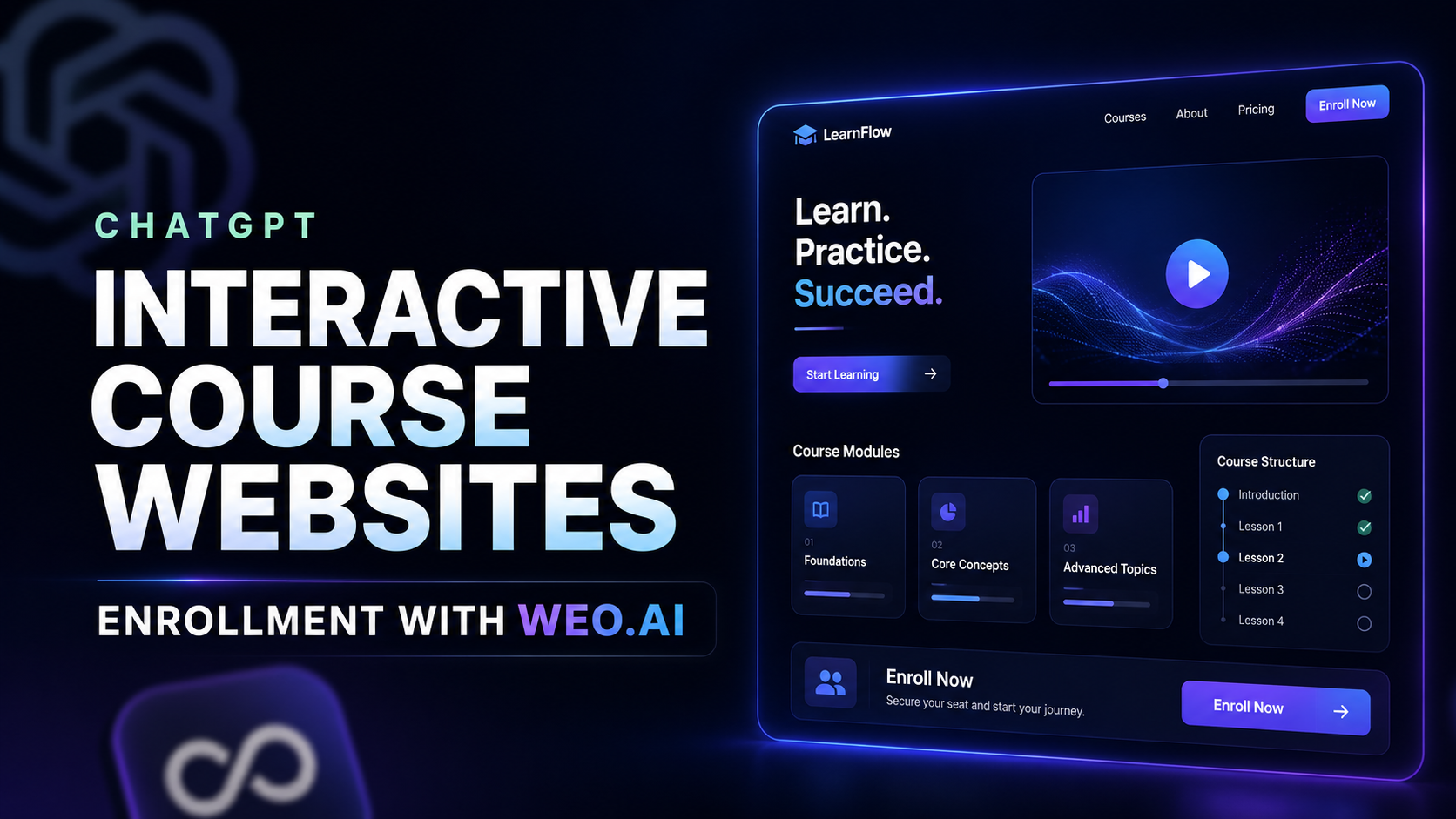
ChatGPT Can Now Create Interactive Learning Websites: How Education Businesses Can Build Course and Enrollment Sites with We0.ai
For many education institutions, the problem with their website has never been that they don't have one.
The real problem is that when users land on it, within three seconds they can't tell what you actually teach, whether it's right for them, or what they should do next. There are course posters, instructor bios, and a few buttons on the page. It may not look terrible, but it reads more like a digital brochure than an enrollment system that drives inquiries.
That's starting to change now. ChatGPT is no longer just for chatting and writing copy: OpenAI's release notes mention that ChatGPT Sites can turn ideas or work products directly into interactive websites or lightweight applications. Meanwhile, Study Mode is advancing from "answering questions" to "guiding users through learning step by step." This means the barrier to creating interactive experiences like course trials, quizzes, self-assessments, and learning path previews is coming down.
But let's be clear: being able to generate an interactive page does not mean you already have a website that can enroll students.
What education institutions really need to solve is the following chain:
Help users understand the course → Get them to try it hands-on → Convince them you can help → Get them to leave an inquiry or complete enrollment.
This is exactly where We0.ai fits in. It doesn't just "produce a page" for you—it connects course presentation, website structure, SEO/GEO content, continuous optimization, and lead capture into one complete system: Build → Showcase → Grow → Leads.

Don't Rush into an "AI Teaching Website" Just Yet: What Education Institutions Lack Most Is Often Not the Page
When people say, "We want to build an interactive course website," there are usually four completely different needs mixed together:
| What They Actually Need | Common Misstep | What the Website Should Do |
|---|---|---|
| Help unfamiliar users understand the course | Piling the syllabus into a long image | Use scenarios, outcomes, and trials to communicate value |
| Help users feel the course suits them | Only writing "taught by experts, comprehensive system" | Use assessments, sample questions, and case studies to build a sense of fit |
| Capture enrollment inquiries | Putting a single "Contact Us Now" button on the homepage | Set up intake paths based on course, city, and audience |
| Long-term lead generation | Relying on paid ads; page goes idle when the campaign ends | Use content and search to continuously drive high-intent traffic |
An enrollment website is not a course catalog. It should be your "public trial lesson + sales consultant + content asset library."
This is especially true for vocational education, language training, children's enrichment, corporate training, study abroad, and certification prep. Users rarely pay on the first visit. They'll compare, search, ask teachers, look at case studies, and even take a quiz or watch a sample lesson first. The website's job is to turn that hesitation into a designed experience.
Where Can ChatGPT Help? First, Let's Clarify the Boundaries of "Interactivity"
ChatGPT is well suited to quickly turning the course ideas in an education team's mind into testable web prototypes or interactive modules. For example:
- A 5-question English proficiency self-test that recommends courses based on results;
- A drag-and-drop programming logic exercise;
- A learning path Q&A that gives recommendations based on job role and current level;
- A trial lesson task card with progress feedback;
- A training needs calculator that lets corporate HR select headcount, goals, and duration to receive a tailored proposal.
These used to require lining up product managers, designers, and front-end developers. Now, using AI to get the logic and experience up and running first is much faster.
That said, interactive modules only solve the "experience" part. They won't automatically handle your brand positioning, course architecture, trust signals, search indexing, form routing, content updates, and follow-up reviews.
So the right approach isn't "let ChatGPT build my website for me." It's "use ChatGPT to accelerate interactive content, then use We0.ai to integrate it into a website system built for sustainable growth."
A Course Website That Actually Enrolls Students Needs at Least These 6 Layers
Don't start the discussion from homepage visuals. First, pave the path from search to enrollment.
1. Brand & Audience Homepage: Tell Users "Who You're For" in One Sentence
The homepage's most important job isn't the carousel—it's helping the target user make a quick judgment:
- What specific problem do you solve?
- Is this for absolute beginners, advancing learners, or corporate teams?
- What verifiable results will they achieve by the end?
- What should they do now—try a lesson, take an assessment, or book a consultation?
For example, don't just write "Professional kids' coding training." Be more direct: "Project-based programming courses for kids ages 7–12: Build a mini-game first, then develop computational thinking."
2. Course Detail Pages: Sell the Outcome Path, Not the Class Hours
Every key course should have its own dedicated page, including at minimum: target audience, starting requirements, learning outcomes, course pace, real student work or case studies, instructor info, FAQs, and a clear CTA.
Put "48 class hours" and "16 live sessions" further down. What users want to know first is: "Given where I am right now, can I get to where I want to go by studying with you?"
3. Interactive Demo / Self-Assessment Page: Let Users Engage First, Then Ask for Their Information
This is where AI can add the most value. Compared to asking for a phone number right away, a lightweight interactive experience is much more likely to keep users on the page.
The structure is simple:
- Give users a concrete task or 3–5 questions;
- Provide immediate feedback—no unnecessary mystery;
- Explain which skill level the results correspond to;
- Recommend the next step: a trial class or consultation;
- Only after users have received value, ask for the necessary information.
Give feedback first; ask for contact details second. This dramatically lowers the friction on your enrollment page.

4. Faculty, Case Studies, and Testimonials Page: Turn "Trust" into Browsable Information
Education isn't cheap, and trust isn't built on a vague claim like "experienced teachers." Be specific about each teacher's areas of expertise, teaching methods, representative achievements, students' before-and-after progress, and service processes. Organize case studies by audience type and problem category so users can easily find examples that match their own situation.
5. Content Hub: Written for Search, and for Hesitation Before Consultation
Users will search for things like "How long does it take to learn Python from scratch," "What course suits an IELTS 6.0 score," or "How to choose enterprise AI training." These aren't peripheral topics—they're precisely the entry points for high-intent users.
The content hub can cover: course selection guides, explanations of ability assessments, learning methods, industry case studies, teacher Q&A, and breakdowns of course projects. Over time, these become long-term assets that are understandable and citable in SEO and AI search contexts.
6. Consultation and Enrollment Follow-Through: Don't Stuff Every Lead into a Single Form
Different people should take different paths: those who want a trial class should book one; those with clear needs should enroll; enterprise clients should submit training requirements; and undecided users should receive an assessment report or course materials.
The form isn't the finish line. The response speed after submission, the lead assignment rules, and the follow-up content are what determine whether a lead turns into an enrollment.
When Building with We0.ai, Start with a "Course Acquisition Map"
The value of We0.ai lies not in throwing together a generic template for educational institutions, but in building the site as a showcase and growth asset with real business logic. A more reliable implementation sequence is:
- Organize brand information: course categories, advantages, target audiences, regions, pricing, and conversion actions;
- Plan the site structure: homepage, course pages, trial/assessment pages, faculty pages, case study pages, content pages, and consultation pages;
- Use AI to accelerate page and interactive prototype development: get the questions, rules, feedback, and content components up and running first;
- Embed interactive modules into key conversion pages: rather than isolating them on a small page that "looks fun but nobody finds";
- Complete launch and basic SEO/GEO configuration: ensure there are actionable pages for course-, region-, audience-, and question-based keywords;
- Continuously publish content, review data, and optimize conversion: turn traffic into a clearer consultation path.

A Page Map You Can Follow Directly
Homepage
├─ Course Center
│  ├─ Individual Course Detail Pages
│  ├─ Course Trial Pages
│  └─ Ability Assessment / Interactive Quizzes
├─ Faculty & Teaching Methods
├─ Student Cases / Enterprise Cases
├─ Content Hub (question-based, method-based, location-based keywords)
├─ Events / Open Classes / Enrollment Campaign Pages
└─ Consultation & Enrollment
Here's a crucial trade-off to keep in mind: Don't cram every course into one single master page. Every key course, key audience, key city, or key enrollment season deserves its own dedicated landing page. This not only improves conversion but also makes it easier to capture niche search intent.
Don't Treat "Launch" as the Ending: There's Still Growth After the Website Goes Live
Many institutions spend their entire budget on the hero section and visual design. After launch, there are no new course pages, no fresh content, no data reviews. Three months later, the website still exists—it's just that nobody visits it.
This is exactly where We0.ai differs from ordinary page-building tools. We0.ai focuses on whether a showcase website can continue to function after launch: whether courses can be found through search, whether content covers long-tail questions, whether pages can receive users from different sources, whether consultation entry points are clear, and which pages deserve further optimization.
You can think of it this way: it's a combination of AI-powered site building + ongoing website content operations + foundational SEO/GEO setup + a growth-oriented running approach, rather than "deliver the pages once and be done."
How Should SEO Be Done? Educational Institutions Shouldn't Just Fight Over One Big Keyword
"English training," "postgraduate entrance exam courses," and "kids' coding" are of course important, but the competition is fierce. A more practical approach is to build content and pages around the real questions users are asking:
| Page / Content Type | Search Intent It Can Capture | Suggested CTA |
|---|---|---|
| Course detail pages | Whether a certain course fits, what it covers | Trial class / Consultation |
| Ability assessment pages | What level am I currently at | Get results / Get matched courses |
| City-specific enrollment pages | Local in-person or hybrid courses | Visit campus / Book a session |
| Selection guides | How to choose between two courses, learning duration | Download course plan |
| Case study pages | What results did people with a similar background achieve | View similar pathways |
| Teaching method articles | How a specific knowledge gap is addressed | Get practice materials / Trial class |
The value of this type of content isn't just "publishing articles." It's about answering questions before sales even gets involved. Users arrive through search or AI recommendations, read and understand the material, and then come to consult with more specific needs—which makes the sales team's job noticeably easier.

Don't Mythologize GEO Either: First, Make Your Information Clear and Citable
So-called GEO (Generative Engine Optimization) isn't about writing a few lines of "AI-friendly" phrasing. The more fundamental task is to make your course names, target audiences, learning outcomes, faculty credentials, service scope, FAQs, and case studies structured, clear, and verifiable within your site.
When users ask AI: "How should a complete beginner transition into data analysis?" or "What coding courses are available for kids in Beijing?" a website with complete, consistently updated, and clearly structured information has a much better chance of being cited as a reliable source than a blurry enrollment poster.
Make sure humans understand it first, then worry about search engines and AI. Don't get the order wrong.
90 Days: You Don't Need to Build a "One-Size-Fits-All" Education Platform
Most education institutions don't need an LMS on day one, nor do they need to turn every course into a complex interactive product. Start with 90 days to validate one critical enrollment path.
Weeks 1–2: Pick One Flagship Course and One Core Conversion Action
Choose the course with the highest profit, the strongest case studies, and the biggest need for student acquisition. Be clear about what you want users to do: book a trial class, submit an assessment, get a customized plan, or enroll directly.
Weeks 3–4: Build the Core Pages and One Interactive Entry Point
Launch the homepage, course page, trial/assessment page, faculty/case study page, and consultation page. The interactive entry point only needs to solve one problem—like "Assess your English level in 3 minutes." Don't build a complex system from the start.
Month 2: Strengthen Trust and Content Entry Points
Turn the 5–10 most frequently asked questions into high-quality content. Simultaneously add case studies, FAQs, course outcomes, and enrollment process pages. Make sure users coming from paid ads, social media, and search all have content to engage with.
Month 3: Look at the Data and Refocus on What's Working
Track these metrics:
- Which course page gets the most qualified traffic;
- Completion rate of the interactive assessment;
- Click-through rate from result pages to consultation pages;
- Quality of form submissions and follow-up conversion;
- Which question-based content is driving search traffic;
- Where users drop off most often.
A page isn't a "finished piece" that stays untouched—it's an enrollment asset that needs continuous iteration.

Common Pitfalls: Looking Busy Without Actually Improving Enrollment Efficiency
Pitfall 1: Building a Bunch of Fancy Interactions Before Thinking About Conversion
Interactions must serve a business problem. A self-assessment exists to recommend courses; a trial class exists to reduce uncertainty; a calculator exists to help corporate clients articulate their needs more clearly. An interaction with no next step is just decoration that keeps people on the page longer.
Pitfall 2: Treating the Official Website as a Replacement for Ad Landing Pages
Ad pages can be short and focused; the official website needs to handle deeper trust-building and search traffic. It's not an either/or choice. A good website should give every ad landing page a fuller base of content and brand credibility to fall back on.
Pitfall 3: Letting "AI Generation" Replace Your Understanding of the Course Business
AI can speed up production, but it can't decide who your high-value users are, why they hesitate, or what genuinely differentiates your teachers and courses. You bring the educational business judgment, AI brings the speed, and We0.ai organizes it into a growth system.
Pitfall 4: Only Having Forms, No Lead Nurturing
How quickly do you respond after submission? Who follows up? How are different courses routed? Without these answers, even the most beautiful website is just generating forms nobody handles.
What's truly worth building isn't a "recruitment brochure page"—it's a course website that continuously proves expertise, keeps getting discovered, and reliably captures every inquiry.
FAQ
Can ChatGPT really generate interactive teaching websites?
Yes—it's capable of quickly generating prototypes and code for interactive web pages or lightweight apps, such as quizzes, learning-path Q&As, task cards, and calculators. OpenAI's announcements related to ChatGPT Sites also mention that ideas can be turned into interactive websites or lightweight apps within ChatGPT. For commercial use, you still need to verify content accuracy, interaction logic, data collection, and privacy compliance, and integrate them into a complete website operation system.
Does an education institution's website have to include interactive features?
Not necessarily. But for courses that require users to understand the learning method, experience the teaching approach, or assess their own level, lightweight interactions often work better than simply asking for contact information. Start with one high-frequency problem, such as a level self-assessment, a trial class task, or a course-matching Q&A.
Is We0.ai suitable for building an online teaching platform?
We0.ai is better suited to helping education institutions build showcase, enrollment, content, and customer-acquisition-oriented websites: brand sites, course pages, trial pages, case study pages, knowledge content pages, consultation pages, and event pages. If you need complex LMS capabilities like live streaming, assignment grading, or learning management, you can use a dedicated teaching system as the backend, with the website serving as the front-end showcase and acquisition entry.
How should a course enrollment website approach SEO?
Start by creating dedicated pages for key courses, audience segments, locations, and real user problems. Then consistently publish content that answers user questions—such as course selection guides, learning timelines, competency standards, case studies, and methodology articles. Keywords should serve the value of the page and the user's question, not be mechanically stuffed.
What's the first step for GEO on an education website?
First, complete, unify, and continuously update the basic facts about your courses: who it's for, what you'll learn, what outcomes to expect, who the teachers are, what results students achieve, and how to enroll. A clear information architecture and high-quality content are the foundation of being discoverable by AI-driven search.
Related Tools
- We0.ai: Turning showcase websites into continuous growth and acquisition assets
- ChatGPT: Generating interactive course prototypes, copy, and content frameworks
- Google Search Console: Monitoring search performance of your course content
Ready to Get Started?
If your courses, faculty, and case studies are already strong enough—but you're still relying on scattered posters, forms, and ad pages to handle enrollment—then what you need to build now isn't "just one more page."
Use We0.ai to first build the "showcase—experience—consultation—content growth" path for one core course. Let your website do more than show up during enrollment season. Let it explain, filter, build trust, and generate clearer leads for you every single day.
Summary
ChatGPT can generate interactive teaching websites—and yes, that's a capability worth taking advantage of. But for education institutions, the more important move isn't making a page that moves. It's integrating interactive capabilities into a website that can genuinely run your business.
Use interaction to lower the cost of understanding, use courses and case studies to build trust, use SEO/GEO and content to expand discoverability, and use a clear consultation path to capture leads.
Your website is not just enrollment collateral. Done right, it becomes your long-term enrollment infrastructure.