Agent Plugins 1.0 Explained: A Portable Standard for Skills and MCP Servers Across AI Agents
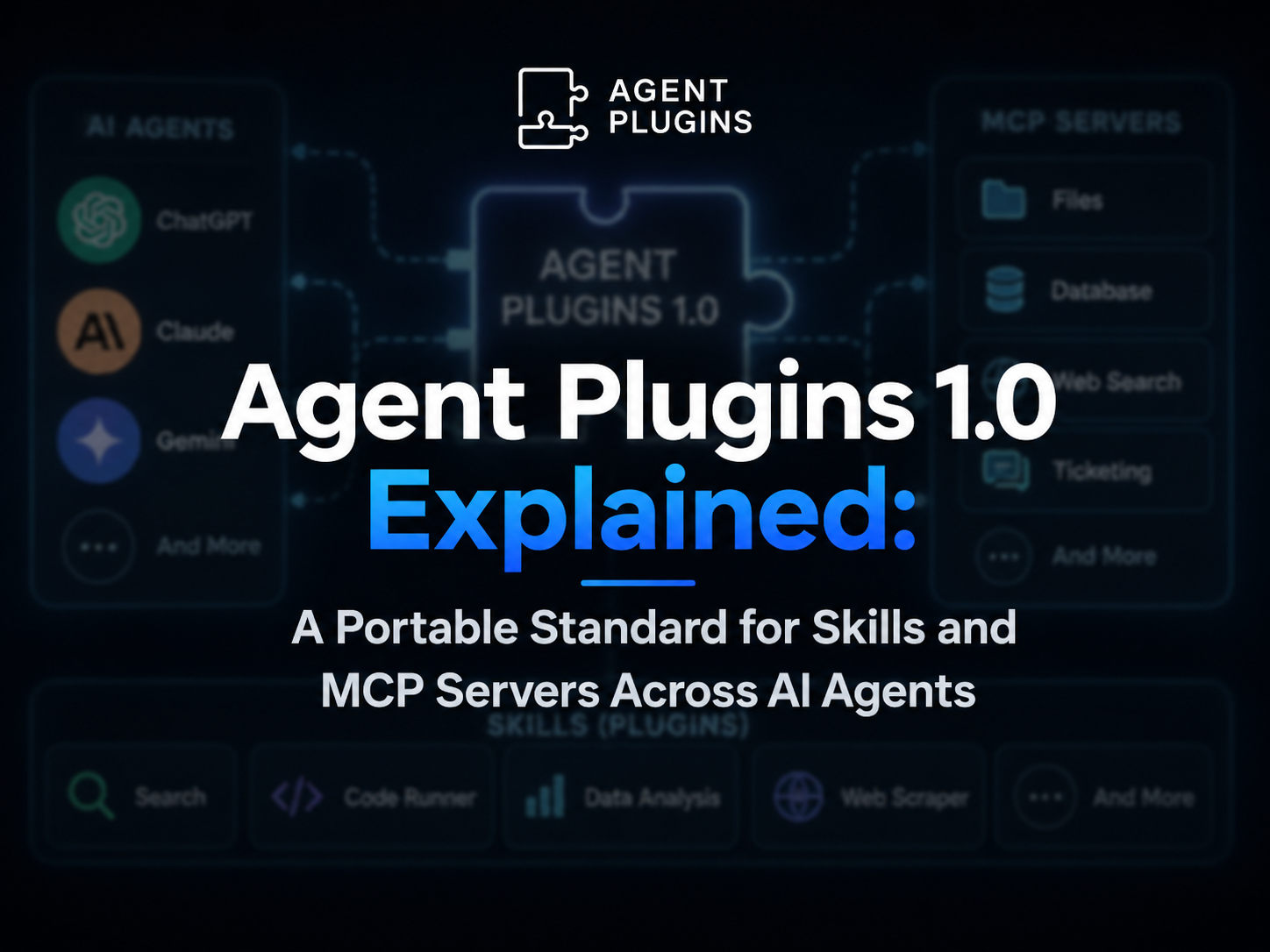
Agent Plugins 1.0 defines a vendor-neutral package format for reusable AI-agent extensions. This article explains how plugin.json, Agent Skills, mcp.json, client extensions, transport rules, package containment, and client conformance make plugins portable across ChatGPT, Codex, VS Code, Cursor, GitHub Copilot, Kiro, and other compatible clients.
Introduction
One year after GPT-5 launched on August 7, 2025, a new interoperability effort is taking shape around the AI-agent ecosystem.
AIBase reported on August 7, 2026 that Agent Plugins 1.0 had been released as a portable packaging standard for reusable agent components.
The goal is straightforward: a developer should not have to rebuild the same skill or MCP integration separately for every agent client.
Today, many AI clients support similar building blocks but organize them differently. A plugin that works in one environment may need its directory structure, manifest, MCP configuration, or client-specific metadata rearranged before another environment can load it.
Agent Plugins attempts to define a small common layer.
A portable plugin can package:
- Agent Skills
- MCP servers
- Basic plugin metadata
- Optional client-specific extensions
Compatible clients can then discover those components in predictable locations.
The standard deliberately does not try to define everything.
Installation, marketplaces, distribution, permissions, authentication, user experience, and client-specific features remain under the control of each client.
That boundary is important. Agent Plugins is not a universal runtime that makes every agent behave identically. It is a shared package format for the parts that are realistically portable.
There is also an important governance detail that the headline can obscure.
Although OpenAI participates in the project and supports plugins in ChatGPT and Codex, Agent Plugins is presented by its official project as an open, vendor-neutral, community-governed specification. Its initial core-maintainer group includes contributors associated with Amazon, Cursor, Microsoft, OpenAI, and Vercel.
Why Agent Plugins Exists
The problem begins with fragmentation.
AI-agent clients increasingly support the same general extension concepts:
- Reusable instructions
- Skills
- MCP tools
- Hooks
- Commands
- Apps
- Agent definitions
- Client-specific configuration
But the package formats are not always interchangeable.
A developer may create one useful capability—such as a deployment workflow, database inspector, documentation assistant, or analytics tool—and then discover that every client expects a slightly different layout.
The underlying capability may be identical.
The packaging is not.
That creates several forms of duplicated work:
- Copy the same skill into multiple client-specific directories.
- Rewrite MCP configuration into different schemas.
- Maintain multiple manifests.
- Keep several plugin packages in sync.
- Document separate installation procedures.
- Test the same component repeatedly in different environments.
Agent Plugins defines a common interoperability floor so the reusable core can live in one predictable structure.
A simplified idea looks like this:
one reusable plugin package
        ↓
shared portable components
        ↓
skills + MCP servers
        ↓
multiple compatible agent clients
The client still decides how the plugin is installed, displayed, authorized, and executed.
Agent Plugins 1.0 Is Published, but the Specification Is Still Marked “Working Draft”
The official project currently identifies Agent Plugins Specification 1.0.0 as the published release.
At the same time, the normative specification page labels its status as:
Working Draft
Those two facts are not contradictory.
Version 1.0.0 defines the current portable contract and its canonical schemas.
The “Working Draft” label signals that the project is still under active development and governance rather than being a frozen standards-body specification with no expected evolution.
Developers can build against version 1.0.0 today.
They should still treat version declarations and schema compatibility seriously because future specification releases can introduce new contracts.
The Portable Plugin Structure
The biggest practical benefit is predictability.
A portable plugin is a directory.
At minimum, it contains:
plugin.json
It can also contain skills, MCP configuration, and client-specific extensions.
A representative package looks like this:
my-plugin/
├── plugin.json
├── skills/
│   └── summarize/
│       ├── SKILL.md
│       ├── scripts/
│       └── references/
├── mcp.json
└── com.example.client/
    └── hooks/
The core portable locations are fixed.
| Component | Portable Location |
|---|---|
| Plugin manifest | plugin.json |
| Agent Skills | skills/ |
| MCP configuration | mcp.json |
| Client extension files | Reverse-domain top-level directory |
Version 1.0 defines exactly two portable component types:
- Agent Skills
- MCP servers
Other concepts—such as commands, hooks, custom agents, rules, or LSP integrations—can still exist, but they are not part of the portable v1 core unless a client implements them as an extension.
plugin.json: The Required Manifest
Every conforming Agent Plugin must contain a root-level:
plugin.json
The manifest identifies the plugin and declares the specification version it targets.
A minimal example is:
{
  "$schema": "https://agent-plugins.org/schemas/1.0.0/plugin.schema.json",
  "name": "research-tools"
}
The two required fields are:
| Field | Purpose |
|---|---|
$schema |
Declares the Agent Plugins specification/schema version |
name |
Identifies the plugin |
The v1 manifest can also include metadata such as:
version
description
author
homepage
repository
license
keywords
extensions
The schema is intentionally closed.
Client-specific metadata should not be added as arbitrary top-level fields.
Instead, vendor-specific data belongs inside:
"extensions": {
  "com.example.client": {
    "setting": true
  }
}
This prevents every client from quietly adding incompatible fields to the shared manifest.
Plugin Names Follow a Predictable Format
The v1 specification restricts plugin names to a small portable character set.
Names can contain:
lowercase letters
numbers
hyphens
periods
Examples:
research-tools
acme.analytics
deploy3
Names cannot begin or end with punctuation, contain uppercase letters, or use repeated -- or ...
The goal is not stylistic.
Predictable naming reduces parsing ambiguity and makes the package easier to index across different clients and marketplaces.
skills/: Reusable Agent Skills
Skills live under the fixed:
skills/
directory.
Each immediate child directory containing a SKILL.md file is treated as one skill.
Example:
skills/
└── deploy/
    ├── SKILL.md
    ├── scripts/
    │   └── rollback.sh
    └── references/
        └── runbook.md
Agent Plugins does not redefine how a Skill works.
Instead, it delegates that format to the separate Agent Skills specification.
That separation keeps the responsibilities clean:
Agent Skills
→ defines the skill itself

Agent Plugins
→ defines where the skill lives inside a portable plugin
A compatible client can discover the skill without the plugin author writing a new discovery rule for that client.
If one skill is invalid, the specification says the client should skip that skill and continue loading other valid components rather than necessarily rejecting the entire package.
This failure isolation is a deliberate part of the design.
mcp.json: Portable MCP Server Configuration
The second portable component type is MCP.
Agent Plugins does not replace the Model Context Protocol.
MCP continues to define how clients and servers communicate.
Agent Plugins standardizes the configuration file used to package those MCP connections with a plugin.
The file is always:
mcp.json
at the plugin root.
A simplified example can look like this:
{
  "$schema": "https://agent-plugins.org/schemas/1.0.0/mcp.schema.json",
  "mcpServers": {
    "local-tools": {
      "type": "stdio",
      "command": "./bin/server"
    },
    "remote-tools": {
      "type": "streamable-http",
      "url": "https://example.com/mcp"
    }
  }
}
The MCP schema version must match the Agent Plugins version declared by plugin.json.
If the versions do not match, the MCP configuration can be rejected while other independently valid components continue to load.
Supported MCP Transports
Agent Plugins v1 recognizes three MCP transport types:
| Type | Use |
|---|---|
stdio |
Launch a local MCP process |
streamable-http |
Connect to a modern remote HTTP MCP server |
sse |
Connect through legacy HTTP + SSE |
A client that supports MCP through Agent Plugins must support at least one of:
stdio
streamable-http
Supporting both is recommended.
Legacy SSE is optional.
The official compatible-client page currently lists support across several major clients.
| Client | Agent Skills | MCP stdio | Streamable HTTP | Legacy SSE |
|---|---|---|---|---|
| VS Code | Yes | Yes | Yes | Yes |
| Cursor | Yes | Yes | Yes | Yes |
| GitHub Copilot | Yes | Yes | Yes | Yes |
| ChatGPT & Codex | Yes | Yes | Yes | No on the current compatibility page |
| Kiro | Yes | Yes | Yes | Yes |
Support can change, so developers should verify the live compatibility page rather than assuming every client implements every transport.
${PLUGIN_ROOT} and ${PLUGIN_DATA}
Portable local MCP processes need a reliable way to refer to files.
Agent Plugins defines two client-supplied variables:
${PLUGIN_ROOT}
${PLUGIN_DATA}
PLUGIN_ROOT identifies the installed plugin directory.
PLUGIN_DATA identifies writable, client-managed persistent data for that plugin.
For example:
{
  "type": "stdio",
  "command": "./bin/validator",
  "args": ["--data", "${PLUGIN_DATA}/validator"],
  "env": {
    "CONFIG": "${PLUGIN_ROOT}/config.json"
  },
  "cwd": "${PLUGIN_ROOT}"
}
This distinction solves a common packaging problem.
Plugin code and bundled assets may be replaced during an update.
Persistent runtime data should not necessarily live inside that replaceable package directory.
The client therefore owns a dedicated data location.
Package Containment Is Part of the Standard
Portability also requires predictable security boundaries.
Files supplied by the plugin package must resolve inside the plugin root.
A plugin-relative path should begin with:
./
and remain inside the package after filesystem resolution.
For example:
./bin/server
is a valid plugin-relative executable.
A path that attempts to escape through:
../
is not a valid portable package path.
The specification also requires clients to account for filesystem mechanisms such as:
- Symlinks
- Junctions
- Reparse points
A packaged path must not escape the resolved plugin root.
This prevents a plugin package from claiming that an arbitrary file elsewhere on the machine is part of its portable bundle.
However, this is not a complete sandbox.
The specification explicitly separates package containment from runtime process isolation.
A launched MCP server may still need additional operating-system, container, client, or workspace-level security controls.
Agent Plugins Does Not Define Portable Secrets
Another useful security choice is what the standard refuses to do.
Agent Plugins v1 does not define a universal credential format.
Plugins should not embed secrets in:
- MCP
headers - Environment-variable values
- Portable package metadata
Authentication discovery, user interaction, OAuth, and credential storage remain client-managed.
This avoids creating a plugin format where developers accidentally ship reusable credentials inside a portable directory.
It also means two clients can load the same plugin but present different authentication experiences.
That is intentional.
Client Extensions Preserve Portability Without Blocking Innovation
A standard that tries to normalize every feature too early usually becomes either enormous or unrealistic.
Agent Plugins uses reverse-domain extension namespaces for client-specific behavior.
Example:
com.example.client/
or:
{
  "extensions": {
    "com.example.client": {
      "feature": true
    }
  }
}
A client that understands the namespace can use it.
Other clients ignore it.
This creates two layers:
portable core
+
optional client-specific capabilities
The portable core remains predictable while individual products can still innovate.
A client could use its extension area for features such as:
- Hooks
- UI configuration
- Commands
- Additional metadata
- Product-specific automation
Those files do not become part of the shared v1 contract simply because one client supports them.
Why Hooks Are Not Portable in v1
The AIBase article mentions hooks as an example of client-specific extension behavior.
That is an important nuance.
Hooks are not one of the two standardized Agent Plugins v1 component types.
The official v1 design intentionally limits the portable core to Skills and MCP.
Why?
Because skills and MCP already have strong cross-client definitions.
Hooks, commands, custom agents, rules, and related components still differ substantially between products.
Standardizing them prematurely could create a “universal” format that no real client actually implements correctly.
The project leaves those capabilities to client extension namespaces until stronger interoperability emerges.
Distribution and Installation Are Deliberately Out of Scope
Agent Plugins standardizes the package itself.
It does not define one global plugin store.
The following remain client-controlled:
- How users discover a plugin
- Whether it comes from a marketplace
- How it is downloaded
- Installation policy
- Update policy
- Workspace approval
- User authentication
- Permissions
- UI
- Execution confirmation
- App access
- Enterprise governance
This is why a portable Agent Plugin is closer to a shared package contract than an App Store specification.
Two clients can load the same portable components while offering completely different installation and security experiences.
OpenAI’s Own Plugin System Is Broader Than the Portable v1 Core
OpenAI currently describes plugins in ChatGPT and Codex as packaged workflow capabilities.
An OpenAI plugin can include:
- Skills
- Apps
- App templates
- External data and actions
OpenAI workspace administrators can control plugin installation separately from the permissions of the underlying apps.
That OpenAI product model is broader than the minimal Agent Plugins v1 standard.
The portable standard currently focuses on:
Skills
+
MCP servers
OpenAI can still support additional product-specific concepts around that portable core.
This is exactly the reason the standard separates interoperability from client experience.
A Minimal Agent Plugin Tutorial
The smallest useful plugin can contain one skill.
Step 1: Create the Directory
hello-plugin/
├── plugin.json
└── skills/
    └── greet/
        └── SKILL.md
Step 2: Add plugin.json
{
  "$schema": "https://agent-plugins.org/schemas/1.0.0/plugin.schema.json",
  "name": "hello-plugin",
  "version": "1.0.0",
  "description": "A minimal portable greeting plugin."
}
Step 3: Add the Skill
Create:
skills/greet/SKILL.md
with a standard Agent Skill definition.
A compact example:
---
name: greet
description: Greet the user and offer assistance.
---

Greet the user briefly and ask how you can help.
Step 4: Add MCP Only If Needed
If the plugin needs tools, add:
mcp.json
The plugin does not need an empty MCP configuration merely to be valid.
Missing optional component locations are not treated as errors.
Step 5: Test in Compatible Clients
Test the portable core in every client you intend to support.
Do not assume that “Agent Plugins compatible” means every component and transport is implemented.
Clients can adopt components incrementally.
Example Plugin With a Local MCP Server
A more useful package might look like this:
reporting-plugin/
├── plugin.json
├── skills/
│   └── weekly-report/
│       └── SKILL.md
├── mcp.json
└── bin/
    └── reporting-server
Manifest:
{
  "$schema": "https://agent-plugins.org/schemas/1.0.0/plugin.schema.json",
  "name": "reporting-plugin",
  "version": "1.0.0",
  "description": "Portable reporting workflows and tools."
}
MCP configuration:
{
  "$schema": "https://agent-plugins.org/schemas/1.0.0/mcp.schema.json",
  "mcpServers": {
    "reporting": {
      "type": "stdio",
      "command": "./bin/reporting-server",
      "cwd": "${PLUGIN_ROOT}"
    }
  }
}
A conforming client can discover:
- The plugin identity
- The weekly-report skill
- The reporting MCP server
without requiring the author to place those portable components in a completely different structure for each client.
Error Isolation Makes Plugins More Resilient
One thoughtful part of the specification is that many component failures are local rather than catastrophic.
Examples:
- An invalid Skill can be skipped while other Skills continue loading.
- One invalid MCP server entry does not necessarily disable every server.
- A failed MCP connection should not prevent independent Skills from loading.
- A client can ignore an unsupported component type.
This matters in real cross-client ecosystems.
A plugin can provide:
Skill A
Skill B
MCP Server A
MCP Server B
Client Extension
If one client does not support a particular transport, the useful portable remainder should still work when possible.
The alternative would make interoperability brittle: one unsupported optional feature would disable the entire plugin.
Conforming Clients Can Adopt the Standard Incrementally
A client does not need to implement every feature in v1.
A skills-only client can still conform if it correctly loads the manifest and implements the relevant Skills behavior.
An MCP-capable client must meet the applicable transport rules.
This incremental model reduces the adoption barrier.
Smaller clients can start with:
plugin.json
+
skills/
and add MCP later.
Larger clients can implement the full portable core plus their own extension namespace.
The Project Is Community-Governed, Not Controlled by a Single Vendor
The AIBase headline describes OpenAI as introducing Agent Plugins.
OpenAI is clearly an important participant.
The official governance documents make the ownership model broader.
Agent Plugins describes itself as a community-governed, vendor-neutral project.
Its Technical Steering Committee is composed of individual core maintainers rather than reserved corporate seats.
The charter states that:
- No single vendor may control a majority of Core Maintainer seats.
- Technical proposals and discussions are public.
- Project participation is open under the documented rules.
- Specification and documentation material use CC BY 4.0 by default.
- Schemas, code, and software materials use Apache 2.0 by default.
The project homepage currently identifies initial core-maintainer representation from:
- Amazon
- Cursor
- Microsoft
- OpenAI
- Vercel
This multi-vendor structure matters because interoperability standards are more credible when competing clients have a path to participate.
The Standard Already Has Multiple Compatible Clients
The official compatibility page currently lists:
- VS Code
- Cursor
- GitHub Copilot
- ChatGPT & Codex
- Kiro
That is a stronger starting point than a standard supported only by its original author.
The support matrix is still not identical.
For example, the current page lists legacy SSE support for several clients while ChatGPT & Codex currently list stdio and Streamable HTTP.
The important result is that the package format has crossed vendor boundaries.
A plugin author can now target a shared core rather than assuming every agent environment is a completely separate ecosystem.
Why This Matters More as Agents Become Long-Running Systems
Plugin fragmentation matters more when agents do real work.
A simple chatbot can survive with a small fixed tool list.
A serious agent may need:
- Company-specific procedures
- Database access
- Browser automation
- Deployment tools
- Security checks
- Document workflows
- Reusable domain instructions
- Specialized scripts
- Multiple MCP services
As those components multiply, portability becomes infrastructure.
Without shared packaging, every company risks maintaining a matrix such as:
capability × agent client × version × platform
A portable package format reduces one dimension of that matrix.
It does not eliminate client-specific work.
It can reduce the amount of duplicate work required to keep the reusable core aligned.
Agent Plugins, MCP, and Agent Skills Solve Different Problems
These three concepts are related but should not be collapsed into one.
| Standard | Primary Role |
|---|---|
| Agent Skills | Defines reusable agent instructions/workflow assets |
| MCP | Defines communication between AI clients and external tool/data servers |
| Agent Plugins | Defines how Skills and MCP configuration are packaged together portably |
A useful mental model is:
Skill
= what the agent should know or how it should work

MCP
= how the agent connects to external capabilities

Agent Plugin
= how those reusable parts are packaged for compatible clients
Agent Plugins is therefore a layer above existing component standards rather than a replacement for them.
What Agent Plugins Does Not Solve
The standard has a deliberately narrow scope.
It does not solve every cross-agent compatibility problem.
It Does Not Standardize the Model
The same plugin can behave differently when loaded by different models.
It Does Not Standardize the Permission UI
One client may ask for confirmation before an action while another uses workspace-level policy.
It Does Not Standardize Authentication
OAuth and credential storage remain client-managed.
It Does Not Guarantee Every MCP Transport
Clients can implement different subsets.
It Does Not Standardize Hooks or Commands in v1
Those remain client-specific.
It Does Not Create One Universal Marketplace
Distribution remains outside the core specification.
It Does Not Sandbox MCP Processes
Package path containment is not equivalent to runtime isolation.
It Does Not Guarantee Identical Behavior
Portability means a client can discover and load the component according to a shared contract. It does not mean every agent runtime will reason about or invoke the component in exactly the same way.
Security Considerations for Plugin Authors
A portable plugin can increase distribution.
That also increases the importance of secure defaults.
Do Not Embed Secrets
Avoid credentials in:
plugin.json
mcp.json headers
mcp.json env values
bundled files
Use client-managed authentication.
Keep Package Paths Contained
Do not depend on escaping the plugin root to reach arbitrary host files.
Treat Local MCP Servers as Executable Code
A stdio server can launch a process.
Users and enterprise administrators should understand what they are installing.
Minimize Required Permissions
A plugin that only needs read access should not require write actions.
Document External Services
Remote MCP servers should have clear ownership, privacy, and data-use policies.
Version Carefully
Changes in server behavior can be breaking even if the directory layout remains valid.
What Developers Should Do Now
Step 1: Separate Portable and Client-Specific Parts
Identify which parts of the current plugin are genuinely reusable:
Skills
MCP servers
shared metadata
Move client-only behavior into the appropriate extension namespace.
Step 2: Add the Versioned Schema
Declare Agent Plugins 1.0.0 explicitly in plugin.json.
Step 3: Normalize Skill Placement
Put portable Agent Skills under:
skills/<skill-name>/SKILL.md
Step 4: Normalize MCP Configuration
Use root-level:
mcp.json
instead of relying only on a client-native configuration file.
Step 5: Remove Portable Secrets
Shift credentials into each client’s authentication system.
Step 6: Test the Package in More Than One Client
Interoperability should be demonstrated, not assumed.
Step 7: Track the Specification
Because the current specification is still labeled a Working Draft, monitor the project repository, discussions, schemas, and compatibility page for changes.
What Is Confirmed and What Needs Nuance
| Claim | Status |
|---|---|
| Agent Plugins Specification 1.0.0 is published | Confirmed |
| The specification defines portable Skills and MCP server packaging | Confirmed |
Root plugin.json is required |
Confirmed |
skills/ is the fixed Skills location |
Confirmed |
Root mcp.json is the MCP configuration location |
Confirmed |
| stdio and Streamable HTTP are standard MCP transport types | Confirmed |
| Legacy SSE is recognized but optional for clients | Confirmed |
| Client-specific extensions use reverse-domain namespaces | Confirmed |
| Distribution, installation, permissions, and UX are standardized | No; intentionally out of scope |
| Hooks are a portable Agent Plugins v1 component | No; they can be client extensions |
| OpenAI exclusively owns or governs Agent Plugins | No |
| The project is vendor-neutral and community-governed | Confirmed by official governance |
| Version 1.0.0 is a completely frozen final standard | No; the specification page currently says Working Draft |
| Every compatible client supports every component and MCP transport | No |
| ChatGPT, Codex, VS Code, Cursor, GitHub Copilot, and Kiro are listed as compatible | Confirmed on the current compatibility page |
FAQ
What is Agent Plugins 1.0?
Agent Plugins 1.0 is an open, vendor-neutral package format for reusable AI-agent extensions. It standardizes how Agent Skills and MCP server configuration can be placed in a portable plugin directory.
Is Agent Plugins an OpenAI-only standard?
No. OpenAI participates in the project and supports the format in ChatGPT and Codex, but the official project is community-governed and vendor-neutral. Its initial core-maintainer group includes people associated with Amazon, Cursor, Microsoft, OpenAI, and Vercel.
What files does an Agent Plugin need?
Every plugin requires a root plugin.json. Skills can be stored under skills/, while MCP servers can be described in a root mcp.json; client-specific features can use namespaced extensions.
Does Agent Plugins replace MCP?
No. MCP still defines the protocol used between clients and MCP servers. Agent Plugins defines a portable way to package MCP server configuration alongside other reusable agent components.
Are hooks part of Agent Plugins 1.0?
Not as a portable core component. Version 1 standardizes Skills and MCP servers; hooks can be implemented through client-specific extension namespaces where supported.
Which clients support Agent Plugins?
The official compatibility page currently lists VS Code, Cursor, GitHub Copilot, ChatGPT & Codex, and Kiro. Their supported MCP transports differ, so authors should check the live matrix.
Does one Agent Plugin behave identically in every client?
No. The standard covers package discovery and portable components, not the model, permission UI, authentication flow, marketplace, or client-specific runtime behavior. A plugin can be portable without producing identical execution behavior.
Is Agent Plugins 1.0 considered final?
Version 1.0.0 is the current published release and provides canonical schemas. The normative specification page currently labels the project status “Working Draft,” so developers should continue monitoring the public governance and versioning process.
Related Tools
- Agent Plugins: The official documentation site for the portable Agent Plugins package format.
- Agent Skills: The open specification used for reusable Skill components inside Agent Plugins.
- Model Context Protocol: The protocol used by MCP clients and servers packaged through
mcp.json. - ChatGPT Plugins: OpenAI’s current plugin system for ChatGPT and Codex workflows.
- VS Code Agent Plugins: Microsoft’s documentation for loading Agent Plugins in VS Code.
- GitHub Copilot Plugins: GitHub’s documentation for plugin packages and Open Plugin Spec support.
Related Links
- Agent Plugins Specification 1.0.0: The complete normative contract for the current portable format.
- Build an Agent Plugin: Official minimal plugin tutorial and package-layout guidance.
- Compatible Clients: Current support matrix for VS Code, Cursor, GitHub Copilot, ChatGPT & Codex, and Kiro.
- Agent Plugins Specification Repository: Public schemas, governance, issues, discussions, and specification source.
- Agent Plugins Governance: The community-governance charter and vendor-neutrality rules.
- Agent Plugins Licensing: Licensing terms for specification, documentation, schemas, and code.
- OpenAI Plugins in ChatGPT and Codex: OpenAI’s product-level explanation of plugins, apps, skills, and workspace controls.
Summary
Agent Plugins 1.0 addresses a practical problem in the growing agent ecosystem: developers repeatedly package the same Skills and MCP integrations differently for each client.
The specification defines a small portable core—a required plugin.json, Skills under skills/, MCP configuration in mcp.json, package-containment rules, versioned schemas, and namespaced client extensions. Distribution, marketplaces, permissions, authentication, and UI remain client-controlled.
The project already lists support from several major agent clients, including VS Code, Cursor, GitHub Copilot, ChatGPT & Codex, and Kiro. That makes it more than an OpenAI-specific plugin format, even though OpenAI is one of the participating maintainers.
Version 1.0.0 is the current published contract, while the specification page still labels it a Working Draft. Developers can adopt it now, but should track the public governance and versioning process.
The main shift is simple: instead of rewriting the same agent extension for every platform, developers can begin treating Skills and MCP integrations as portable components with one shared package structure.