Best AI Website Builders for GEO in 2026 Compared: We0 AI, Webflow, Framer, and Wix
If you’re still choosing an AI website builder based on “who can build a site the fastest,” honestly, you’re already a bit late.
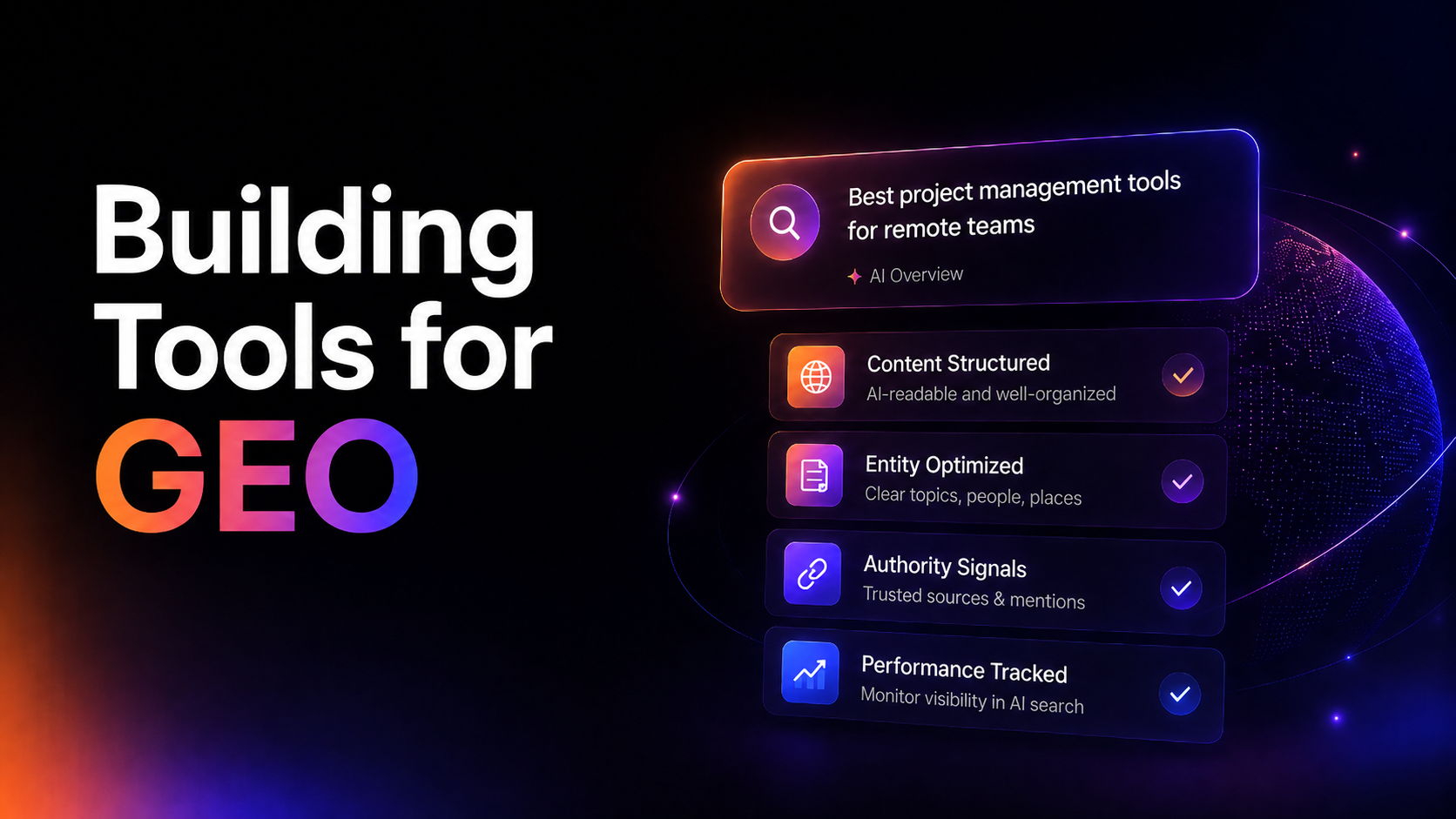
Best AI Website Builders for GEO in 2026: We0 AI, Webflow, Framer, Wix Compared

If you’re still choosing an AI website builder based on “who can build a site the fastest,” honestly, you’re already a little late.
The real question in 2026 is not:
Which tool can generate a page the fastest?
It is:
Which tool can generate a website that can be better understood, cited, recommended by AI search systems such as Google AI Overviews, AI Mode, Perplexity, and ChatGPT Search—and ultimately generate leads?
That is GEO: Generative Engine Optimization.
It is not simply SEO rebranded and sold again. It is more like upgrading a website from a “display page” into a “business asset that AI can understand.”
This article directly compares four tools that are often considered together: We0 AI, Webflow, Framer, and Wix.
Here’s the conclusion first.
If you just want to quickly build a regular website, Wix is very convenient.
If you want to build a visually impressive landing page, Framer looks beautiful.
If you have a mature design, content, and marketing team, Webflow is very powerful.
If what you need is a showcase website + SEO/GEO + content growth + lead generation, We0 AI is closer to solving the actual problem.
First, let’s clarify: what exactly does GEO compare in 2026?
Many people make GEO sound too mysterious.
As if adding an llms.txt file or writing more FAQs would automatically make AI recommend you.
Google’s official guidance on optimization for generative AI search is actually very direct: SEO still matters, and AI search still depends on crawlable, indexable, valuable, clearly structured web content.
In other words, GEO is not magic.
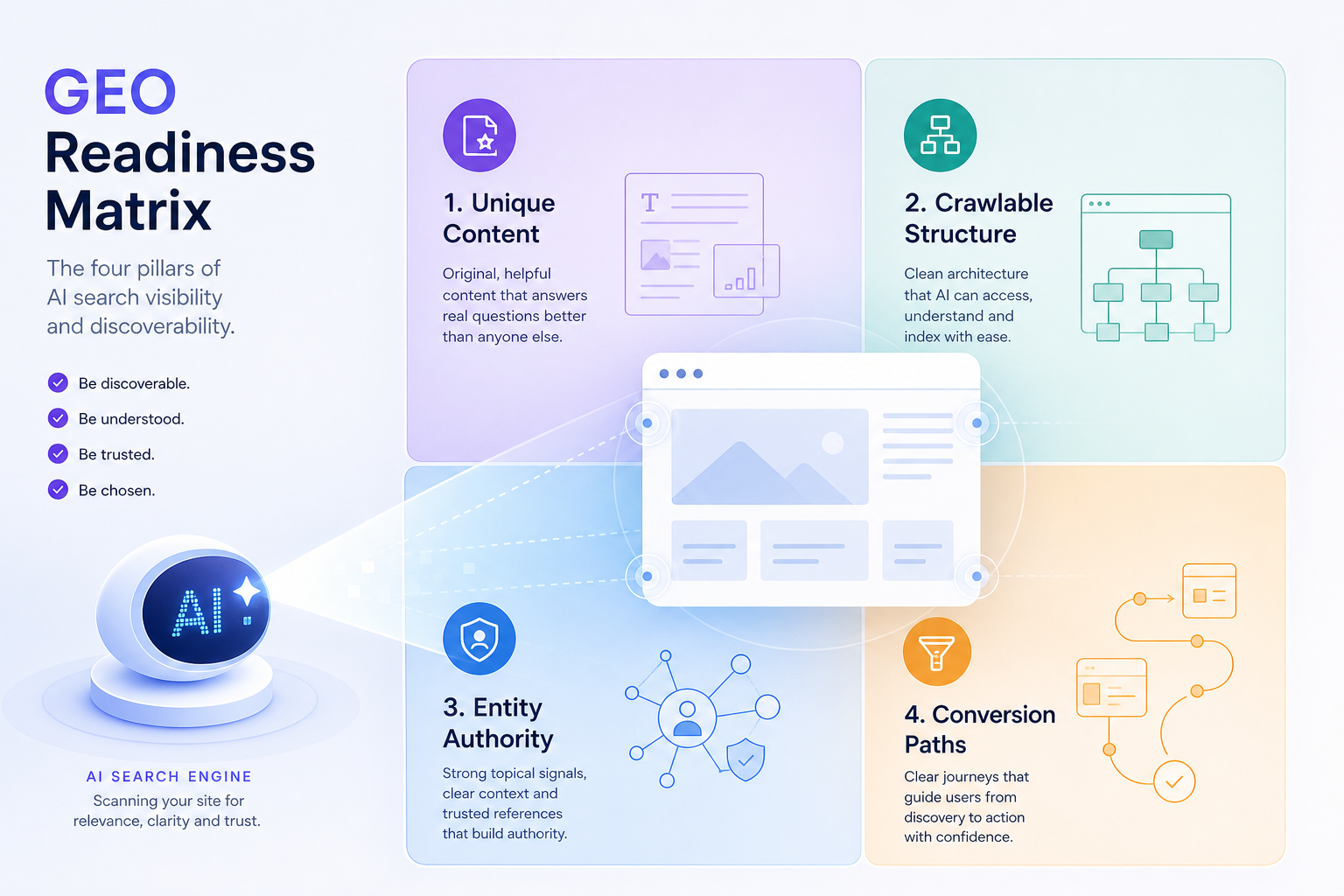
It is more like a set of fundamentals:
- Can your pages be crawled?
- Does your content have a unique point of view, rather than being a generic summary?
- Is the page structure clear?
- Are your products, services, cases, FAQs, pricing, and contact entry points easy to understand?
- After launch, is the website continuously updated, monitored, and optimized?
- Once users arrive, is there a clear conversion path?
AI search does not only care whether you have a website. It cares more about whether your website is worth using to answer users’ questions.
This changes the dimensions for comparing AI website builders.
In the past, we compared: templates, design, animations, drag-and-drop editing, CMS, and pricing.
Now we also need to compare:
| Dimension | Why it matters |
|---|---|
| Content structure | AI systems need to understand who you are, what you do, and who you are suitable for |
| Technical crawlability | Pages must be discoverable and processable by search systems |
| SEO/GEO basic configuration | Titles, descriptions, indexing, structure, internal links, and FAQs all affect visibility |
| Continuous content production | GEO is not a one-time setup; content accumulation is critical |
| Data monitoring | Without data, you won’t know which pages need optimization |
| Conversion path | Traffic without inquiries is just noise |
So, in 2026, choosing an AI website builder is essentially choosing a growth path.
Quick comparison: We0 AI vs Webflow vs Framer vs Wix
| Tool | What it is more like | Best for | GEO advantages | Main shortcomings |
|---|---|---|---|---|
| We0 AI | Showcase website growth platform | SaaS, AI products, indie developers, consultants, agencies, export teams, creators | Complete chain covering website building + showcase + SEO/GEO + content + growth + leads | Not suitable for teams that want deep customization of complex web apps |
| Webflow | Professional visual CMS / enterprise marketing site platform | Mature teams with design, marketing, and content resources | Strong CMS, structural control, SEO/AEO, experimentation, and collaboration capabilities | Higher learning and operating costs; requires a team that knows how to use it |
| Framer | Design-first website design agent | Designers, product marketing teams, visual landing pages | Strong page experience, speed, and visual presentation; suitable for high-quality showcase pages | Relatively weaker in large-scale content operations, complex business tools, and native commerce capabilities |
| Wix | Full-featured, easy-to-use website builder | Small businesses, individuals, local services, fast launch needs | Easy to get started, with rich templates and business tools; SEO basics are becoming increasingly complete | Deeper GEO strategy and continuous growth often need to be supplemented by users themselves |
In one sentence:
Webflow is strong in professional control, Framer is strong in visual expression, Wix is strong in ease of use and comprehensive functionality, and We0 AI is strong in thinking through “how to get traffic and customers after the website is built.”

We0 AI: not an ordinary AI website builder, but a showcase website growth platform
Let’s make We0 AI clear first.
We0 AI is not the kind of tool where you “enter one sentence and get a page that looks decent.”
A more accurate positioning is: an AI website-building and customer acquisition growth platform for showcase websites.
What it sells is not single-point page generation, but a complete chain:
Build -> Showcase -> Grow -> Leads
That is:
Build a website -> Showcase products / services / cases / portfolio -> Gain SEO / GEO / AI
Recommended traffic -> turns into leads and customers.**
This is critical.
Because what many teams truly lack is not “a page.”
What they lack is:
- Not knowing how to plan the website structure;
- Not knowing how to write product selling points;
- Not knowing where to start with SEO/GEO;
- No one manages the website after launch;
- Content is not updated;
- No one looks at the data;
- Traffic comes in, but there is no entry point for inquiries or leads.
What We0 AI solves is not the “act of building a website,” but the matter of “turning a website into a growth asset.”
Its suitable use cases are very clear:
- SaaS / AI product teams building official websites, feature pages, pricing pages, and case study pages;
- Indie Hackers building product launch pages, waitlists, and feedback pages;
- Consultants, agencies, and freelancers building service showcases and case study pages;
- Foreign trade companies building multilingual product showcases and inquiry pages;
- Creators, experts, and designers building personal brand sites and portfolios;
- Local service businesses building service introductions, review showcases, and appointment entry points.
If you ask me what its biggest difference is from ordinary AI website builders, I would put it this way:
Ordinary tools help you “create” a website. We0 AI focuses more on helping you “operate” the website.
This is especially important for GEO.
Because AI search is more likely to cite websites with clear structure, consistent content, complete business information, and stable page experience.
And We0 AI’s advantage is not merely page generation, but: manually organizing brand information, planning page copy, launch optimization, basic SEO/GEO configuration, content production, on-site and off-site content layout, traffic data monitoring, growth recommendations, and monthly reviews.
This is not a flashy feature list.
It is the “website growth co-pilot” that many small teams truly need.
Webflow: Powerful, but better suited for teams that already have people
Webflow is still very strong in 2026.
It is no longer just a no-code design tool, but is moving toward a more complete agentic web platform. The official positioning also emphasizes: design, build, optimize, rank in AI search, and includes capabilities such as CMS, hosting, AEO, experiments, and personalization.
If your team already has:
- Designers;
- Content operations;
- An SEO or growth lead;
- Someone who can build CMS structures;
- People who can continuously run experiments and optimize pages;
Then Webflow is a good fit.
Its advantage is control.
You can build complex CMS setups, create beautiful marketing sites, and let your team manage pages, content, experiments, and conversions in one system.
But the issue is also here: Webflow has a high ceiling, but only if you have people who can actually make use of it.
For an early-stage AI product team, an independent developer, or a consulting business, Webflow may not be “too hard to use,” but rather “too heavy to use.”
You may spend a lot of time on:
- Responsive details;
- CMS fields;
- Animations and interactions;
- Page structure;
- Tool integrations;
- Content publishing workflows;
- SEO checks and fixes.
All of these are important.
But if your primary goal is to quickly have a website that can present your offering, be understood by search engines, and continuously generate leads, what you may need is not a more complex tool, but a more complete growth process.
So the judgment on Webflow is simple:
If you have a mature team, Webflow is a powerful platform.
If you only have one or two people, Webflow may turn a “growth problem” into a “website project management problem.”
Framer: Strong visuals and great for premium-looking pages, but don’t expect it to automatically solve growth
Framer’s feel is very clear: fast, beautiful, and highly design-driven.
Its AI agent can help you generate and modify pages on the canvas, its CMS agent can assist with content management, and the official positioning also emphasizes capabilities such as SEO, performance, Analytics, A/B Testing, Localization, and Hosting.
For designers and product marketing teams, Framer feels very comfortable.
It is especially suitable for:
- Startup landing pages;
- Product launch pages;
- Portfolios;
- Premium brand pages;
- Interactive campaign pages.
Framer’s greatest strength is making pages feel polished and compelling.
This still matters in 2026. The AI search era does not mean design is no longer useful. Once users click through, the page experience will still affect trust, dwell time, and conversion.
But GEO is not just about looking good.
GEO also requires:
- Clear information architecture;
- A sustainable content system;
- Product/service entity information;
- Case studies, FAQs, reviews, pricing, and comparison content;
- Technical SEO fundamentals;
- On-site and off-site content layout;
- Continuous monitoring and optimization.
Framer can handle part of this, but it is not inherently equivalent to a complete growth system.
So the judgment on Framer is:
If your core problem is “the page needs to look beautiful and publish quickly,” Framer is very strong.
If your core problem is “the website needs to be understood and recommended by AI search over the long term and generate leads,” you still need additional content and growth capabilities.
Wix: Friendly for small businesses, but you need to supplement GEO depth yourself
Wix’s strengths have always been practical: easy to use, many templates, and a full set of features.
In 2026, Wix is no longer just a traditional drag-and-drop website builder. It has an AI website builder that can generate multi-page websites from a chat box, as well as text, images, SEO checklists, App Market, CRM, Bookings, eCommerce, Analytics, and a full suite of features commonly used by small businesses.
If you are a local service provider, small shop, personal brand, or small company, Wix’s appeal is obvious:
Don’t overthink it—get it built first.
This is extremely valuable.
Many businesses do not lose because their tools are not advanced enough, but because they never manage to launch.
But from a GEO perspective, Wix’s challenge is that it gives you many features, but does not necessarily help you run a growth strategy.
You still have to think through:
- Which pages should be built?
- Which keywords should be mapped?
- How should FAQs be written so they do not sound templated?
- How should case study pages be organized?
- How can product information be made easier for AI to understand?
- How can articles be updated continuously?
- How should traffic data be reviewed?
- How should the conversion path be optimized?
Wix is more like a toolbox.
The toolbox is very complete, but it does not automatically become a growth team.
So Wix’s positioning is very clear:
If what you want is ease of use, all-in-one functionality, and fast launch, Wix is a good fit.
If what you want is continuous growth around AI search visibility, then after Wix you still need strategy, content, and operations.
From a GEO perspective, how should you choose among the four tools?
Let’s not use empty phrases like “which one is best.”
Choose directly based on your business scenario.
1. You are an independent developer / Indie Hacker
If you are building a small AI product, SaaS, plugin, API, or micro tool, what you usually lack most is not design freedom, but:
- Fast launch;
- Explaining the product clearly;
- Creating feature pages, use case pages, and comparison pages;
- Having waitlist / contact / demo entry points;
- Being able to write content continuously;
- Being understood by Google and AI search.
More recommended: We0 AI.
Framer can create a beautiful hero section, and Webflow
It can handle complex structures, and Wix can help you launch quickly.
But We0 AI is closer to “how a small team turns a website into a customer acquisition asset.”
2. You are a mature marketing team / B2B SaaS
If you already have design, content, growth, development, or marketing operations resources, Webflow is a great fit.
You can use it to build:
- CMS content libraries;
- multi-page marketing websites;
- SEO page clusters;
- A/B tests;
- personalized pages;
- team collaboration workflows.
More recommended: Webflow or We0 AI.
The difference is:
- If you want to control the entire production system yourself, choose Webflow;
- If you want to launch a showcase-style growth website faster and want help getting SEO/GEO and content operations off the ground, choose We0 AI.
3. You are a designer / creator / visual brand
If page aesthetics matter most to you, Framer is a very good fit.
Especially for portfolios, personal brands, and premium landing pages.
More recommended: Framer or We0 AI.
If you only want to showcase your work, Framer is very smooth.
If you also want to continuously acquire clients through content, SEO/GEO, consultation entry points, and case study pages, We0 AI will be more complete.
4. You are a small business / local service / DIY user
Wix is a great fit.
Its templates, business tools, booking features, e-commerce, and CRM are all friendly to non-technical users.
More recommended: Wix.
But if you later realize that “the website exists, but no one visits it,” that means the problem has shifted from website building to growth.
At that point, you can consider a solution like We0 AI, which is more focused on SEO/GEO and customer acquisition.
5. You are a foreign trade company / service company / consulting business
These types of businesses often underestimate the website.
A website is not a business card.
A website is the first layer of evidence potential customers use to judge whether you are trustworthy.
You need:
- multilingual presentation;
- product/service introductions;
- case studies;
- FAQs;
- inquiry entry points;
- SEO/GEO content;
- ongoing optimization.
More recommended: We0 AI.
Because the most important thing here is not “how much freedom the editor gives you,” but “whether it can connect presentation, content, search visibility, and inquiries.”
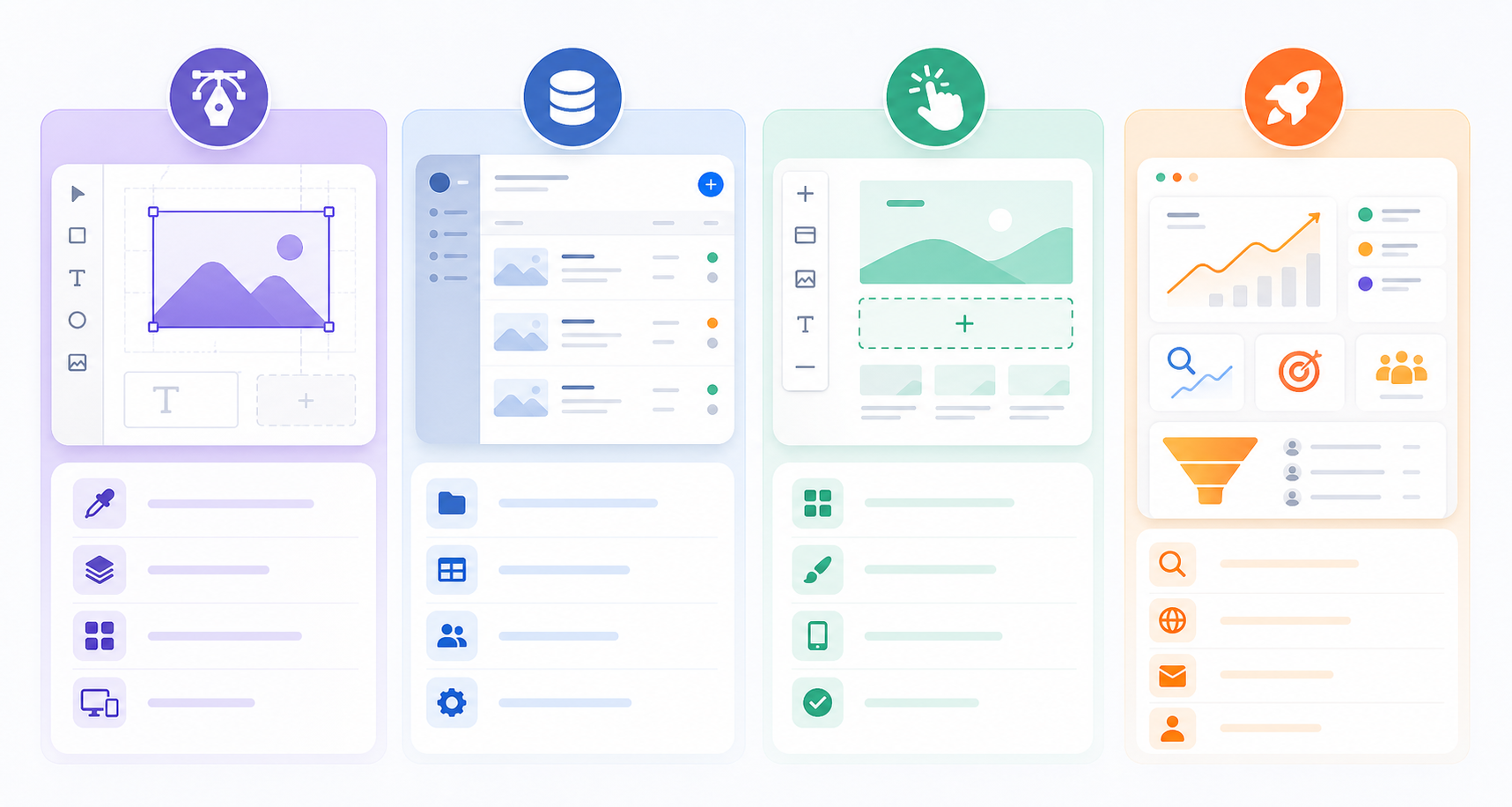
A more realistic judgment: don’t just look at AI website building—look at what happens after launch
AI website builders can easily create an illusion:
“The website has been generated, so the work is done.”
But the reality is usually:
Launching the website is only the beginning.
After launch, you have to deal with:
- whether search engines have indexed it;
- whether AI search can understand your business;
- whether the pages bring in traffic;
- which content is not ranking;
- which pages users stay on;
- which entry points fail to convert;
- what content competitors are writing;
- whether your case studies and FAQs are clear enough;
- whether you need new feature pages, comparison pages, or scenario pages.
This is why I place We0 AI in a somewhat different position.
It is not competing with Webflow, Framer, or Wix on “whose editor is more powerful.”
It is competing on: who is better suited to operating a showcase-style website as a long-term customer acquisition asset.
In the GEO era, this difference will become increasingly obvious.
Because AI search will not cite you just because your page looks good, nor will it recommend you just because you use a popular tool.
It needs to see:
- a clear business entity;
- verifiable information;
- helpful content;
- a stable page structure;
- language users can understand;
- real cases and conversion paths.
This cannot be fully solved by one-time website building.
Final recommendation: choosing in one sentence
| Your situation | Recommended tool |
|---|---|
| You want to quickly build a small business website with complete features and maintain it yourself | Wix |
| You want to build a beautiful, design-driven, highly interactive landing page | Framer |
| You have a mature team and need CMS, design control, experimentation, and an enterprise-grade marketing site | Webflow |
| You want to build a showcase-style website and continuously work on SEO/GEO, content growth, and lead generation | We0 AI |
More directly:
If you treat your website as pages, choose the editor that feels easiest for you.
If you treat your website as a long-term customer acquisition asset, you need to choose a system that covers Build -> Showcase -> Grow -> Leads.
That is where We0 AI fits.
FAQ
1. What is GEO? How is it different from SEO?
GEO stands for Generative Engine Optimization, which is visibility optimization for generative AI search and answer systems.
It does not conflict with SEO. Google has also clearly stated that generative AI search still relies on core search ranking and quality systems. So GEO does not replace SEO; instead, it re-examines SEO, content structure, entity information, page experience, and citability in the context of AI search.
2. What is the most important capability of AI website builders in 2026?
It is not “generating pages the fastest.”
What matters more is: whether the website can be discovered, understood, trusted, cited by search systems, and turn visits into leads.
So you need to look at whether website building, content, SEO/GEO, data, and conversion paths are complete.
3. What is the biggest difference between We0 AI and Webflow?
Webflow is more like a professional-grade website platform, suitable for people with mature design, content, marketing, and operations teams.
We0 AI is more like a showcase-style website growth platform, focused on connecting website building, presentation, SEO/GEO, content growth, and lead generation.
4. Is Framer suitable for building GEO websites?
Yes, but its strength lies more in visual pages and high-quality landing pages. The content strategy, structural planning, continuous updates, and growth reviews required for GEO usually need to be supplemented separately.
5. Is Wix suitable for small businesses doing AI search optimization?
Wix is suitable for small businesses to launch quickly and provides basic SEO tools. But if the goal is long-term AI search visibility and content growth, more systematic content planning, page structure, data monitoring, and conversion optimization are still needed.
6. Does GEO require llms.txt?
At least for Google Search’s generative AI features, Google
The official guidance states that there is no need to create special AI text files or machine-readable files just to appear in generative AI search. What matters more is crawlable, indexable, valuable, and well-structured content.
Related Tools
- We0 AI: AI website building + showcase website growth + SEO/GEO + content + lead generation.
- Webflow: A visual CMS, enterprise marketing site builder, and AI search / AEO platform for professional teams.
- Framer: Suitable for designers and product teams to quickly create high-quality websites.
- Wix: An easy-to-use, full-featured website builder for small businesses and individual users.
- Google Search Central: An important source for understanding SEO, AI search, and technical search requirements.
Sources
- Google’s Guide to Optimizing for Generative AI Features on Google Search
- Webflow Official Website
- Framer Official Website
- Wix: Webflow alternatives in 2026
- We0 AI
Friend Links / Related Reading / Internal Linking Suggestions
- Best AI Website Builders for AI Search Visibility in 2026
- How to Build a GEO-ready Showcase Website
- SEO vs GEO: What Founders Need to Know in 2026
- Best Website Builder for SaaS Landing Pages
- How We0 AI Helps Turn a Website into a Lead Generation Asset
Ready to Build?
If you just want to create a single page, there are many options today.
But if what you want is a website that can showcase your business, be understood by search, continuously produce content, and generate inquiries and customers, you should build it as a growth asset from the very beginning.
We0 AI is better suited for this path: Build -> Showcase -> Grow -> Leads.
It is not about finishing the site and stopping there.
It is about continuing to optimize, update, and grow after launch.
Conclusion
In 2026, the comparison of AI website builders has changed.
Previously, it was about: who is faster, who looks better, and who has more templates.
Now it is about: who can help your website be understood, cited, trusted, and ultimately bring in customers in the era of AI search.
Webflow, Framer, and Wix each have their own strong advantages.
But if your core goals are GEO, content growth, and lead generation, We0 AI has a more complete logic.
Because it does not just help you generate a website.
It helps you turn your website into a sustainable showcase and customer acquisition asset.
English Version
A Comparison of the Best AI Website Building Tools for GEO in 2026: We0 AI, Webflow, Framer, Wix
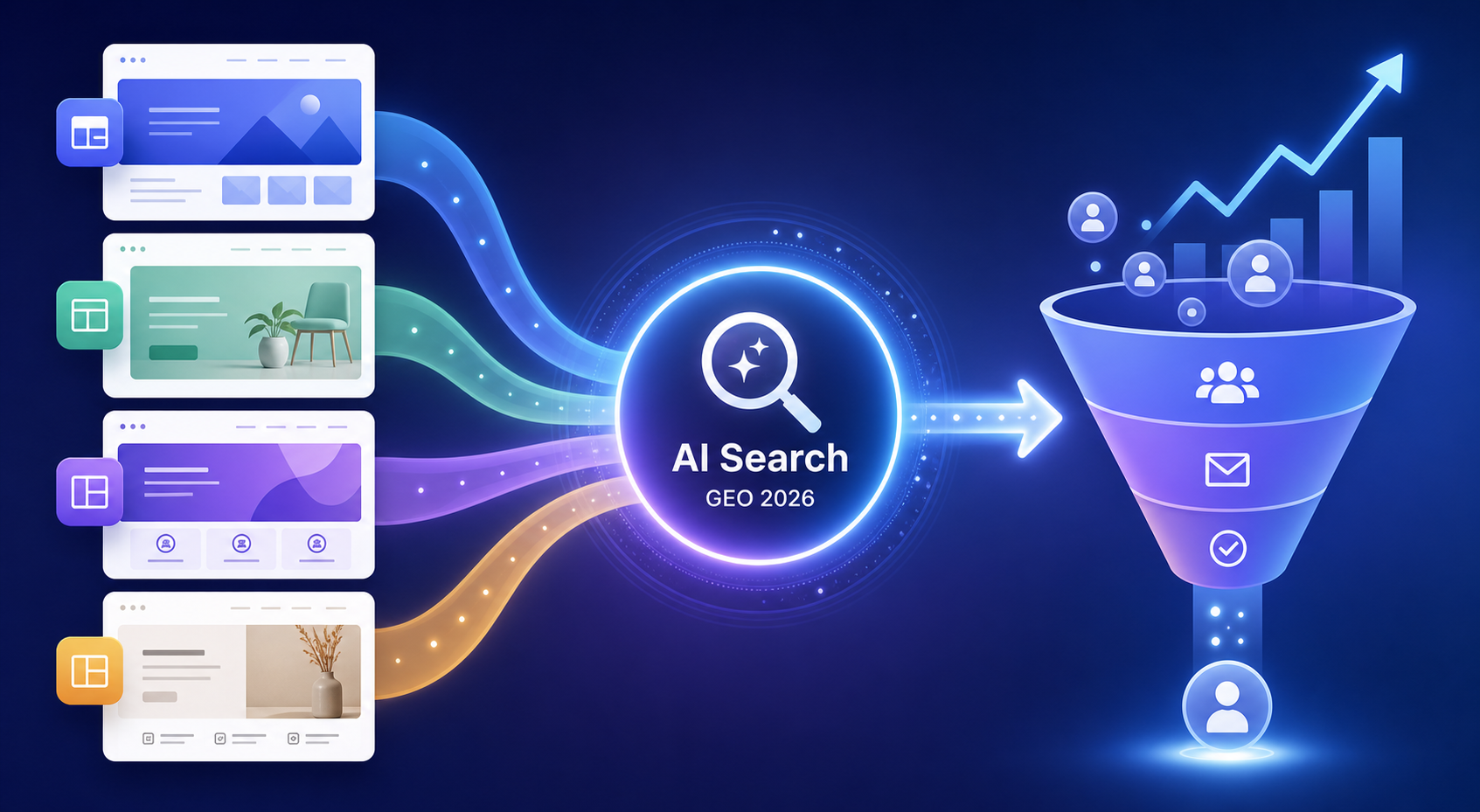
If you are still choosing an AI website builder by asking “which one can generate a page the fastest,” you are already asking a slightly outdated question.
In 2026, the real question is not:
Which tool can create a page quickly?
It is:
Which tool can help your website get understood, cited, recommended, and converted in AI search experiences like Google AI Overviews, AI Mode, Perplexity, and ChatGPT Search?
That is where GEO comes in: Generative Engine Optimization.
GEO is not just SEO with a new label. It is about turning a website from a static page into a business asset that AI systems can understand.
In this guide, we will compare four tools that are often mentioned together: We0 AI, Webflow, Framer, and Wix.
Here is the short version.
If you just want a basic site fast, Wix is very practical.
If you want a polished visual landing page, Framer is excellent.
If you have a mature design, content, and marketing team, Webflow is powerful.
If you need a showcase website plus SEO, GEO, content growth, and lead generation, We0 AI is closer to the actual problem.
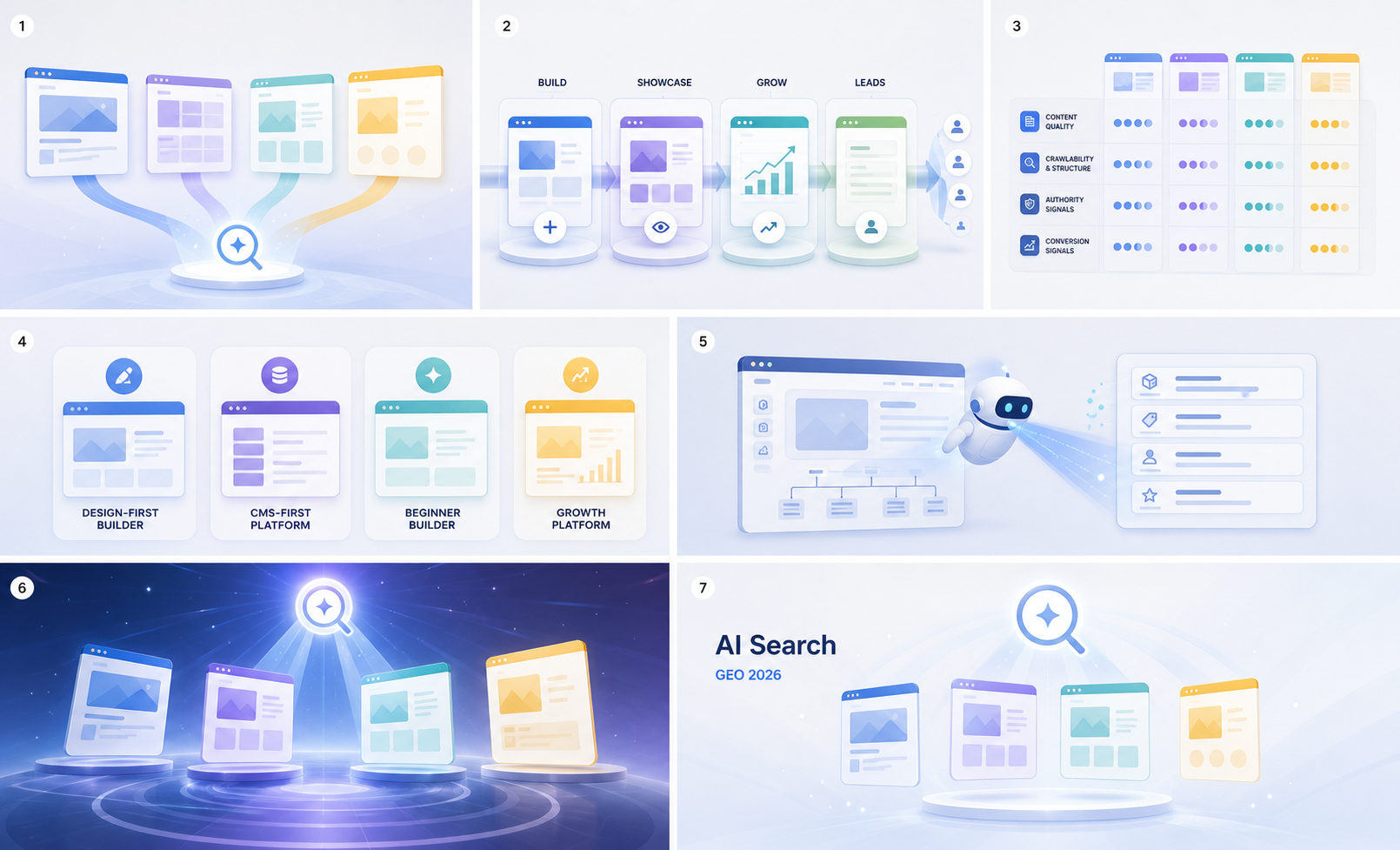
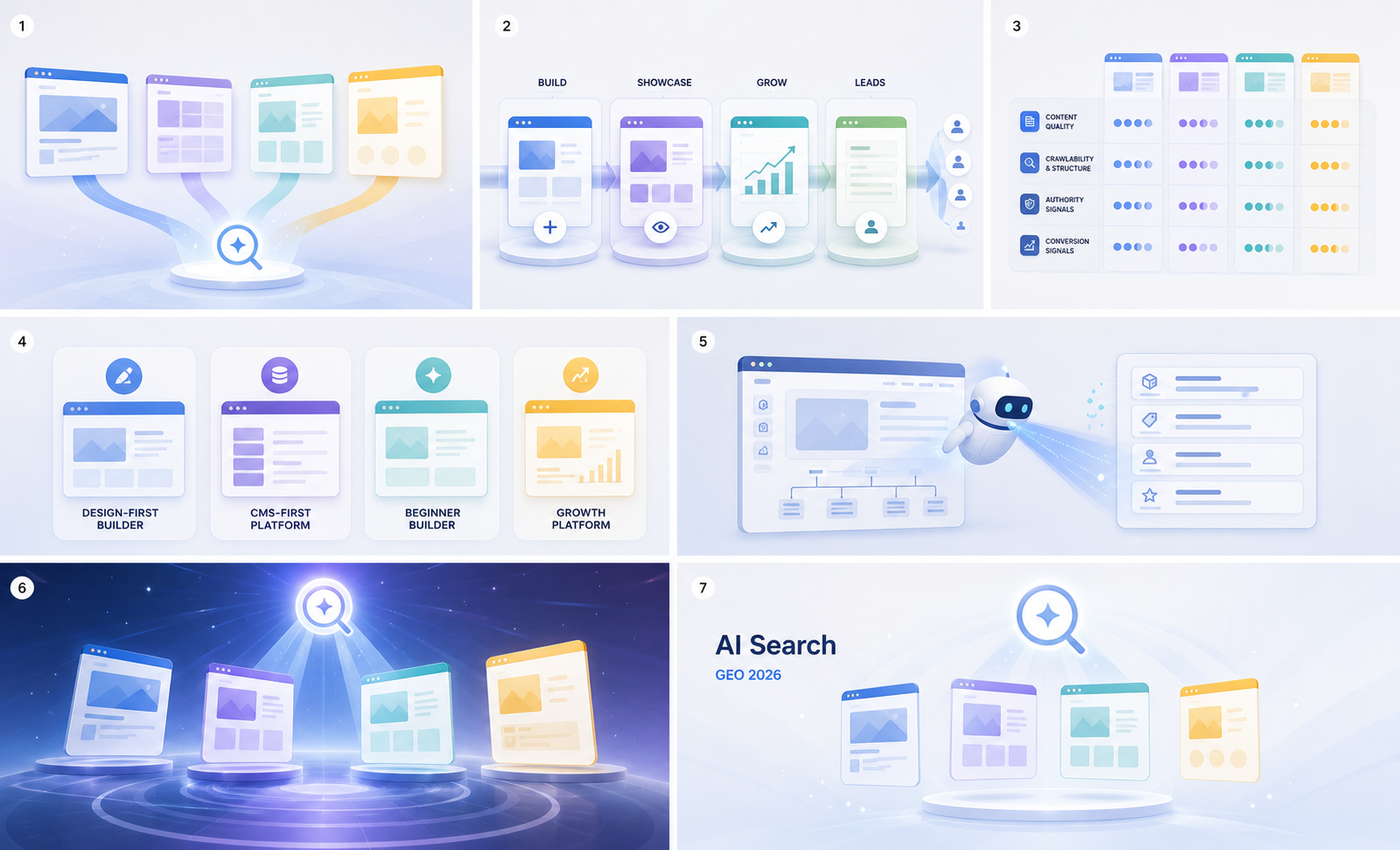
Design-first, content-first, beginners, growth platforms; 5. AI-driven website building platforms; 6. AI search, GEO 2026; 7. AI-driven website building platforms. These features echo the AI website building tools introduced in the context and clearly present their characteristics.](https://we0-cms.oss-cn-beijing.aliyuncs.com/cms-assets/image/2026/07/b975e957-3694-412a-86cd-1994436cc3de-09-4b97b5f9-536a-4e96-9573-a66588889fb4.png)
What GEO really means in 2026
A lot of people make GEO sound more mysterious than it is.
As if adding an llms.txt file or stuffing more FAQs into a page will magically make AI recommend your business.
Google’s own guide on optimizing for generative AI features is much more grounded: SEO still matters, and AI search still depends on crawlable, indexable, useful, well-structured web content.
So GEO is not magic.
It is a set of fundamentals:
- Can your pages be crawled?
- Does your content have a real point of view?
- Is your website structure clear?
- Are your product, service, case study, FAQ, pricing, and contact details easy to understand?
- Do you keep updating and improving the site after launch?
- Is there a clear path from visit to lead?
AI search does not only care that you have a website. It cares whether your website is useful enough to answer a user’s question.
That changes how we compare AI website builders.
We used to compare templates, design, animations, drag-and-drop editing, CMS, and pricing.
Now we also need to compare:
| Dimension | Why it matters |
|---|---|
| Content structure | AI systems need to understand who you are and what you offer |
| Crawlability | Search systems need to discover and process your pages |
| SEO/GEO setup | Titles, descriptions, indexing, internal links, FAQs, and page structure matter |
| Continuous content | GEO is not a one-time setting; content depth compounds |
| Data monitoring | Without data, you do not know what to improve |
| Conversion path | Traffic without leads is just noise |
Choosing an AI website builder in 2026 is really choosing a growth path.
Quick comparison: We0 AI vs Webflow vs Framer vs Wix
| Tool | What it feels like | Best for | GEO strength | Main limitation |
|---|---|---|---|---|
| We0 AI | Showcase website growth platform | SaaS, AI products, indie hackers, consultants, agencies, exporters, creators | Build + showcase + SEO/GEO + content + growth + leads | Not for teams building complex custom web apps |
| Webflow | Professional visual CMS and enterprise marketing site platform | Mature teams with design, content, and marketing resources | Strong CMS, structure control, SEO/AEO, experiments, collaboration | Higher learning and operating cost |
| Framer | Design-first website agent | Designers, product marketers, visual landing pages | Strong page experience, speed, and visual quality | Less complete for large content ops and native business workflows |
| Wix | Easy all-in-one website builder | Small businesses, individuals, local services, fast launch needs | Easy setup, templates, business tools, improving SEO basics | Deeper GEO strategy and growth still depend on the user |
One-line summary:
Webflow is strong in professional control. Framer is strong in visual expression. Wix is strong in ease of use and all-in-one features. We0 AI is strong in what happens after the website is
launched: traffic, growth, and leads.**

We0 AI: not just an AI website builder, but a showcase website growth platform
Let’s be clear about We0 AI.
We0 AI is not just another tool where you type one prompt and receive a decent-looking page.
A more accurate way to describe it is: an AI website building and lead generation growth platform for showcase websites.
It is not selling one-off page generation. It is built around a full path:
Build -> Showcase -> Grow -> Leads
In plain words:
Build the website -> showcase products, services, cases, or work -> gain SEO/GEO and AI recommendation traffic -> turn that traffic into leads and customers.
That matters.
Because many teams do not simply lack “a page.”
They lack:
- a clear website structure;
- product messaging;
- a starting point for SEO/GEO;
- someone to keep improving the site after launch;
- fresh content;
- data review;
- lead capture paths.
We0 AI is not only solving the act of building a site. It is solving the problem of turning the site into a growth asset.
It is especially useful for:
- SaaS and AI product teams building homepages, feature pages, pricing pages, and case pages;
- indie hackers launching products, waitlists, and feedback pages;
- consultants, agencies, and freelancers presenting services and cases;
- export businesses building multilingual product and inquiry pages;
- creators, experts, and designers building personal brand sites;
- local service providers building service, review, and booking pages.
The biggest difference from ordinary AI website builders is this:
Most tools help you create a website. We0 AI cares about whether the website keeps working after launch.
That is especially important for GEO.
AI search is more likely to understand and reference websites that have clear structure, continuous content, complete business information, stable page experience, and useful answers.
We0 AI’s advantage is not just page generation. It includes brand information organization, page planning, copywriting, launch support, SEO/GEO basics, content production, on-site and off-site content layout, traffic monitoring, growth suggestions, and monthly review.
This is not a feature checklist.
For many small teams, this is the missing growth team behind the website.
Webflow: powerful, but best for teams that already have resources
Webflow remains powerful in 2026.
It is no longer just a no-code design tool. It is moving toward a broader agentic web platform. Webflow itself now emphasizes design, build, optimization, AI search ranking, CMS, hosting, AEO, experiments, and personalization.
If your team already has:
- designers;
- content operators;
- SEO or growth owners;
- people who can structure a CMS;
- people who can run experiments and improve pages continuously;
then Webflow is a strong choice.
Its strength is control.
You
can build complex CMS structures, polished marketing sites, and team workflows around pages, content, experiments, and conversion.
But that is also the catch: Webflow has a high ceiling, but only if you have people who can use it well.
For an early AI product team, an indie hacker, or a consultant-led business, Webflow may not be too difficult — it may simply be too heavy.
You may spend a lot of time on:
- responsive details;
- CMS fields;
- animations and interactions;
- site structure;
- integrations;
- publishing workflows;
- SEO audits and fixes.
All of that matters.
But if your goal is to quickly launch a site that showcases your offer, can be understood by search, and can start generating leads, you may not need a more complex tool. You may need a more complete growth process.
The Webflow verdict is simple:
If you have a mature team, Webflow is a strong platform.
If you are one or two people, Webflow can turn a growth problem into a website project management problem.
Framer: excellent visual quality, but growth still needs extra work
Framer has a very clear personality: fast, polished, design-forward.
Its AI agent can generate and refine pages directly on the canvas. Its CMS agent helps manage content. Framer also emphasizes SEO, performance, analytics, A/B testing, localization, and hosting.
For designers and product marketing teams, Framer feels good.
It is especially useful for:
- startup landing pages;
- product launch pages;
- portfolios;
- premium brand pages;
- interactive campaign pages.
Framer is strongest when the job is to make a page feel great.
That still matters in 2026. AI search does not make design irrelevant. Once users click through, page experience still affects trust, engagement, and conversion.
But GEO is not only about looking good.
GEO also needs:
- clear information architecture;
- an ongoing content system;
- product and service entity information;
- case studies, FAQs, reviews, pricing, and comparison content;
- technical SEO basics;
- internal and external content layout;
- continuous monitoring and optimization.
Framer can support part of this, but it is not automatically a full growth system.
So the Framer verdict is:
If your main problem is “make the page beautiful and launch fast,” Framer is great.
If your main problem is “get understood and recommended by AI search over time, and turn that into leads,” you still need content and growth operations around it.
Wix: friendly for small businesses, but deeper GEO work is still on you
Wix has always had a very practical strength: it is easy to use, template-rich, and feature-complete.
In 2026, Wix is not just traditional drag-and-drop building. It has an AI website builder that can generate multi-page sites from a chatbox, plus text tools, image tools, SEO checklists, App Market, CRM, bookings, ecommerce, analytics, and more.
If you are a local service provider, small store, personal brand, or small company, Wix is attractive for one reason:
You can just get the site live.
That has real value.
Many businesses do not lose because their tool is not advanced enough. They lose because
their site never launches.
But from a GEO point of view, Wix has a challenge: it gives you a lot of tools, but it does not automatically run the growth strategy for you.
You still need to decide:
- which pages to build;
- which keywords and topics to target;
- how to write FAQs without sounding generic;
- how to structure case studies;
- how to make your product information easier for AI systems to understand;
- how to publish content consistently;
- how to review traffic data;
- how to improve conversion paths.
Wix is more like a toolbox.
The toolbox is rich, but it does not become a growth team by itself.
The Wix verdict:
If you want something easy, complete, and fast to launch, Wix is a good fit.
If you want long-term AI search visibility and content growth, you still need strategy, content, and operations after Wix.

Which tool should you choose for GEO?
Let’s avoid the vague “which one is best?” question.
Choose by business scenario.
1. You are an indie hacker or independent developer
If you are building an AI product, SaaS, plugin, API, or micro tool, what you need most is usually not maximum design freedom.
You need:
- fast launch;
- clear product explanation;
- feature pages, use case pages, comparison pages;
- waitlist, contact, or demo paths;
- continuous content;
- a site Google and AI search can understand.
Best fit: We0 AI.
Framer can make a beautiful hero section. Webflow can support complex structure. Wix can help you launch quickly.
But We0 AI is closer to the question: how does a small team turn a website into a lead generation asset?
2. You are a mature marketing team or B2B SaaS company
If you already have design, content, growth, development, or marketing operations resources, Webflow is a strong fit.
You can use it for:
- CMS content libraries;
- multi-page marketing sites;
- SEO page clusters;
- A/B testing;
- personalized pages;
- team collaboration.
Best fit: Webflow or We0 AI.
The difference is:
- choose Webflow if you want to control the whole production system yourself;
- choose We0 AI if you want a faster showcase growth site and support around SEO/GEO and content operations.
3. You are a designer, creator, or visual brand
If page quality and visual feeling matter most, Framer is very strong.
Especially for portfolios, personal brands, and premium landing pages.
Best fit: Framer or We0 AI.
If you only need to present your work, Framer is smooth.
If you also want to generate clients through content, SEO/GEO, consulting pages, and case studies, We0 AI is more complete.
4. You are a small business or local service provider
Wix is a strong fit.
Its templates, business tools, booking features, ecommerce, and CRM are friendly
for non-technical users.
Best fit: Wix.
But if you later realize, “The website exists, but nobody visits it,” then the problem has shifted from building to growth.
At that point, We0 AI becomes more relevant.
5. You are an export business, service company, or consultant
These businesses often underestimate the website.
A website is not a business card.
It is the first layer of evidence a potential customer uses to decide whether you are credible.
You need:
- multilingual showcase pages;
- product and service explanations;
- case studies;
- FAQs;
- inquiry paths;
- SEO/GEO content;
- ongoing optimization.
Best fit: We0 AI.
The key is not how flexible the editor is. The key is whether showcase, content, search visibility, and inquiries are connected.
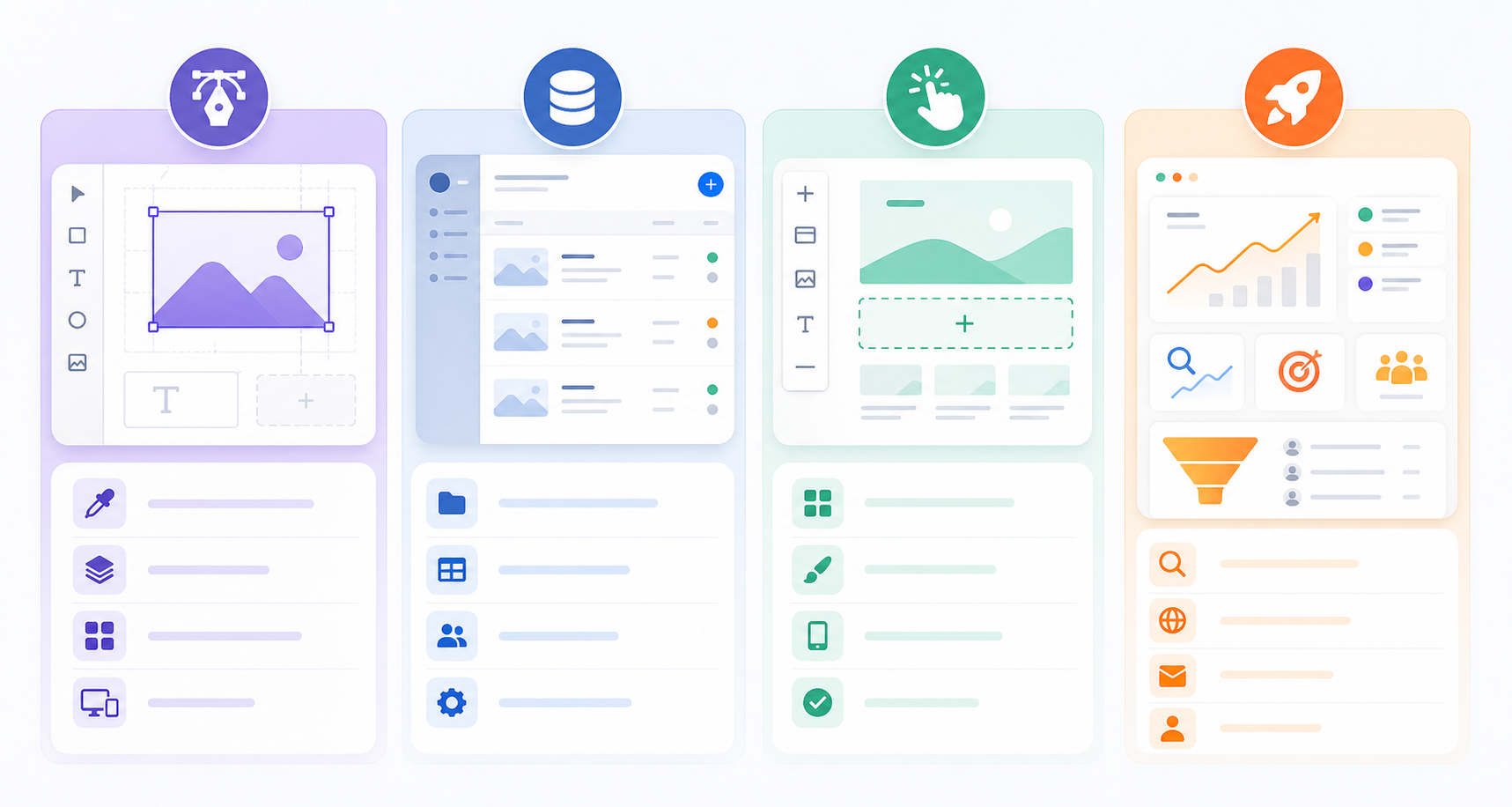
The real test: look beyond launch day
AI website builders can create a dangerous illusion:
“The website is generated, so the job is done.”
But in reality:
Launch is only the beginning.
After launch, you still need to know:
- whether search engines have indexed your pages;
- whether AI search can understand your business;
- whether your pages bring traffic;
- which content is not ranking;
- where users spend their time;
- which calls to action fail;
- what competitors are publishing;
- whether your case studies and FAQs are clear enough;
- whether you need more feature, comparison, or use case pages.
This is why We0 AI belongs in a different category.
It is not trying to beat Webflow, Framer, and Wix only on editor features.
It is better understood as a platform for turning showcase websites into long-term acquisition assets.
In the GEO era, this difference becomes more important.
AI search will not cite you simply because your page is beautiful. It will not recommend you because you used a popular website builder.
It needs to find:
- clear business entities;
- verifiable information;
- helpful content;
- stable page structure;
- human-readable explanations;
- real cases and conversion paths.
A one-time website launch rarely solves all of that.
Final recommendation
| Your situation | Recommended tool |
|---|---|
| You want a small business site fast, with many built-in features | Wix |
| You want a beautiful, interactive landing page | Framer |
| You have a mature team and need CMS, design control, experiments, and enterprise marketing workflows | Webflow |
| You want a showcase website plus ongoing SEO/GEO, content growth, and lead generation | We0 AI |
More directly:
If you think of your website as a page, choose the editor you enjoy most.
If you think of your website as a long-term acquisition asset, choose a system that covers Build -> Showcase -> Grow -> Leads.
That is where We0 AI fits.
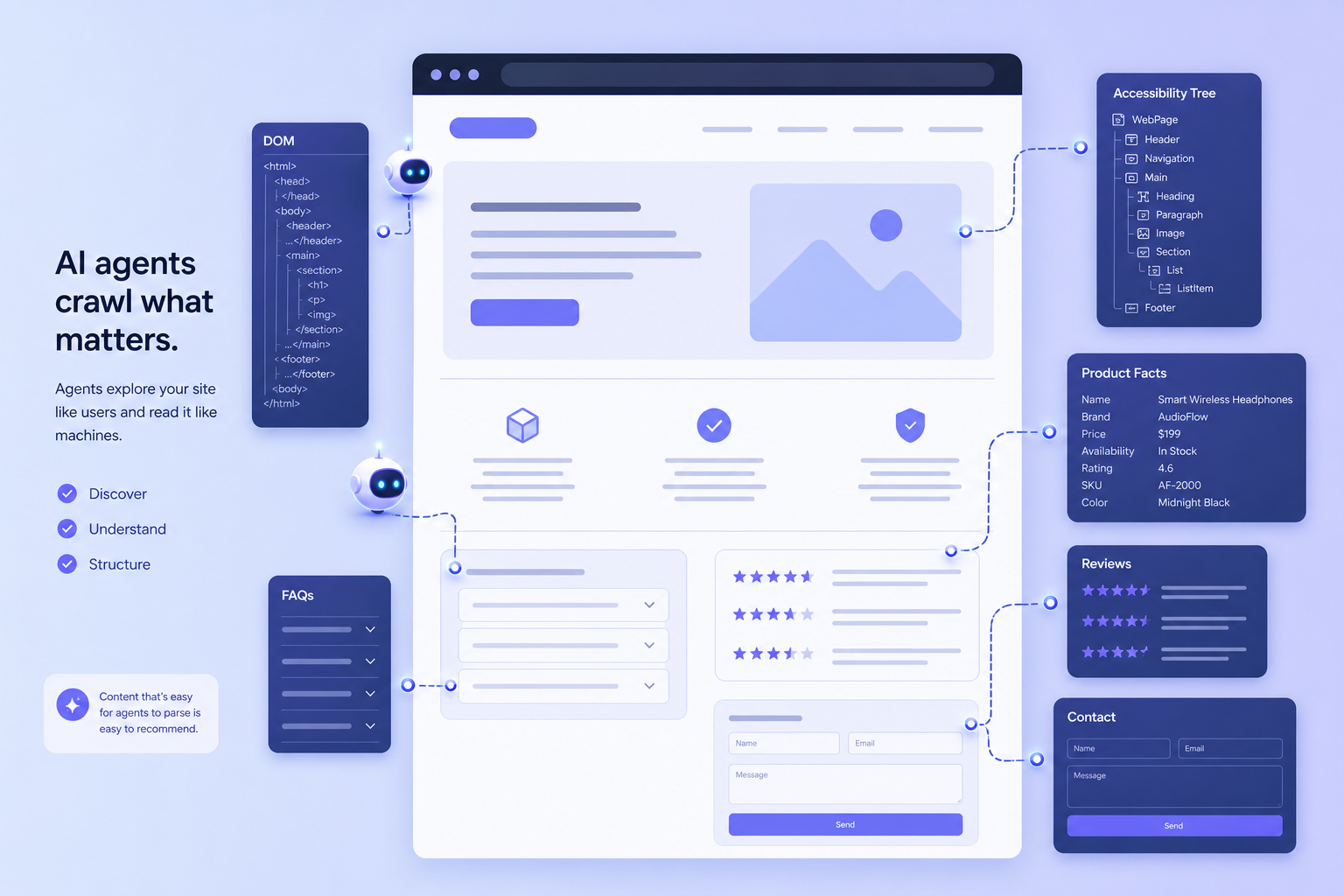
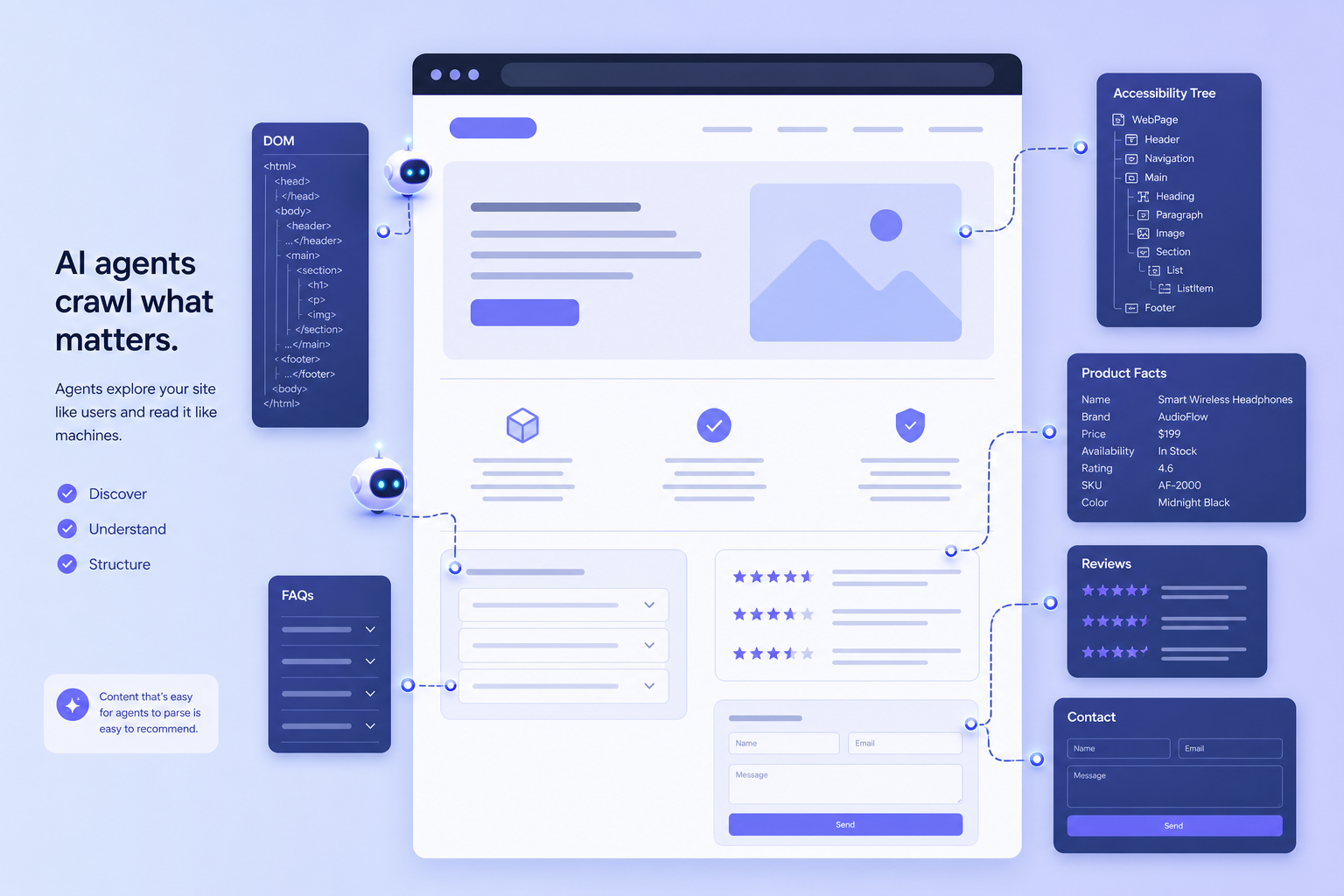
![The image shows the process of AI agents exploring website content. On the left is the title “AI agents crawl what matters,” with three steps listed below: “Discover,” “Understand,” and “Structure.” In the middle is an example website interface, including FAQs and Product]
Facts, Reviews, Contact, and other sections. On the right, there are sections such as “Accessibility Tree,” “Product Facts,” “Reviews,” and “Contact,” which respectively display the website structure, product information, user reviews, contact details, and other content. This image corresponds with the document’s introduction of We0 AI as a long-term asset, visually presenting its functionality.](https://we0-cms.oss-cn-beijing.aliyuncs.com/cms-assets/image/2026/07/bc967c40-cecd-4285-a791-78ae6e8f1f83-13-48197b85-b6f0-4fee-9fc9-ae85d541b9fe.png)
FAQ
What is GEO?
GEO stands for Generative Engine Optimization. It focuses on visibility in generative AI search and answer systems.
It does not replace SEO. It reframes SEO, content structure, entity clarity, page experience, and quotability for AI-driven search experiences.
What matters most in an AI website builder in 2026?
Not just page generation speed.
The more important question is: Can the website be discovered, understood, trusted, cited, and converted?
That means build quality, content, SEO/GEO, analytics, and conversion paths all matter.
How is We0 AI different from Webflow?
Webflow is a professional web platform for teams that already have design, content, marketing, and operations resources.
We0 AI is more focused on showcase website growth: building the site, presenting the business, improving SEO/GEO, publishing content, and generating leads.
Is Framer good for GEO websites?
It can be. Framer is strong for polished landing pages and visual presentation. But GEO also requires content strategy, information architecture, continuous publishing, and growth review.
Is Wix good for AI search optimization?
Wix is useful for small businesses that need a fast and accessible website with SEO basics. For long-term AI search visibility, you still need structured content, monitoring, and ongoing optimization.
Do I need llms.txt for GEO?
For Google Search’s generative AI features, Google states that you do not need special AI text files or machine-readable files to appear. Crawlable, indexable, useful, well-structured content matters more.
Related Tools
- We0 AI: AI website building, showcase website growth, SEO/GEO, content, and lead generation.
- Webflow: Visual CMS, enterprise marketing sites, AI search, and AEO capabilities.
- Framer: Design-first website builder for professional websites and landing pages.
- Wix: Easy all-in-one website builder for small businesses and individuals.
- Google Search Central: Official resources for SEO, AI search, and technical search requirements.
Sources
- Google’s Guide to Optimizing for Generative AI Features on Google Search
- Webflow Official Website
- Framer Official Website
- Wix: Webflow Alternatives in 2026
- We0 AI
Related Reading / Internal Link Suggestions
- Best AI Website Builders for AI Search Visibility in 2026
- How to Build a GEO-ready Showcase Website
- SEO vs. GEO: What Founders Need to Know in 2026
- Best Website Builder for SaaS Landing Pages
- How We0 AI Helps Turn a Website into a Lead
Growth Asset
Ready to Build?
If you only want a page, there are many good tools.
But if you want a website that can showcase your business, be understood by search engines, keep publishing content, and generate leads, you should build it as a growth asset from the beginning.
We0 AI is designed for that path: Build -> Showcase -> Grow -> Leads.
Not launch and leave.
Launch, improve, publish, measure, and grow.
Conclusion
In 2026, comparing AI website builders is no longer just about speed, design, or templates.
It is about this:
Which tool helps your website get understood, cited, trusted, and converted into customers in the AI search era?
Webflow, Framer, and Wix all have clear strengths.
But if your core goal is GEO, content growth, and lead generation, We0 AI has the more complete logic.
Because it does not only help you generate a website.
It helps you turn that website into a sustainable showcase and customer acquisition asset.