What Is Tencent Marvis? A System-level AI Agent for Files, Apps, Browser Work, and Desktop Automation
This bilingual article lightly rewrites and reorganizes a CSDN hands-on review of Tencent Marvis while preserving the original ten-part structure, the multi-agent architecture table, the efficiency-vs-privacy mode comparison, setup guidance, prompting tips, Skill marketplace overview, pricing notes, caution points, and practical use cases. Marvis stands out because it behaves more like a system-level desktop agent than a simple chat assistant.
Marvis is interesting because it aims to be more than a chat box.
The original article frames it as a system-level AI butler: something that can touch files, applications, browser tasks, desktop workflows, and cross-device actions. That shift matters. Once an AI tool moves from “answering” to “executing,” the real product question becomes workflow reliability.
1. Why Marvis Feels Different
The source article introduces Marvis as a Tencent App Store team release that went public on May 20, 2026.
Its main promise is straightforward:
operate your system
manage files
interact with apps
browse and collect information
chain these actions through natural language
That makes it feel closer to a real desktop agent than to a conventional chatbot.
Official site: marvis.qq.com
2. One Main Agent and Five Specialists
The most memorable product idea in the source piece is the one-orchestrator-plus-five-specialists setup.
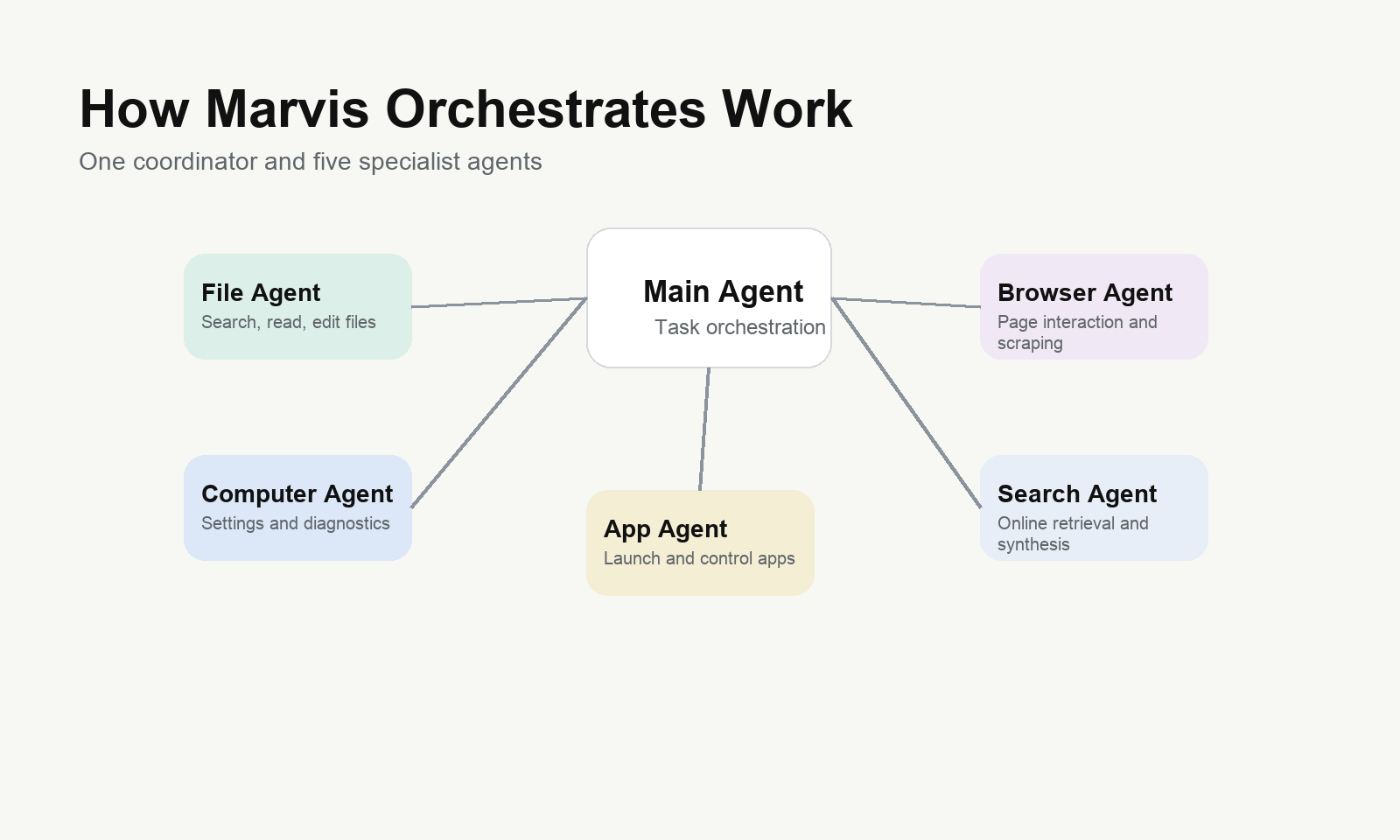
Agent | Role | Strength |
Main Agent | Task orchestration | Understands the goal, breaks work down, dispatches sub-tasks |
File Agent | File operations | Search, read, edit, convert, batch-process files |
Computer Agent | System operations | Settings, diagnostics, performance tuning |
App Agent | App control | Launches and controls local applications |
Browser Agent | Web operations | Interacts with pages and gathers web information |
Search Agent | Retrieval | Searches and synthesizes online information |
The benefit is not just capability. It also improves trust, because users can better understand what part of the system is doing what.
3. Installation and Initial Setup
3.1 Download
The source article lists:
Windows build: around 300MB
macOS build: around 350MB
Android build: downloadable from the official site
It also says login works through WeChat or QQ, with no invite code required.
3.2 Required Permissions
Marvis asks for system permissions that match its scope:
file read/write
system settings access
application control
screen recording or screenshot permissions
For macOS users, some of these must be enabled manually under privacy and security settings.
3.3 Efficiency Mode vs Privacy Mode
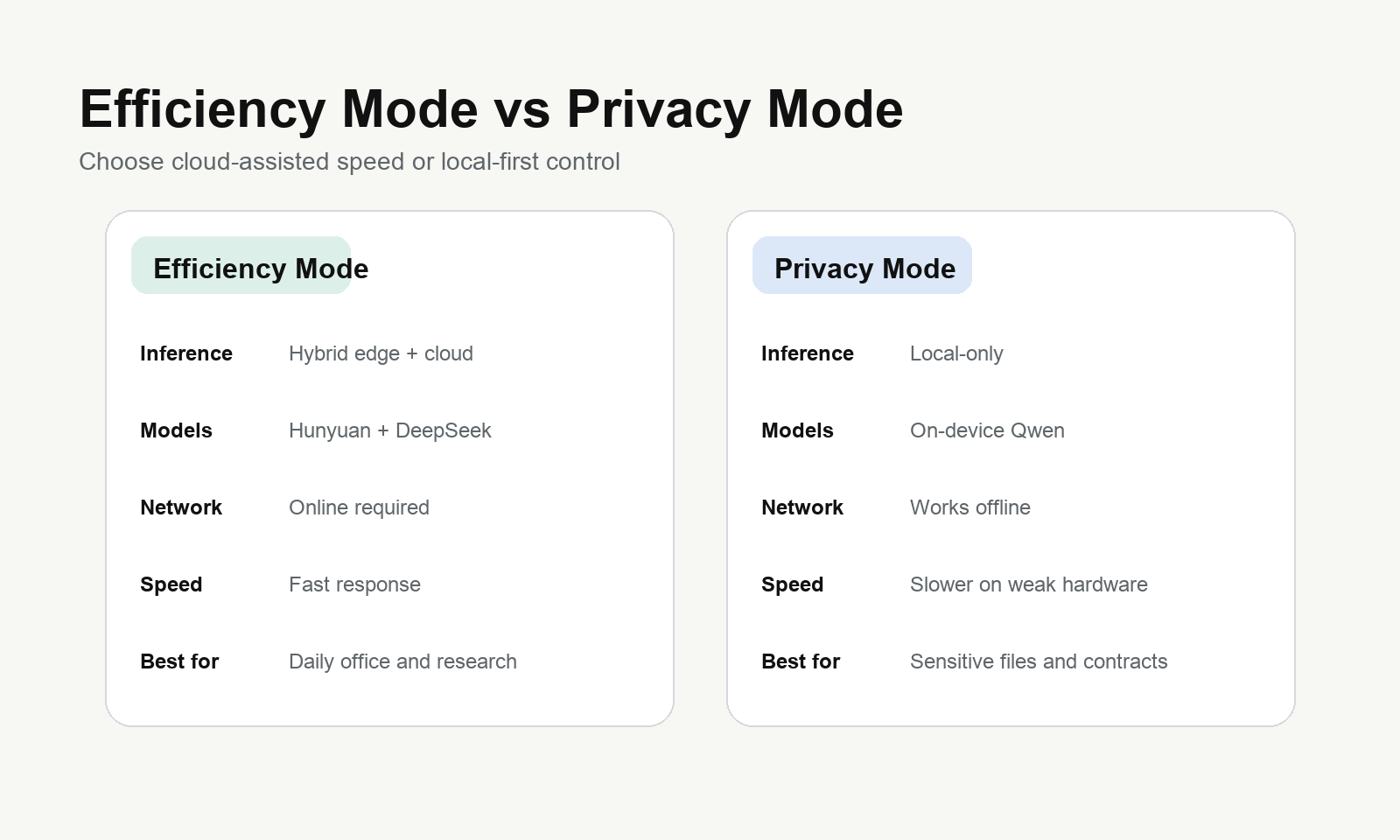
Feature | Efficiency Mode | Privacy Mode |
Inference | Hybrid edge + cloud | Local only |
Models | Hunyuan + DeepSeek V4 | On-device Qwen |
Network | Requires internet | Works offline |
Data handling | Encrypted in transit, not stored | Zero upload |
Best use case | Daily work and web tasks | Sensitive documents and private data |
Speed | Faster | Slower on weaker hardware |
The article’s advice is practical: use Efficiency Mode for everyday work, and switch to Privacy Mode when sensitive data is involved.
4. How to Use It
4.1 Wake Shortcut
Windows:
Ctrl + Shift + MmacOS:
Cmd + Shift + MAndroid: floating ball or quick entry
4.2 Prompting Rule
The original article recommends one simple structure:
Goal + requirements + constraints
Weak version:
Help me organize my files.Stronger version:
Move all PDF files from my desktop into Documents/2026 Materials, group them by creation month, remove duplicates, and generate a report when finished.4.3 Multi-Agent Prompting
Coordinate multiple assistants: have the file assistant read this contract PDF, extract key clauses, ask the search assistant to find relevant industry standards, and then generate a compliance report.4.4 Core Use Cases
File management
"Find all Excel files modified last week and sort them by time"
"Compress these 50 images to under 1MB while keeping the original aspect ratio"
"Convert this PDF into Word and preserve table formatting"
"Search for all PDF files containing the word contract and longer than 10 pages"
System control
"Check whether my computer can run Black Myth: Wukong smoothly"
"Clean junk files on drive C, but do not touch system files"
"List all startup apps and disable everything except antivirus software"
"Switch to dark mode and set monitor brightness to 60 percent"
"My Wi-Fi is broken. Diagnose it for me"
Local knowledge base
"Look through my notes and find the MySQL optimization plan I recorded last time"
"What did that saved article about Transformer architecture say?"
Web information tasks
"Summarize the five most important AI news items from the last week"
"Check this Saturday’s weather in Hangzhou and find top-rated local restaurants near West Lake"
"Find the three most starred open-source RAG projects on GitHub and compare their pros and cons"
Cross-device remote control
Phone to desktop: "Open Photoshop on my computer, resize the product image on my desktop to 1920x1080, and save it"Scheduled workflows
"Back up my work folder to D:/Backup every day at 9 AM"
"Every Friday at 5 PM, clean my Downloads folder and move files unused for more than 30 days to the recycle bin"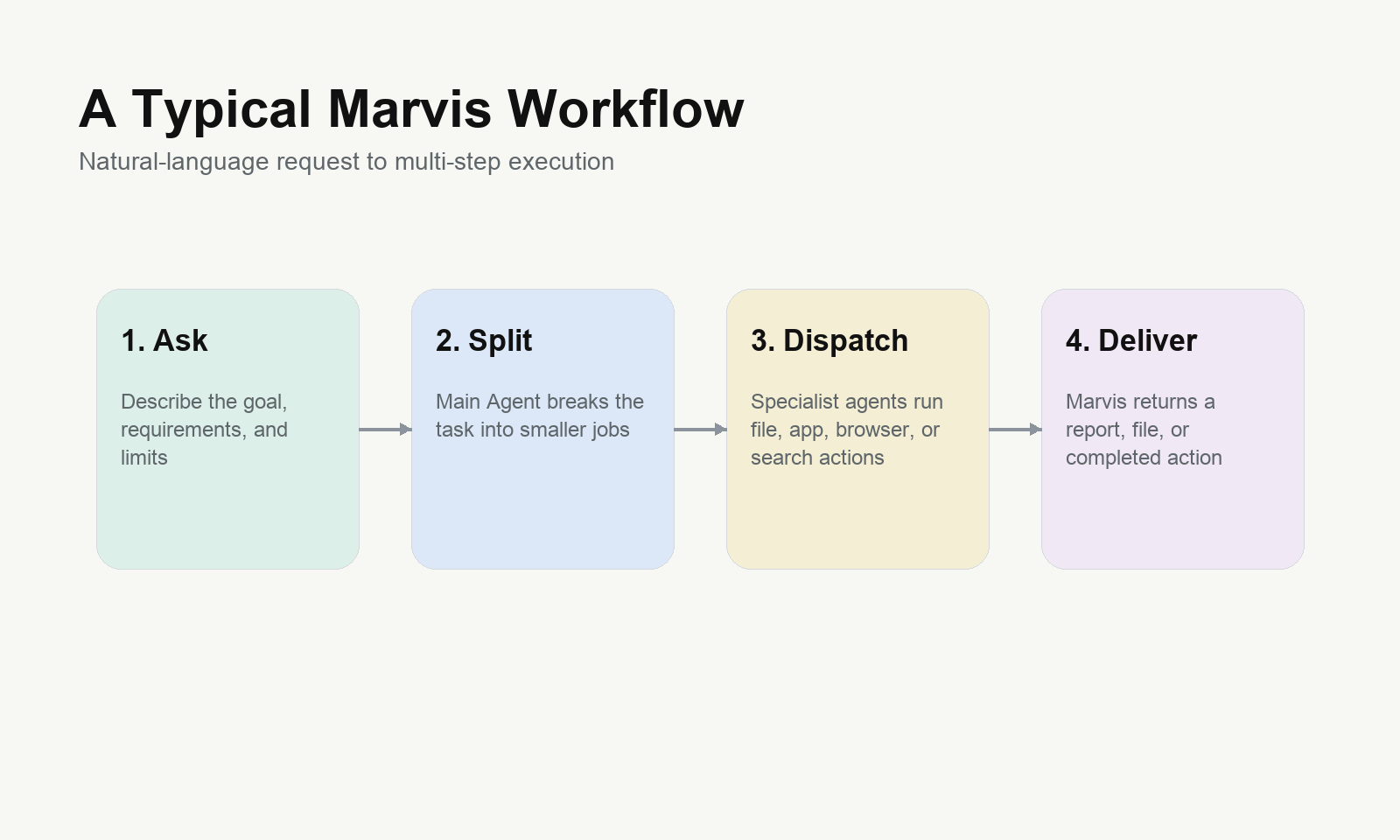
5. Skill Marketplace
The source article describes a built-in Skill marketplace that works like a lightweight app store.
Examples include:
document workflows
image-processing utilities
office productivity helpers
developer-assistance tools
That matters because many users do not want to build prompts from scratch every time.
6. Pricing
The source article highlights 10 million free tokens per day.
Its interpretation is simple: for typical users, that is effectively a large free usage cushion. At the time of the source article, no formal paid plan had been clearly published.
7. What to Watch Out For
7.1 Safety boundaries
The article says Marvis uses an L2-style safety fallback:
reading files, web browsing, and information lookup can run automatically
deleting files or changing core settings requires confirmation
payment-related actions are refused unless completed by the user
7.2 Privacy
For sensitive documents, the article strongly recommends switching to Privacy Mode.
7.3 Performance requirements
Item | Minimum | Recommended |
CPU | 8 cores | Intel i7/i9 or AMD Ryzen 7/9 |
Memory | 16GB | 16GB+ |
Storage | SSD + 2GB free | NVMe SSD |
OS | Windows 10+ / macOS 12+ / Android 10+ | Latest version |
7.4 Known limitations
The source article also mentions current rough edges:
OCR stability still needs improvement
scheduled file workflows can occasionally miss steps
design taste and vibe-coding output can feel template-like
some macOS permission flows are more cumbersome than on Windows
8. Tips That Make It Work Better
Tip 1: write the guardrails
"Organize my desktop, but do not move shortcuts or system files"Tip 2: split complex work into stages
Step 1: "Split this 50-page PDF into chapter files"
Step 2: "Turn chapter 3 into a one-slide PPT summary"
Step 3: "Translate the PPT into English"
Tip 3: use Skills when they already exist
Tip 4: turn screen recording permission off when idle
Tip 5: use the phone app like a remote control
Tip 6: curate your knowledge-base folders
9. Practical Cases
The original article closes with four concrete cases:
meeting-to-minutes workflow
competitor research report generation
batch image processing
full desktop health check
These examples make one point very clearly:
Marvis is valuable when it can finish a sequence of actions, not just produce a clever paragraph.
10. Final Take
Marvis looks important because it brings the desktop-agent idea closer to normal work.
It still has obvious early-stage limits, but the overall direction is hard to ignore:
more execution, less suggestion-only behavior
more visible task orchestration
stronger privacy tradeoff options
a lower barrier to trying real desktop automation
That is why this article is worth reading as more than a simple product note. It is a signal of where system-level AI tools are going next.
Ready to Build?
If your next question is not just “what can an AI desktop agent do,” but how can a team turn ideas into showcase pages, case-study sites, service pages, and search-friendly growth assets faster, then We0 AI is the more relevant lane to explore.
We0 AI is positioned as an AI Showcase Website Growth Platform:
Build -> Showcase -> Grow -> Leads