Perplexity Comet Browser Explained: Will AI Browsers Replace Traditional Search?
Perplexity Comet Browser Explained: a practical guide to how AI browsers work, why Perplexity Comet matters, and whether AI browsers will replace traditional search. This article explains Comet Assistant, agentic browsing, source-based answers, web task automation, privacy and security concerns, and what AI browsers mean for SEO, GEO, website owners, and future online discovery. It also explores why traditional search will not disappear overnight, but why user behavior may shift from searching pages to delegating browsing tasks.
Perplexity Comet Browser Explained
The browser has always been the front door of the internet. You open a tab, type a query, scan links, click pages, compare information, and decide what to do next. That habit has shaped the web for more than two decades.
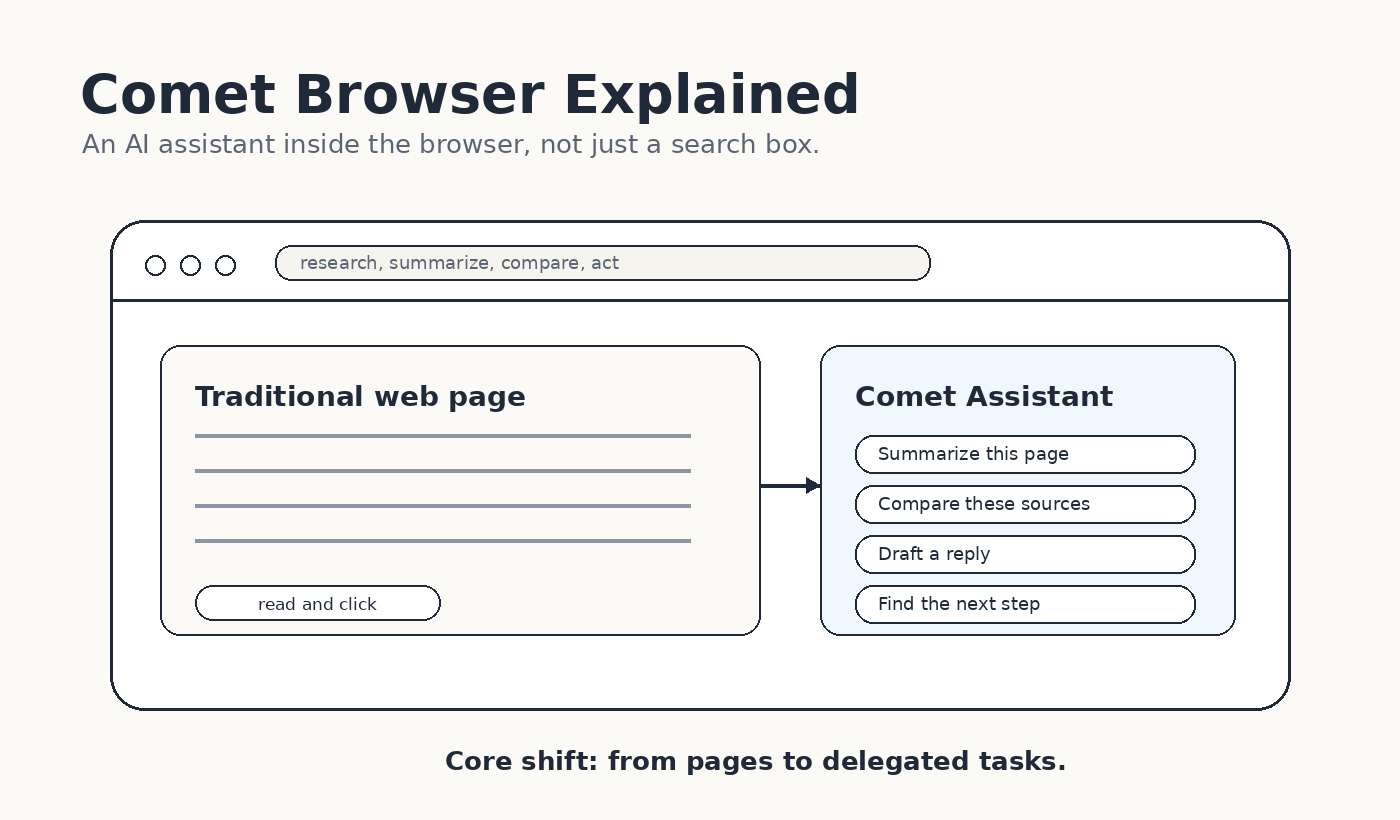
Perplexity Comet changes the shape of that habit. Instead of treating the browser as a passive window, Comet treats it as a workspace with an AI assistant inside it. The promise is not just faster search. The promise is a browser that can understand pages, summarize tabs, compare sources, navigate websites, and help with tasks while you browse.
That is why the bigger question is not simply whether Perplexity made another Chrome alternative. The real question is whether AI browsers will change the way people search, read, compare, and act online.
The answer is nuanced. AI browsers will not fully replace traditional search overnight. But they may absorb many moments that used to begin with search. Instead of asking a search engine and opening five pages, a user may ask the browser assistant to research the topic, compare sources, and recommend the next step.
For users, this feels convenient. For website owners, publishers, marketers, and SEO teams, it changes the discovery path. The website still matters, but it may be judged earlier, summarized faster, and visited later.
What is Perplexity Comet?
Perplexity Comet is an AI browser from Perplexity. Perplexity describes Comet as a browser that acts as a personal assistant, helping users automate tasks, research the web, organize email, and do more from inside the browsing experience.
On the surface, Comet still looks like a browser. It has tabs, pages, sites, and familiar navigation. The difference is that the assistant is built into the browsing layer. A user can ask questions about a page, summarize information across tabs, compare sources, and delegate certain actions.
This is why Comet is often called an AI browser or an agentic browser. The browser does not only display the web. It tries to work with the web on behalf of the user.
On mobile, Perplexity also describes Comet as an agentic AI browser with a personal assistant one tap away. The Google Play listing says users can ask more questions, assign tasks, see what actions Comet Assistant is taking, and step in at any time. That last part matters because AI browsing needs user oversight, not blind automation.
How AI browsers differ from traditional search
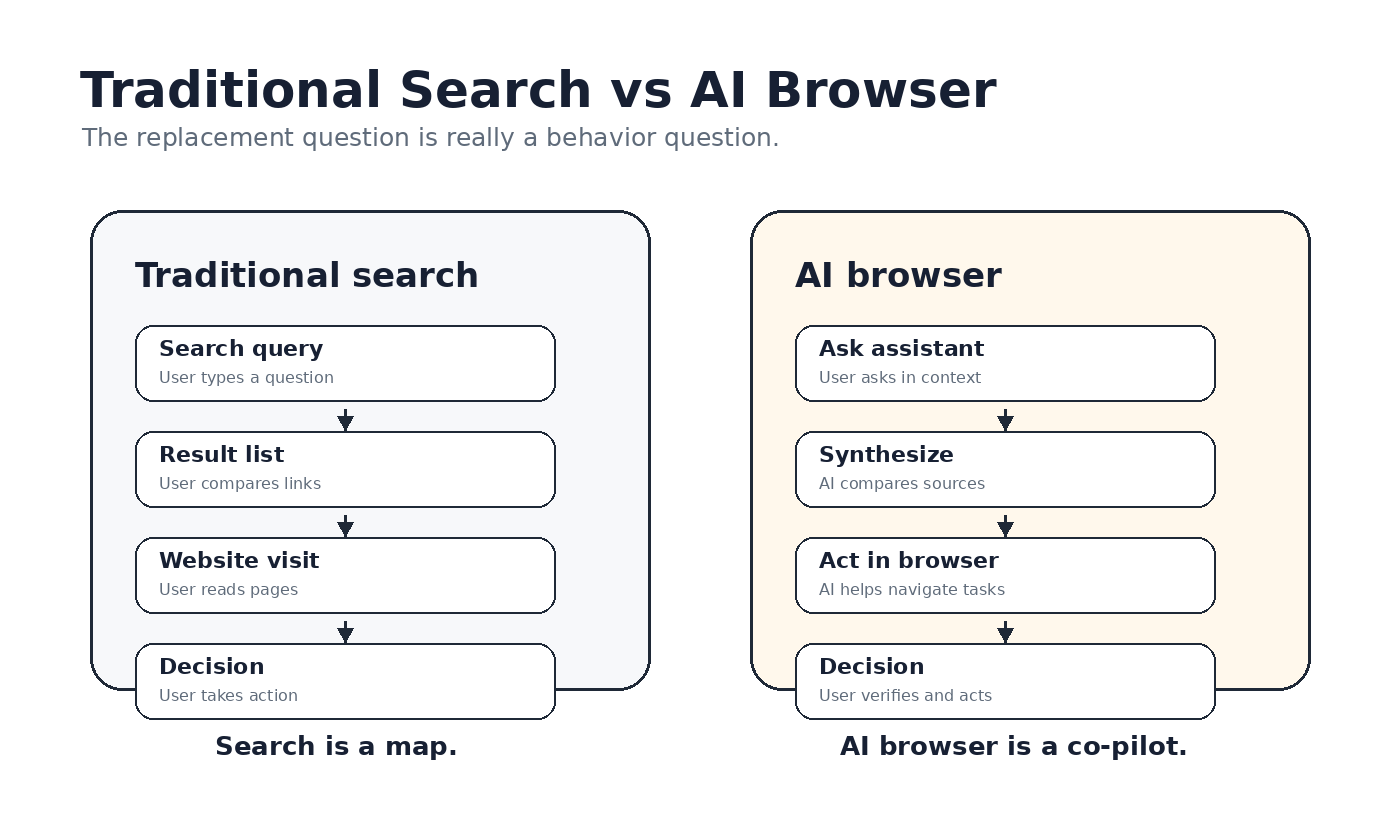
Traditional search is built around retrieval. The user asks a question, the search engine returns links, and the user decides which result to trust. The user does most of the comparison work.
AI search changes that by producing a synthesized answer. The user asks a question and receives a summary, often with sources or citations. Perplexity is already known for this answer-engine style of search.
AI browsers go one step further. They move the assistant into the browser itself. That means the assistant can work with the page the user is reading, the tabs already open, and in some cases connected tools like email or calendars. The unit of interaction changes from a query to a task.
In traditional search, the user might search for best project management tool, open five articles, compare pricing, and build a conclusion. In an AI browser, the user may ask the assistant to compare the options, summarize the strongest points, and explain which tool fits a specific use case.
This does not make traditional search useless. Search engines are still excellent at broad discovery, navigation, local intent, fresh queries, commercial research, and direct website access. But AI browsers reduce the need to manually move between pages for certain research-heavy tasks.
AI browser vs traditional search
Area | Traditional search | AI browser |
Main action | Search, click, read | Ask, summarize, delegate |
User effort | Manual comparison | Assistant-supported synthesis |
Page role | Destination after click | Source for answer and task context |
Best for | Broad discovery and navigation | Research, comparison, repetitive tasks |
Risk | Too many results | Over-trusting assistant output |
Business impact | Traffic through rankings | Visibility through selection and citations |
Why Comet matters
Comet matters because it puts the AI assistant in the place where people already work: the browser. Most web activity does not happen inside one app. It happens across tabs, articles, dashboards, email, forms, documents, stores, search results, and login pages. A browser-level assistant can observe more context than a standalone chatbot window.
That is the strategic idea. If the browser understands what you are reading, what you have open, and what task you want to complete, it can become more useful than a simple answer box.
Perplexity's own Comet Enterprise messaging leans into this point. It positions Comet as an always-on assistant that can answer queries, navigate sites, summarize pages, and handle repetitive work such as responding to email, sending calendar invites, and preparing for meetings.
This is also why AI browsers are more disruptive than normal AI search features. Search answers can reduce clicks. Browser agents can also reduce manual browsing behavior. If users delegate comparison, summarization, and task execution, the website becomes one source inside an assistant workflow rather than the only place where the user makes sense of information.
Will AI browsers replace traditional search?
The short answer is no, not completely. The better answer is that AI browsers will replace some search behaviors, especially research-heavy and task-heavy ones.
Traditional search still has advantages. It is fast, flexible, familiar, and useful when people know what they want. If someone wants to open a bank website, find a local restaurant, check a sports score, look up a specific brand, or compare many raw results, search remains natural.
AI browsers are stronger when the user wants help making sense of information. They are useful when the question requires reading multiple pages, comparing sources, summarizing long material, planning a task, or turning information into action.
So the replacement is not browser versus search. It is manual search behavior versus assistant-mediated browsing. Search will remain a core layer. AI browsers will sit on top of that layer and change how often users click, how long they stay on pages, and which sources get selected for answers.
This is the same reason zero-click behavior matters. If the user receives enough of the answer before visiting a website, traffic patterns shift. But if the source is useful, trusted, and clearly structured, it may still win visibility inside the answer.
The website owner problem
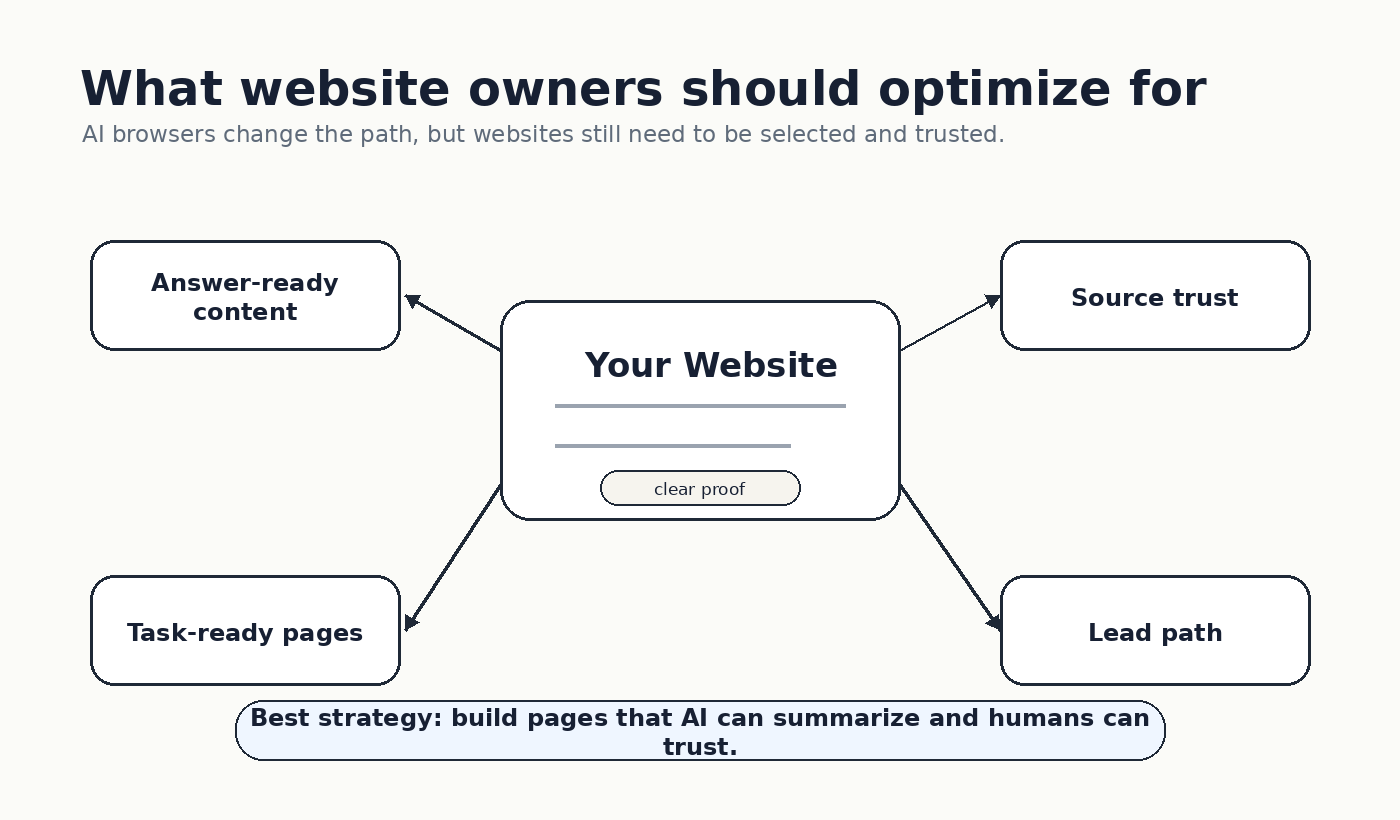
AI browsers create a new challenge for website owners. Your page is no longer competing only for a ranking position. It is competing to be useful inside an AI-assisted browsing flow.
That means your content must be answer-ready. It should define the topic clearly, explain the problem, provide examples, compare options, include proof, and make the next step obvious. Vague marketing language becomes even weaker when an assistant is trying to summarize your value quickly.
This is where SEO and GEO start to overlap. SEO helps your page get discovered through search engines. GEO helps your content become usable inside generative answers and AI recommendations. AI browsers need both. They still depend on web sources, but they select and summarize information differently than a normal results page.
For a business website, the goal should not be only to attract clicks. The goal should be to become a trusted source that an AI browser can understand and a human visitor can act on.
This is especially important for showcase websites. A showcase website presents a product, service, portfolio, case, or business offer in a structured way. If your offer, proof, examples, and CTA are clear, the page has a better chance of working both for humans and for AI assistants.
What Comet means for SEO and GEO
In the old SEO model, the main question was: can this page rank and earn a click? In the AI browser model, the question expands: can this page be selected, summarized, trusted, and used as part of an action?
That changes content structure. Pages need clear headings, concise answers, comparison tables, source links, real proof, useful examples, and direct explanations. The page should make it easy for an assistant to understand what it is about without inventing missing context.
A page about a product should clearly say what the product does, who it is for, how it compares, what proof exists, and what the user should do next. A page about a service should explain the problem, process, outcomes, and inquiry path. A page about a creator or consultant should make expertise and trust obvious.
This is why AI browsers matter to marketers. They push content away from generic SEO pages and toward structured knowledge assets. The better your page explains itself, the more useful it becomes in both search and AI browsing.
Privacy and security cannot be ignored
AI browsers are powerful because they can see more context and take more actions. That is also why privacy and security matter more.
Perplexity's Comet privacy and security FAQ says users get granular privacy controls, including the ability to delete browsing and search history, cookies, and cached data. Perplexity also has a help article saying Comet gives users control over what the Assistant can see and act on, including access to browser history, web navigation, site interaction, and blocked websites.
Those controls are important, but the broader category still needs caution. Any AI assistant that reads pages, summarizes content, interacts with sites, or performs tasks can introduce new risks. Users should understand what the assistant can access, when it is acting, and where human approval is needed.
For everyday research, summarization, and comparison, AI browsers can feel safe and useful. For sensitive accounts, payments, confidential work, or private data, users should move carefully. Convenience should not replace judgment.
How to adapt your website for AI browsers
If AI browsers become common, websites need to be built for selection, not just visits. That means every important page should answer these questions clearly: what is this, who is it for, why should it be trusted, what proof exists, and what should the user do next?
Use short answer sections near the top. Add comparison tables where they help. Include real examples. Make claims specific. Keep source pages accessible. Avoid hiding the important information behind vague brand copy.
Also think beyond the page. If an AI browser assistant asks, 'Which company should I choose for this need?' your website should give it enough structured evidence to answer. That means clear positioning, cases, proof, FAQs, and direct language.
For We0.ai-style showcase websites, this is the opportunity. A showcase website can become an AI-readable business asset: structured enough for assistants, clear enough for visitors, and focused enough to create lead generation.
Final verdict
Perplexity Comet is not just another browser skin. It represents a larger shift from search as a list of links to browsing as an assistant-supported workflow.
AI browsers will not erase traditional search. But they will change where research begins, how people compare sources, how many pages they click, and which websites are trusted as inputs to AI answers.
The winners will not be websites that only chase rankings. They will be websites that can be found, summarized, trusted, and acted on. In other words, the future is not only search visibility. It is AI visibility plus human conversion.
CTA
If your website still depends only on traditional search clicks, now is the time to rethink the structure.
Build a clearer showcase website with We0.ai: https://we0.ai
FAQ
What is Perplexity Comet?
Perplexity Comet is an AI browser from Perplexity that includes an assistant for research, summarization, source comparison, web navigation, and task support.
Will AI browsers replace Google Search?
Not completely. AI browsers may replace some manual search behaviors, especially research and comparison tasks, but traditional search will remain useful for navigation, discovery, local intent, and direct website access.
What is the difference between an AI browser and AI search?
AI search generates answers from web sources. An AI browser brings assistant behavior into the browsing interface, so it can work with pages, tabs, and sometimes tasks.
Why does Comet matter for SEO?
Comet matters because users may rely on AI summaries and assistant recommendations before clicking. Websites need to be structured for both search rankings and AI selection.
How should website owners prepare?
Website owners should create clear, structured, proof-driven pages with definitions, examples, comparisons, FAQs, and obvious conversion paths.
Related Tools
- Comet
- ChatGPT
- Ahrefs
Sources
- Comet